
In this guide
Do Smart Locks Need Wi-Fi to Work?
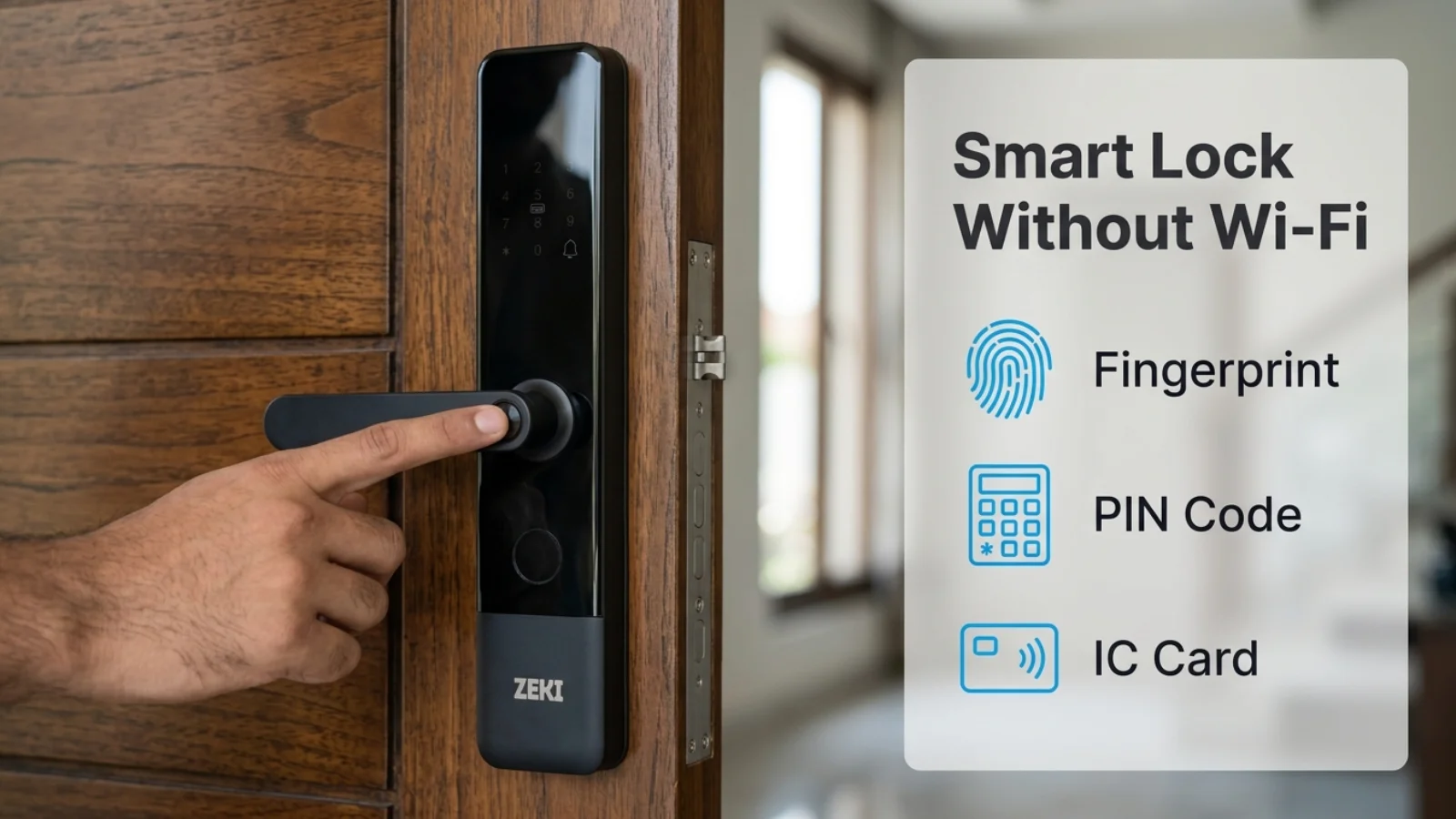
No, many smart door locks do not need Wi-Fi or internet access for normal unlocking. A compatible lock can recognize an already registered fingerprint, PIN code, IC card or other local credential without contacting an online server.
Wi-Fi is generally more important for connected functions, such as remote management, certain notifications, internet-dependent visitor interactions, and synchronization with mobile apps.
The exact capabilities depend on the smart lock model and its configuration. An internet outage is also different from a depleted smart lock battery.
How Can a Smart Lock Work Without Internet?
A common misunderstanding is that every smart device needs to communicate with the internet before it can perform its main function.
A smart lock without Wi-Fi can still contain its own processor, credential memory, biometric reader, keypad and electronic locking mechanism.
Once an authorized credential has been registered, a properly designed lock can check it locally.
This means the lock does not necessarily need to ask an online server whether an enrolled family member is allowed to enter.
Offline Unlocking Methods
What Happens Inside an Offline Smart Lock?
A smart lock can perform a local authentication decision through a sequence of operations inside the device.
A User Presents a Credential
The person places an enrolled finger on the reader, enters a PIN or presents a supported card.
The Lock Captures the Input
The relevant reader or keypad collects the information needed for authentication.
Local Authentication Takes Place
The lock checks the presented credential against its authorized access information or validation rules.
The Lock Makes a Decision
A valid credential can authorize opening. An invalid attempt is rejected according to the lock's authentication logic.
Connected Data May Synchronize Later
Some systems retain local activity information and synchronize it when connectivity becomes available. This behavior varies by model.
The Internet Is Not the Door's Key
For a lock designed to validate existing credentials locally, internet connectivity is a management and communication layer, not a required approval step for every normal unlock.
Which Smart Lock Features Actually Need Wi-Fi?
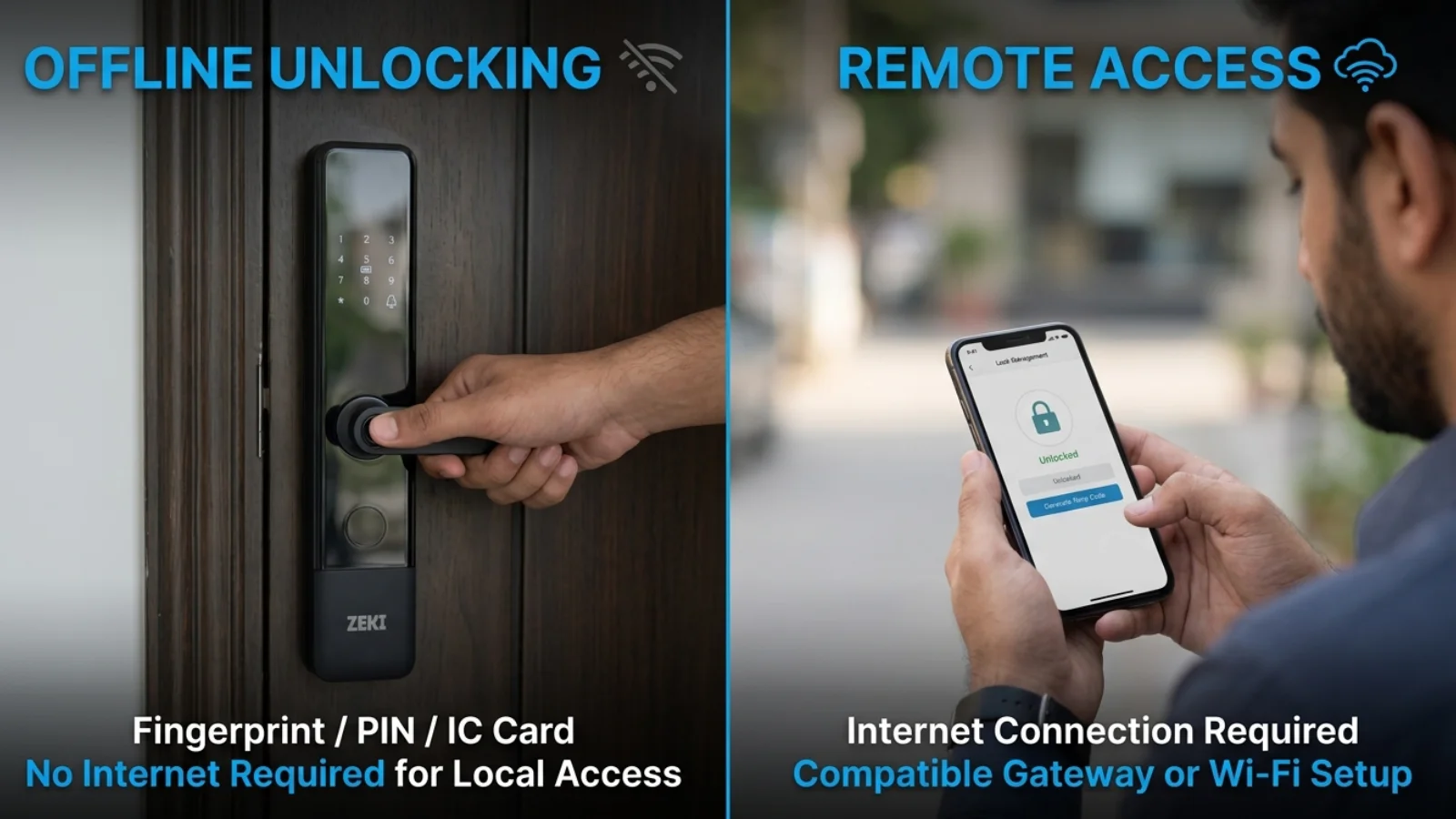
Wi-Fi becomes valuable when you want the smart lock to communicate with a phone or another service while you are away from the property.
However, Wi-Fi and internet access are not identical. A router can broadcast Wi-Fi even when its internet service is down. Cloud-based functions normally require a functioning internet connection as well.
| Smart Lock Function | Internet Required? | Important Detail |
|---|---|---|
| Fingerprint unlocking | Usually no | Existing registered fingerprints can be recognized locally on compatible models. |
| Existing PIN entry | Usually no | Locally valid PINs can work without internet. |
| IC card access | Usually no | Previously enrolled cards can be validated locally. |
| Nearby Bluetooth unlocking | Not inherently | An already configured, supported Bluetooth connection can work at short range. |
| Remote unlocking | Generally yes | Requires supported hardware, connectivity and app permissions. |
| Live remote notifications | Generally yes | Network and cloud communication must be available. |
| Remote user management | Usually yes | Requirements depend on the lock and supported gateway or Wi-Fi setup. |
| Temporary guest codes | Depends on code type | Some algorithm-based codes can be validated offline; remote custom changes may require connectivity. |
| Remote access-history updates | Usually yes | Some systems synchronize events later or through Bluetooth. |
| Mechanical key access | No | Available only on models equipped with a mechanical key cylinder. |
Buyers should always distinguish unlocking at the door from controlling the door remotely.
Bluetooth vs Wi-Fi: What Is the Difference for Smart Locks?
Smart locks can support several communication methods, but each has a different purpose.
Bluetooth Works at Close Range
Bluetooth allows compatible devices to communicate over a short distance. On supported smart locks, a nearby phone can exchange commands with the lock without using the internet as the transport between them.
The app may still need online access for initial account setup, certain permissions, synchronization or other cloud-connected operations.
Wi-Fi Connects the Lock to a Network
A Wi-Fi-enabled smart lock can communicate through a wireless network when its hardware, configuration and power-management design support that functionality.
Not every Wi-Fi smart lock remains continuously online. Some battery-powered models use intermittent connections or visitor-initiated remote requests.
Internet Access Enables Remote Communication
Internet connectivity enables supported remote interactions between devices in different locations, often through a manufacturer's application or cloud service.
Phone nearby → Bluetooth communication → Compatible lock. No internet path is inherently required for the local link.
Remote phone → Internet / supported cloud service → Wi-Fi lock or gateway → Connected lock.
What Does a Smart Lock Gateway Do?
A gateway is a device that can connect a supported local smart lock network to a broader network or cloud service.
In a compatible TTLock Bluetooth setup, the gateway communicates with the lock over Bluetooth and communicates with online services through the network.
Why Would You Need One?
A gateway can enable supported remote operations that are not available through a Bluetooth-only connection when you are far from the property.
Does Every Smart Lock Need a Gateway?
No. Some models have integrated network connectivity, while other models are designed for Bluetooth-first operation.
A gateway is not automatically required for basic fingerprint, PIN or card entry.
Before purchasing one, confirm that the exact lock supports the proposed gateway and the remote function you want.
What Happens When PTCL, StormFiber or Another Internet Connection Stops?
Internet interruptions may happen because of broadband faults, router problems, local network issues or wider connectivity disruptions.
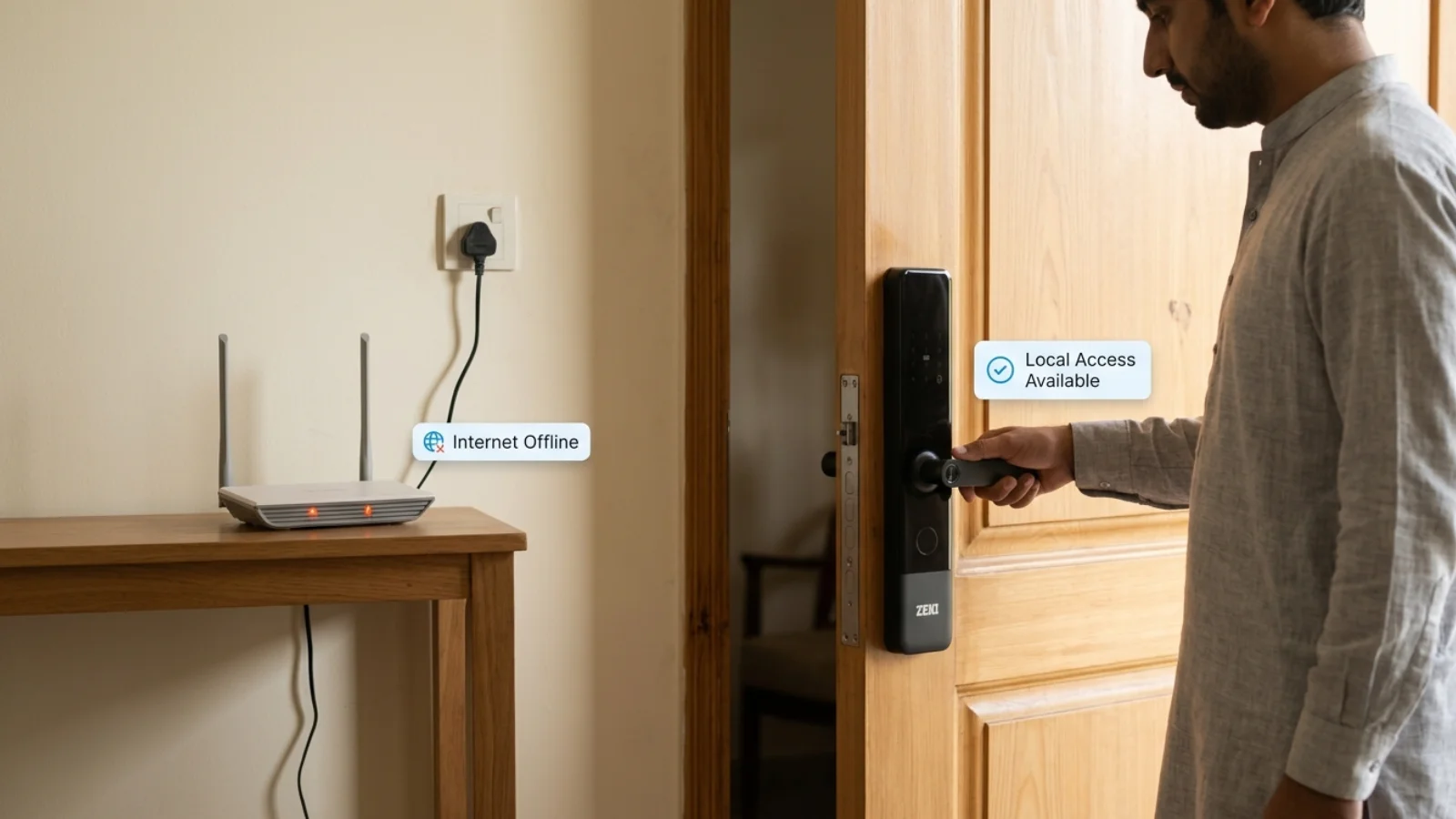
For a compatible smart lock with locally validated credentials, a broadband outage does not automatically disable fingerprint, existing PIN or IC-card access.
What Can Continue Working?
Supported locally stored credentials can continue to function, provided the lock's battery and relevant hardware are operational.
What May Stop Working Temporarily?
Remote control, cloud-based notifications, live synchronization and other internet-dependent functions may become unavailable until the connection returns.
| Situation | Local Access | Remote Features |
|---|---|---|
| Internet service outage | Existing local credentials can continue on compatible locks. | Internet-dependent operations may be unavailable. |
| Wi-Fi router restarted | Local credential validation can continue. | Connected functions may pause during reconnection. |
| Gateway loses network | Supported local unlocking can continue. | Gateway-dependent remote operations may stop. |
| Phone has no mobile data | Registered PIN, fingerprint, card and compatible local Bluetooth access may still work. | Cloud-dependent app features may be limited. |
An Offline Router Is Not a Dead Lock Battery
Network failure and lock power failure are separate events. Troubleshooting should start by identifying which system has actually lost power or connectivity.
Do Smart Locks Work During Load Shedding in Pakistan?
The answer depends on the lock's normal power source.
Many residential smart locks use batteries as their primary operating power supply. They do not rely on continuous household mains electricity to power every local unlock.
If a supported battery-powered lock is operating normally, a household electricity outage does not necessarily stop its local unlocking functions.
Battery Power Is Not the Same as Backup Power
This distinction is important. The four AA batteries used in ZEKI X1 are its normal primary power source. They should not be described as backup batteries.
A separate emergency power input is intended to provide a recovery option if the normal batteries become depleted, subject to the product's instructions.
What Happens to Wi-Fi and Gateways?
A smart lock may still have battery power while a Wi-Fi router, fiber ONT or external gateway loses power.
In that situation, local unlocking may continue, but the internet-based services depend on whether the supporting network equipment remains powered and connected.
Does an Inverter or UPS Help?
A suitable UPS or inverter can help keep compatible routers, ONTs and gateways running during electricity interruptions.
However, backup electricity cannot restore an internet service that is already down at the provider's end.
Battery depletion is a separate issue from load shedding. Review the model's low-battery alerts, emergency power connection and available mechanical access methods before purchasing.
Is an Offline Smart Lock Suitable for a Rental Property?
An offline-capable smart lock can be useful for a rental property where guests or approved users need reliable local entry.
But the property's access-management requirements determine whether offline operation alone is enough.
For Family Homes
Homeowners who mostly want fingerprint or PIN unlocking may not need remote unlocking as an essential feature.
For Offices
Offices may need to consider multiple users, credential removal, administrator permissions and access records.
The need for real-time remote visibility can make connectivity more valuable, even when existing credentials work locally.
For Airbnb and Short-Term Rentals
Guest access can involve temporary credentials, changing bookings and remote property management.
Some compatible smart lock systems support code types that can be validated without internet access at the door. Other credential-management tasks may require an online gateway or direct connectivity.
Not every TTLock or Tuya model has the same remote workflow, and a mobile app alone does not prove direct Airbnb platform integration.
For a property-management-focused explanation, read our smart lock rental property guide .
Is a Smart Lock Without Internet More Secure?
A lock without a constant internet connection has a different connectivity profile from a fully connected device.
Fewer network-connected functions may reduce some remote attack opportunities, but this does not automatically make an offline lock secure against every possible threat.
Overall security still depends on the lock's hardware, firmware, credential management, biometric implementation and physical installation.
Offline Does Not Mean Unhackable
A good smart lock should be evaluated as a complete security product. Internet independence is a useful operating feature, not proof that the lock is impossible to compromise.
ZEKI X1 vs ZEKI X2: Which Connectivity Setup Fits Your Needs?
For ZEKI.pk buyers, the choice between a Bluetooth-first lock and a Wi-Fi-connected lock should reflect how the door will be used.
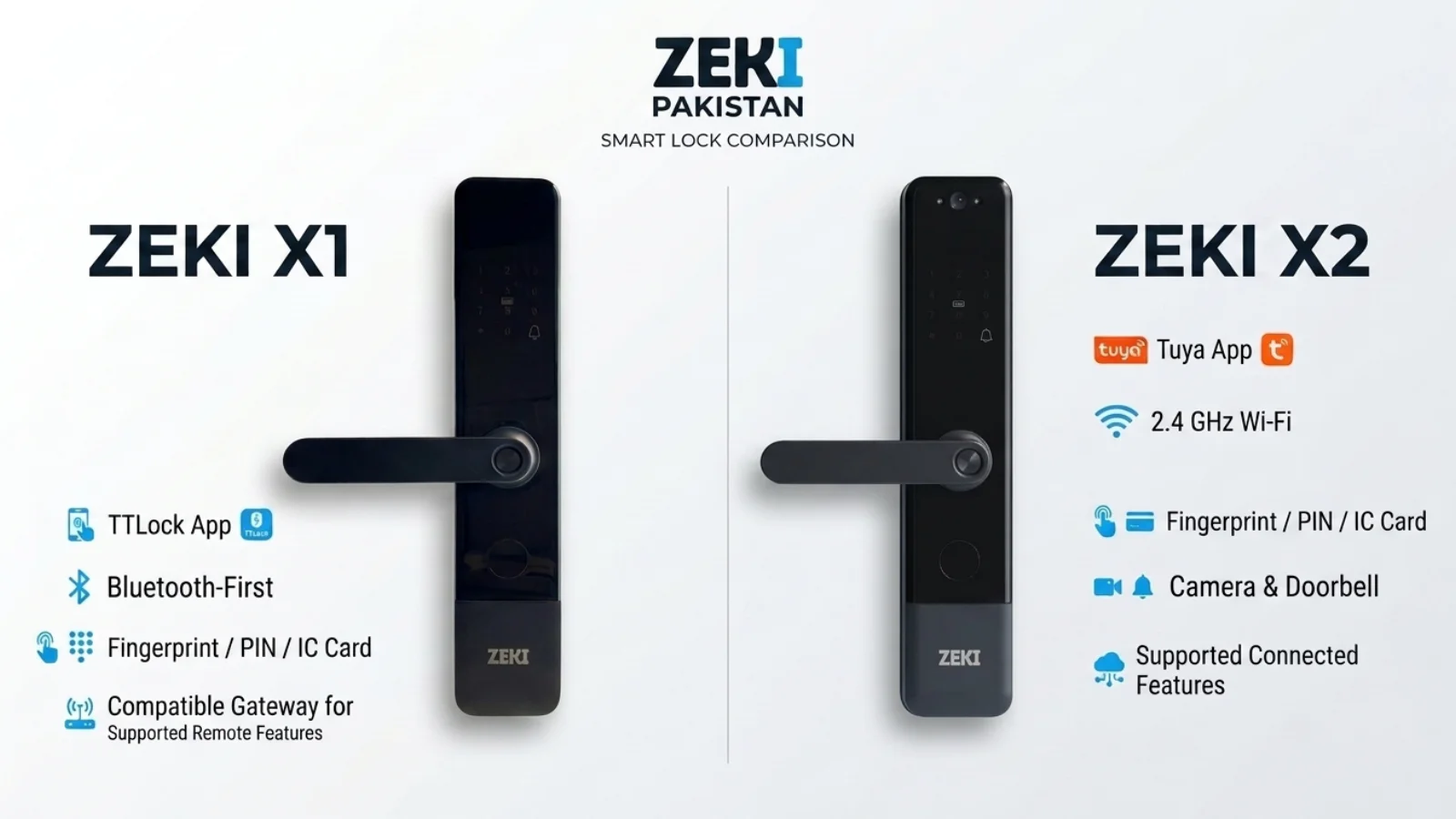
ZEKI X1 uses the TTLock application, while ZEKI X2 is documented with Tuya connectivity and supported 2.4 GHz Wi-Fi functions.
ZEKI X1
Suitable for buyers who primarily want everyday fingerprint, PIN or card access and may not need constant remote control.
- Fingerprint unlocking
- PIN / password access
- IC / RFID card access
- Mechanical key
- TTLock app
- Four AA primary batteries
- Type-C emergency power
- Compatible gateway needed for supported remote TTLock operations
Existing local access methods do not inherently require home Wi-Fi.
Explore ZEKI X1 →ZEKI X2
Suitable for buyers who want a smart lock with local credentials plus supported connected camera and app functions.
- Fingerprint unlocking
- PIN / password access
- IC card access
- Mechanical key
- Tuya app
- 2.4 GHz Wi-Fi support
- Built-in camera and doorbell
- Indoor HD display
Local enrolled credentials can work without internet, while connected features depend on the network and supported configuration.
Explore ZEKI X2 →| Factor | ZEKI X1 | ZEKI X2 |
|---|---|---|
| Mobile platform | TTLock | Tuya |
| Connectivity approach | Bluetooth-first | 2.4 GHz Wi-Fi supported |
| Local fingerprint access | Supported | Supported |
| Local PIN and card access | Supported | Supported |
| Remote capabilities | Compatible TTLock gateway and configuration required for supported functions | Network-dependent Tuya functions vary by model configuration |
| Camera and doorbell | Not the X1 focus | Supported |
| Normal power source | Four AA batteries | Four AA batteries |
| Internet required for enrolled local credentials? | No | No |
The exact remote-unlock process, code management, gateway requirements and connected camera features may differ by model. For more detail, read our TTLock vs Tuya comparison guide .
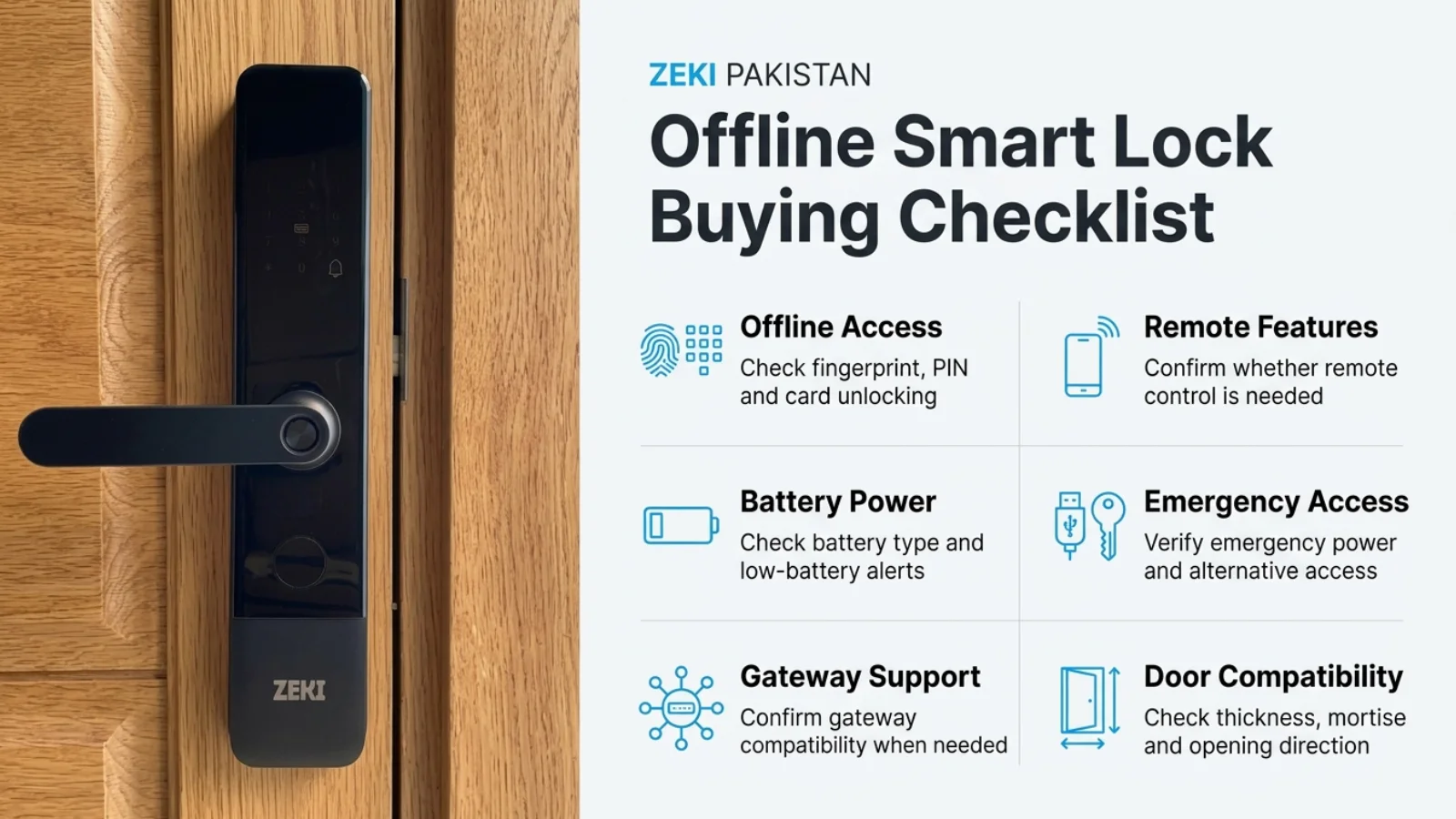
Offline Smart Lock Buying Checklist for Pakistan
The right smart lock should match your everyday access requirements, connectivity preferences and physical door.
Choose Based on Your Daily Access Needs
If your main requirement is local fingerprint, PIN or card entry, continuous internet connectivity may be unnecessary. If you need remote guest access, live notifications or remote management, prioritize verified connected features.
Need Help Choosing a Smart Lock That Works Offline?
Not sure whether you need a Bluetooth-first lock, a Wi-Fi-connected lock or an additional gateway?
Send pictures of your existing door, lock body and door edge on WhatsApp at +92 304 7691488.
Also mention whether your priority is fingerprint access, remote unlocking, guest codes or connected camera functions, so the ZEKI team can review the relevant model and available compatibility information.
Do Smart Locks Need Wi-Fi? FAQs
Do smart locks need Wi-Fi to unlock?
Not always. Many compatible smart locks can use previously registered fingerprints, PIN codes and IC cards without Wi-Fi. Exact offline capabilities depend on the lock model.
Can a smart lock work without internet?
Yes. A smart lock designed for local credential validation can continue supported unlocking operations without an active internet connection. Internet-dependent remote functions may become unavailable.
Will a fingerprint smart lock work without Wi-Fi?
A compatible fingerprint lock can compare registered fingerprint credentials locally. Normal local fingerprint authentication therefore does not inherently require Wi-Fi.
Does Bluetooth smart lock access require internet?
A supported nearby Bluetooth connection can communicate directly between a phone and lock. Some app setup, account and cloud functions may still require internet access.
What happens when the Wi-Fi router stops working?
Local fingerprint, PIN or card authentication can continue on compatible battery-powered locks. Connected functions that depend on the router may stop until network service returns.
Do smart locks work during load shedding in Pakistan?
Many residential smart locks use batteries as their normal primary power supply. Their supported local functions can continue during household electricity outages while the battery remains operational.
Does a smart lock gateway need internet?
A gateway generally needs a functioning network and internet connection for cloud-based remote control. The lock's supported local unlocking functions may continue independently.
Can I unlock my smart lock remotely without Wi-Fi?
Remote unlocking generally requires a supported online communication path. This may involve built-in connectivity or a compatible gateway. The exact procedure depends on the product.
Can temporary smart lock codes work offline?
Some smart lock platforms support algorithm-based temporary codes that can be checked without internet at the door. Other code types and remote management changes may require connectivity.
Does ZEKI X1 work without Wi-Fi?
ZEKI X1 uses TTLock and supports local fingerprint, PIN and IC-card unlocking. Its normal local access methods do not inherently require home Wi-Fi. Supported remote TTLock operations require a compatible gateway and connectivity.
Does ZEKI X2 need Wi-Fi for fingerprint access?
ZEKI X2 supports local fingerprint, PIN and IC-card access without requiring internet for each credential match. Its Tuya-connected features depend on the network and exact configuration.
What should I check before buying an offline smart lock?
Verify local unlocking methods, remote access requirements, gateway compatibility, normal battery power, emergency access, credential management and the lock's physical compatibility with your door and mortise.