ZEKI S1 Palm Vein Smart Door Lock

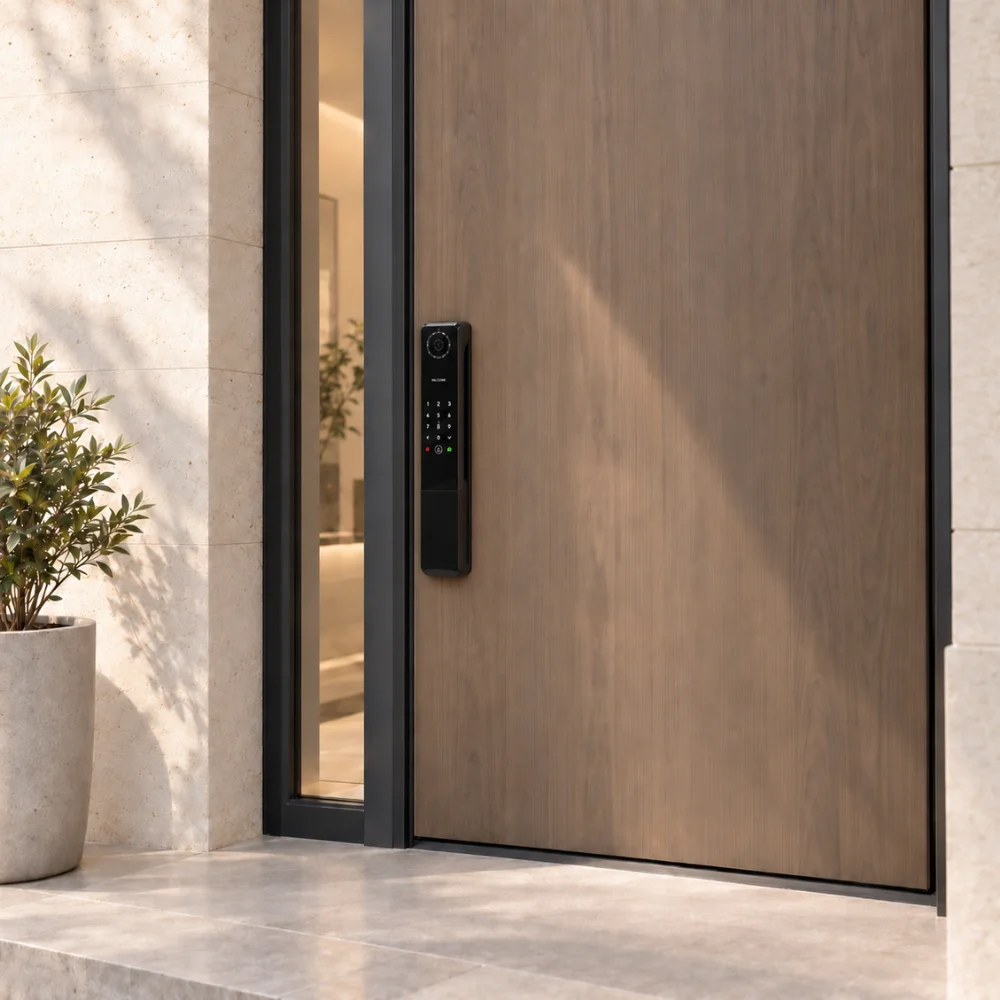
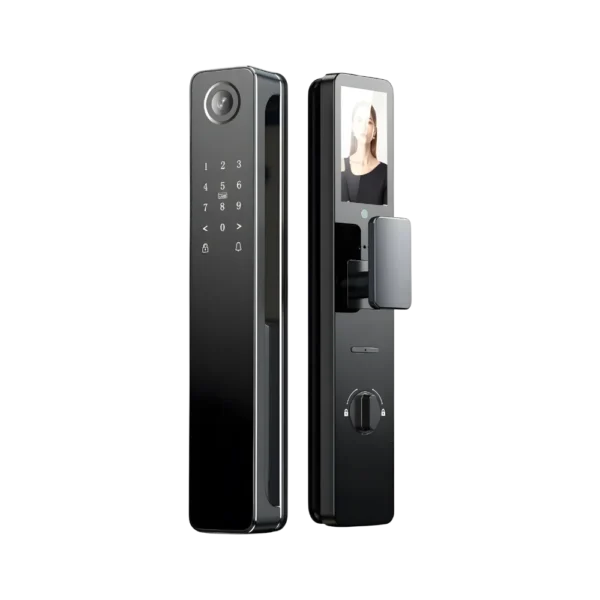
ZEKI S1 Palm Vein Smart Door Lock combines palm vein, face, fingerprint, password and IC card access with a built-in camera, HD screen and Tuya smart connectivity.

PRICE

Original price was: ₨ 149.900.Current price is: ₨ 139.900.

AVAILABILITY

4 in stock

Color
Black only
Palm Vein Recognition
Keyless Convenience
Black Finish
Designed for Pakistan

4 in stock

Palm Vein Access
Keyless Convenience
Smart Access
Modern Security
PRODUCT FILM

Meet the ZEKI S1

ZEKI S1
outdoor
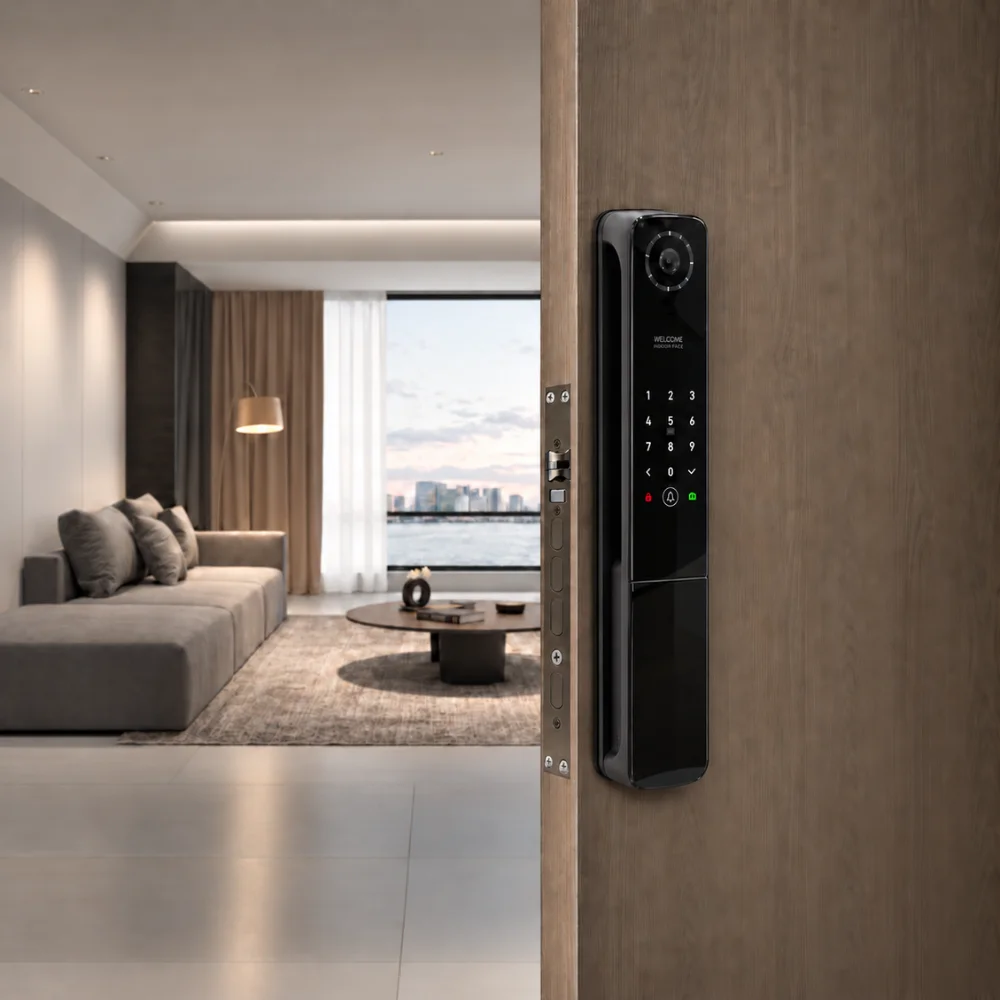
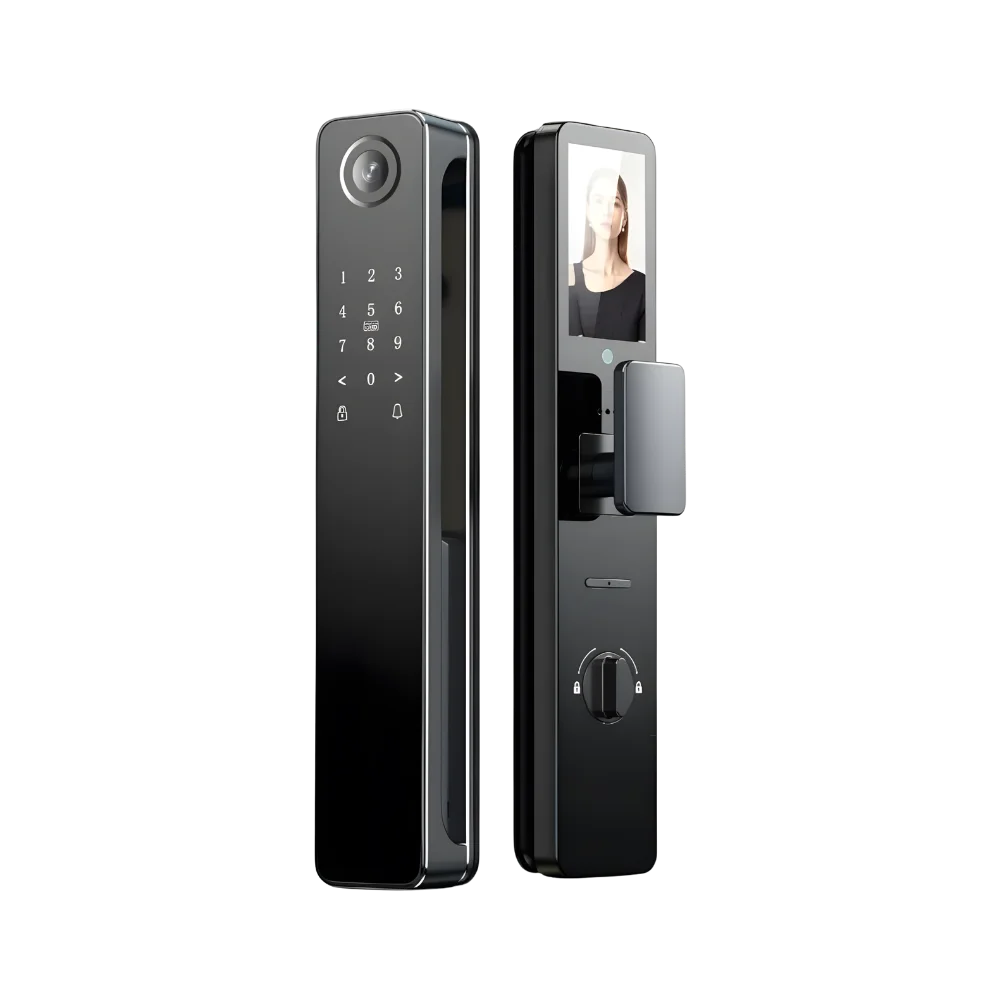
EXTERIOR PANEL

Designed for the Outside

The ZEKI S1 exterior panel combines advanced access technology with a sleek black finish for a clean, modern entrance.
Palm Vein Recognition
Contactless access using your registered palm.
Face & Fingerprint Recognition
Multiple biometric options for fast everyday entry.
Built-in Camera & Doorbell
See visitors and manage access with greater visibility.
indoor
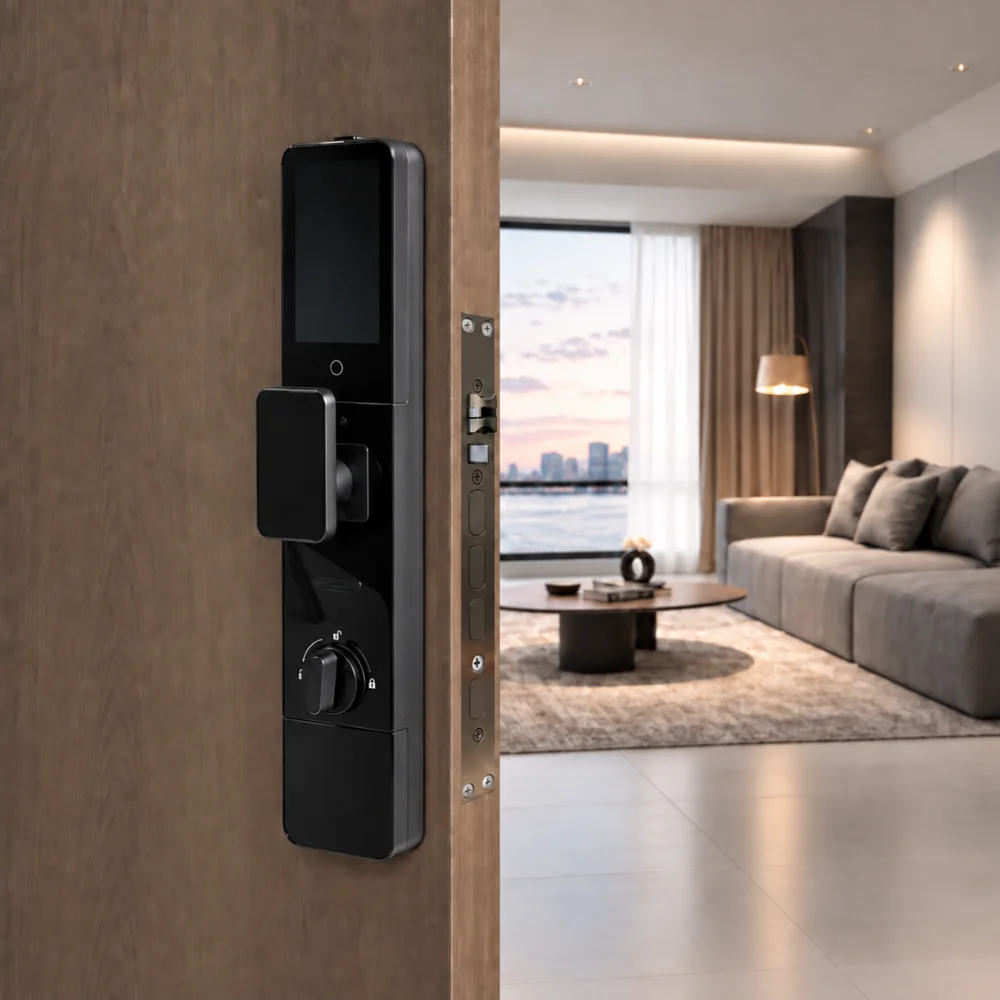
INTERIOR PANEL

Smart Control from the Inside

The ZEKI S1 interior panel is designed for convenient indoor control, with an integrated display and rechargeable battery system.
HD Indoor Display
View the entrance directly from inside your home.
8900mAh Lithium Battery
Rechargeable power system designed for everyday use.
⚡
Type-C Emergency Power
Convenient charging and emergency power support.
!
Low-Power Warning
Receive an alert when the battery requires charging.
SIGNATURE ACCESS

Unlock with Your Palm

Palm vein unlocking puts keyless access at the center of the S1 experience. Simply present your palm to begin.
THE S1 EXPERIENCE

Designed around real arrivals

Smart access should feel natural. ZEKI S1 brings multiple unlocking options together to make everyday entry simpler, faster and more convenient.
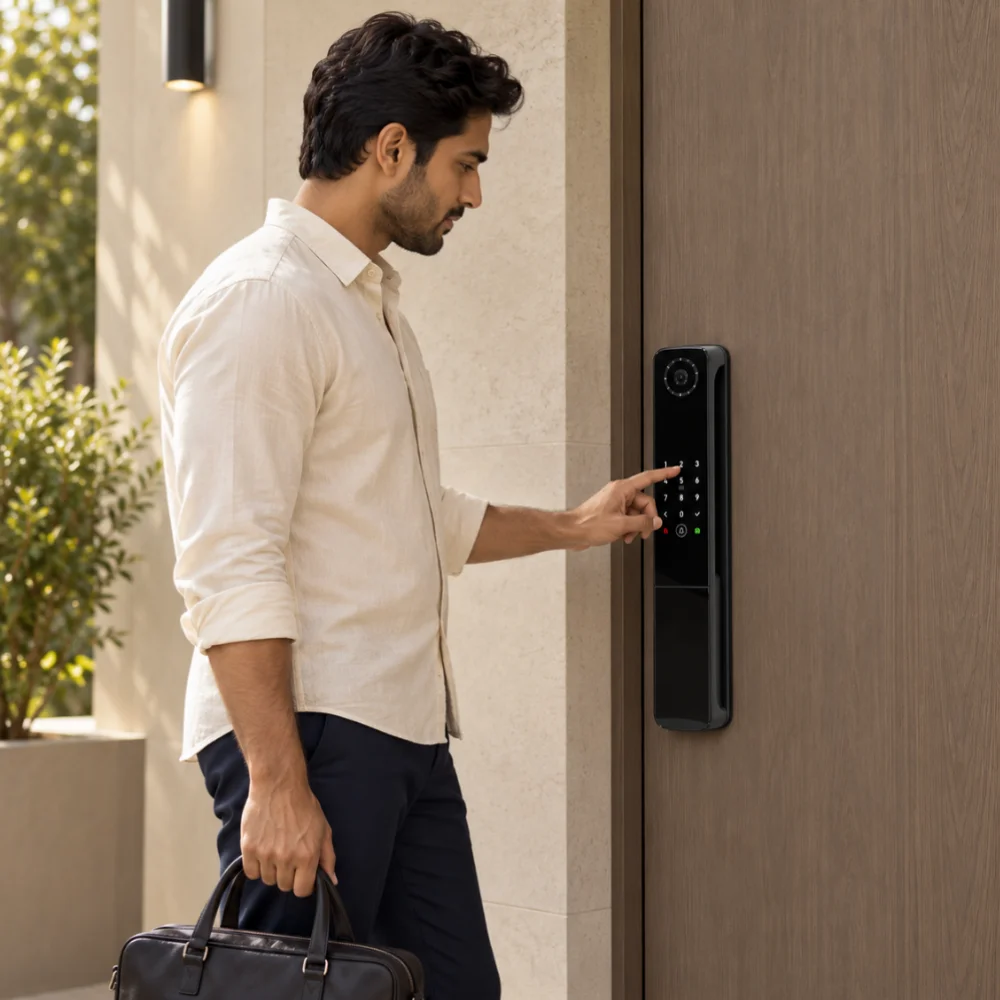
Person arriving home and unlocking the S1 naturally at the front door.
01

Everyday access, reimagined

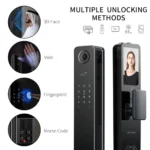
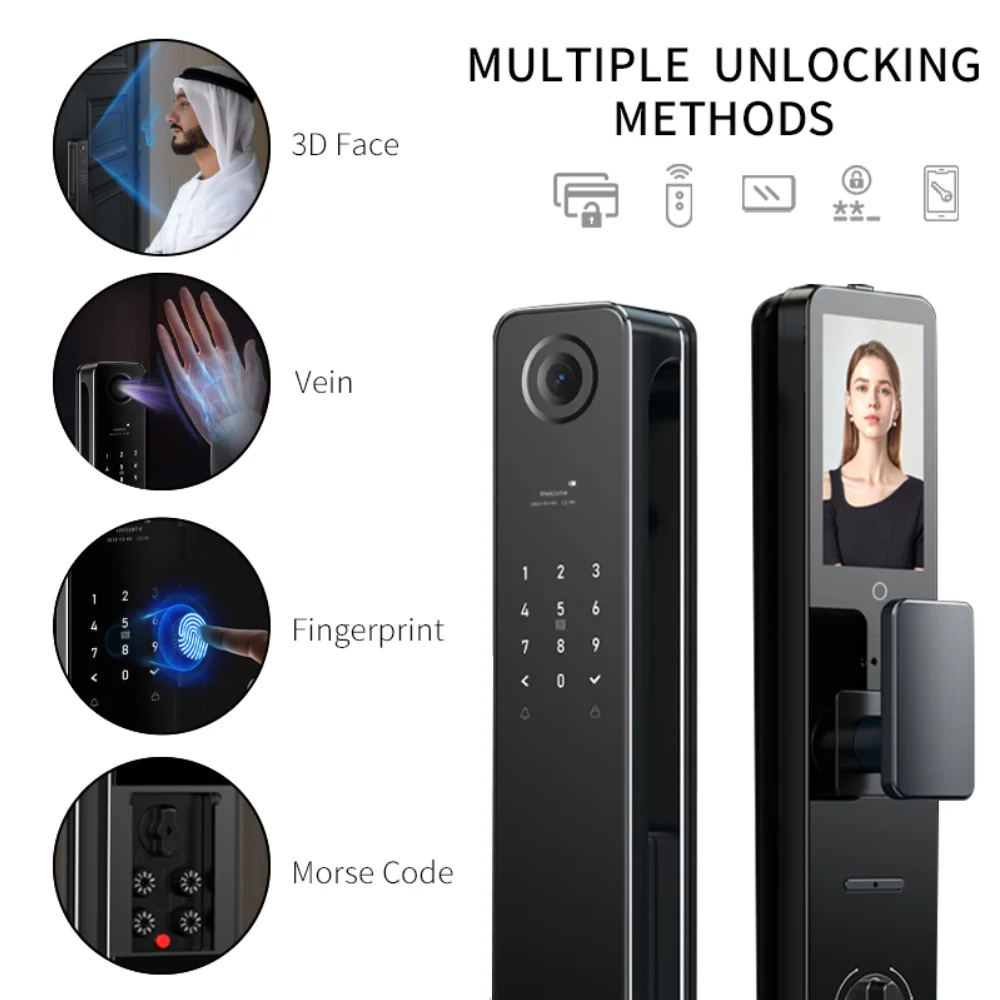
Unlock your door using palm vein, face recognition, fingerprint, password or IC card, giving you flexible access without depending on a traditional key.
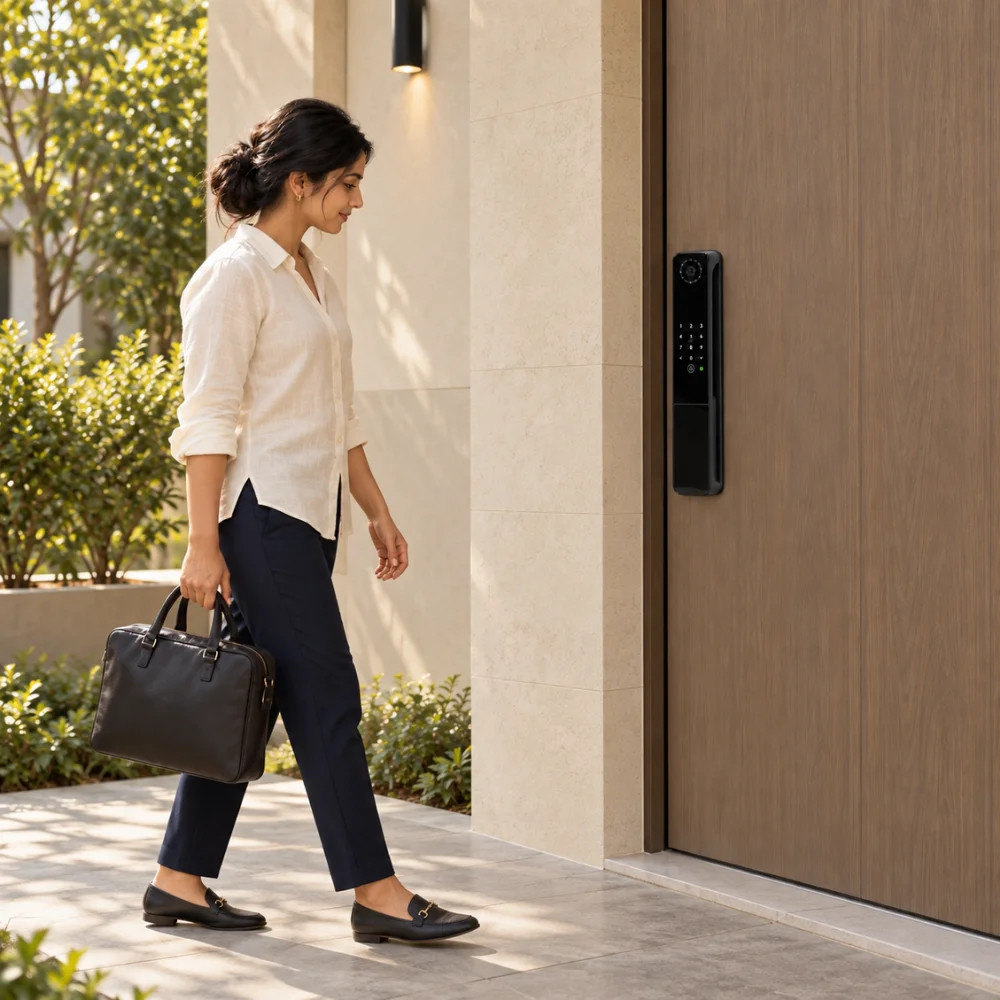
Person approaching the entrance with the S1 clearly visible on the door.
02

Designed around your arrival

Built-in camera, doorbell and smart access features help create a more connected entry experience, whether you are coming home or managing access for others.
Clean architectural lifestyle shot showing the S1 installed on a premium modern entrance.
03

Made for modern entrances

With its slim black design and integrated smart technology, the ZEKI S1 fits naturally into contemporary homes while keeping advanced access features close at hand.
VERIFIED ACCESS

Multiple Ways to Access

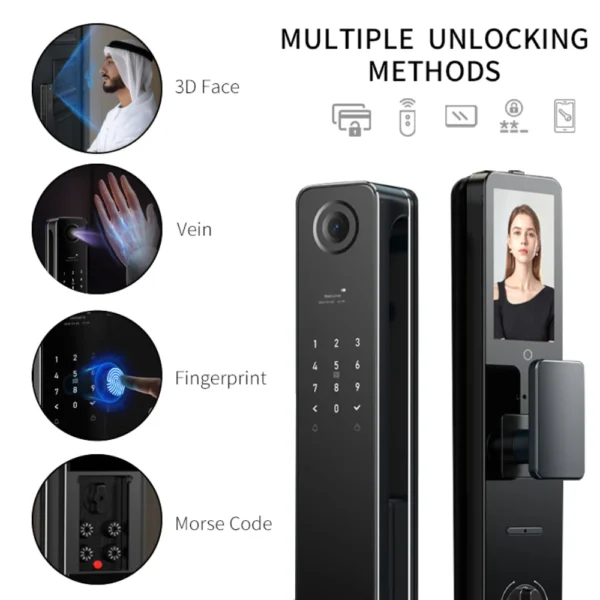
Choose the access method that suits the moment. ZEKI S1 supports palm vein, face recognition, fingerprint, password and IC card access for flexible everyday entry.

Palm Vein

Present your registered palm for convenient contactless access.

✓ Supported on S1

Face Recognition

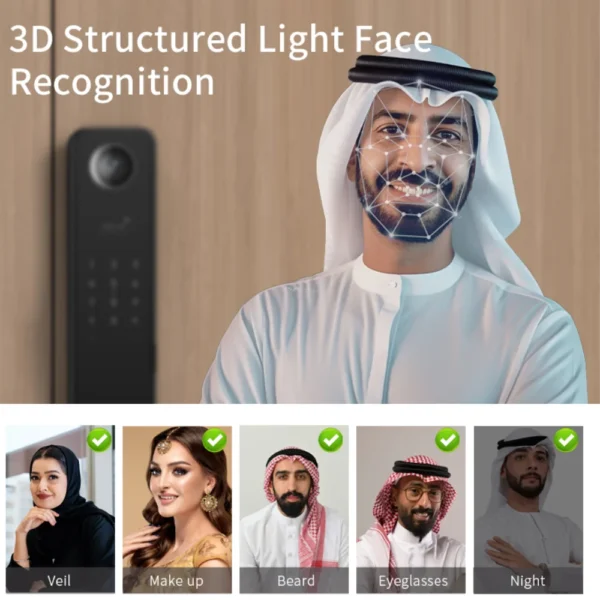
Use registered facial recognition for hands-free entry.

✓ Up to 100 faces

Fingerprint

Unlock quickly using a registered fingerprint.

✓ Up to 100 fingerprints

PIN Code Access

Enter a 6–8 digit PIN directly on the lock keypad for convenient access.

✓ Up to 100 PIN codes

IC Card

Tap a registered IC card for simple everyday access.

✓ Up to 100 cards

App Unlock

Manage and unlock the S1 through the supported Tuya smart app.

✓ Tuya app support
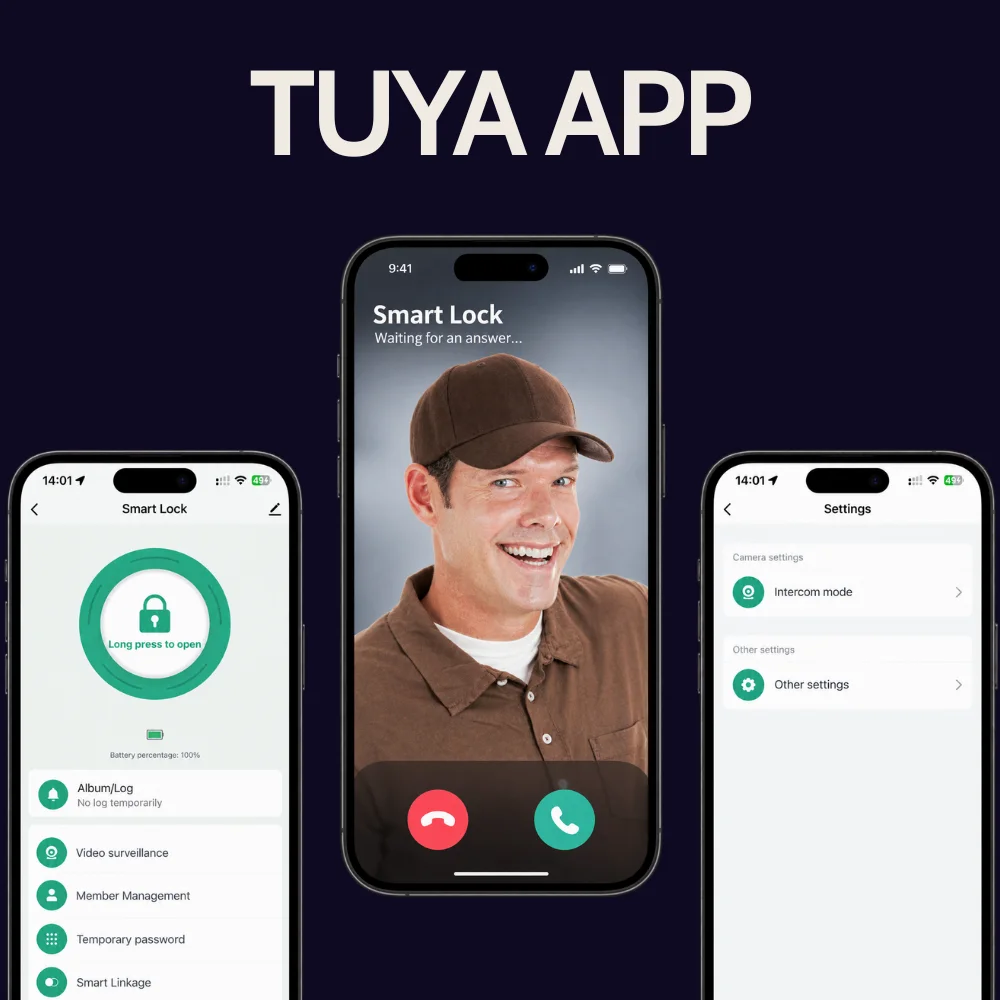
TUYA APP
MOBILE EXPERIENCE

Smart Access from Your Phone

Connect the ZEKI S1 with the Tuya Smart app for convenient smart access and lock management from your phone.
Tuya Smart App
Connect and manage the ZEKI S1 through the supported Tuya ecosystem.
App Unlock
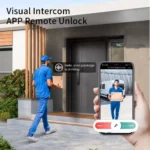
Unlock and manage access directly through your smartphone.
Wi-Fi & Zigbee Connectivity
Supports 2.4 GHz Wi-Fi configuration, with Zigbee available on compatible configurations and gateways.
CONFIGURATION

Simple App Setup

Connect your ZEKI S1 with the Tuya Smart app in a few clear steps.
01

Install Tuya Smart

Download the Tuya Smart app on your smartphone to begin setup.

02

Sign In or Create an Account

Open Tuya Smart and sign in to your account, or create one if needed.

03

Prepare the S1 for Pairing

Put the lock into network pairing mode according to the S1 product instructions.

04

Add the Lock in Tuya

Tap the + button in Tuya Smart, add the S1 and connect it to a 2.4 GHz Wi-Fi network.

05

Configure & Test Access

Set up your preferred access methods, then test the lock and app connection before regular use.

Door Thickness
Measure your door thickness before ordering to confirm compatibility.
Existing Lock / Mortise
Check your current mortise and lock cut-out so the S1 can be matched correctly.
Door Material
Confirm whether your entrance door is wood, metal or another construction type.
Opening Direction
Identify the door's opening direction and handle side before purchase.
BUYER GUIDANCE

Will the ZEKI S1 Fit My Door?

Smart-lock compatibility depends on your door construction, existing lock setup and measurements. Check these key details before ordering your ZEKI S1.
PRODUCT DETAILS

Technical Specifications

Everything you need to know about the ZEKI S1, from biometric access and smart connectivity to power, security and everyday control.
01 Product Overview
Model ZEKI S1
Product Type Palm Vein Smart Door Lock
Color Black
02 Power System
Battery 8900mAh lithium battery system
Charging / Emergency Power Type-C
Low-Power Warning ✓ Supported
03 Smart Features
Smart App Tuya Smart
Wi-Fi 2.4 GHz supported configuration
Zigbee Supported on applicable configurations with a compatible gateway
Camera Built-in
Doorbell Built-in
Indoor Display HD Screen
04 Access & Biometrics
Palm Vein Recognition ✓ Supported Up to 100
Face Recognition ✓ Supported Up to 100
Fingerprint Recognition ✓ Supported Up to 100
PIN Code Capacity Up to 100
PIN Length 6–8 digits
IC Card Capacity Up to 100
Virtual Password ✓ Supported
05 Security & Control
Tamper Alarm ✓ Supported
Double Authentication ✓ Supported
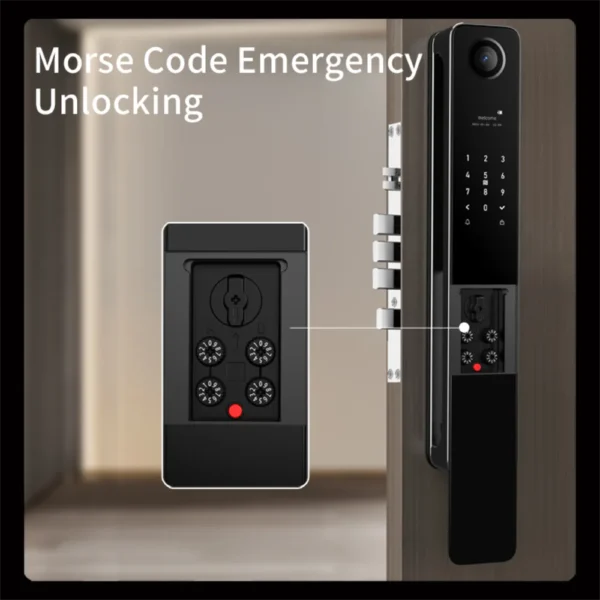
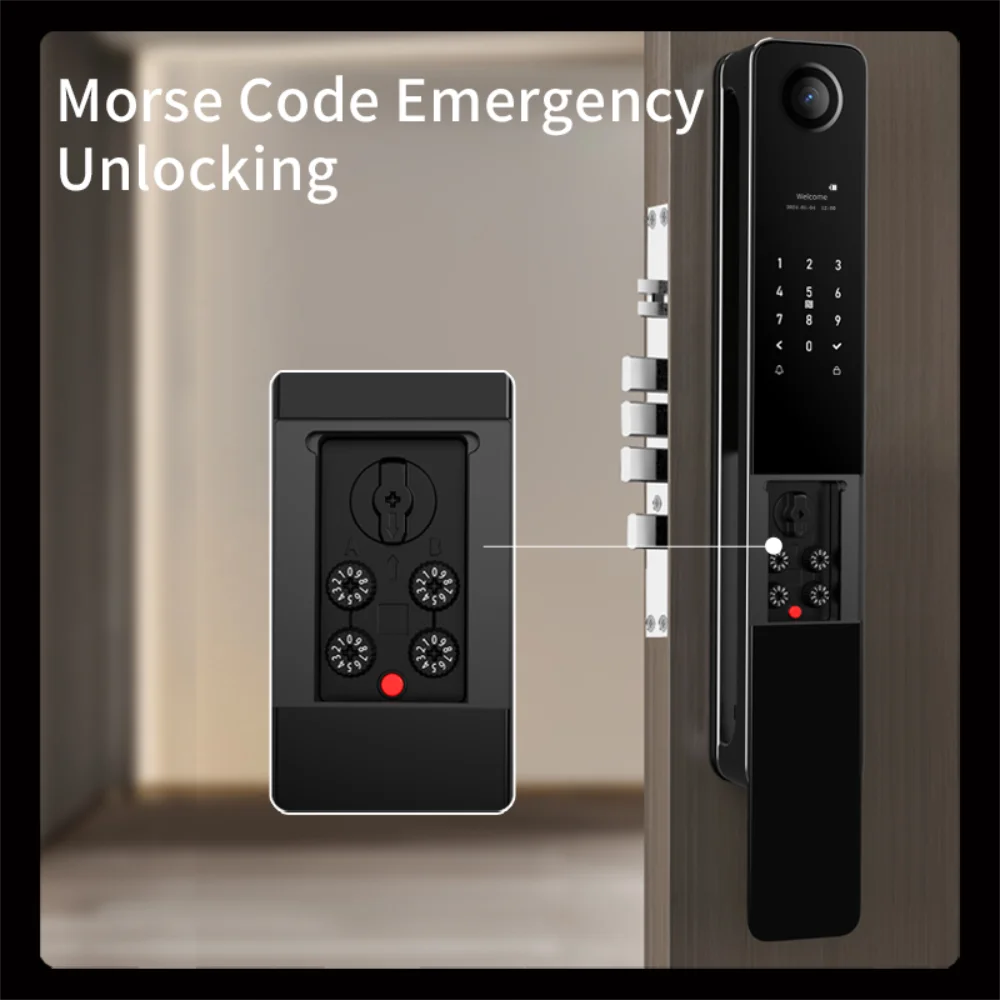
Morse Code Emergency Unlock ✓ Supported
Automatic Lock Delay Configurable
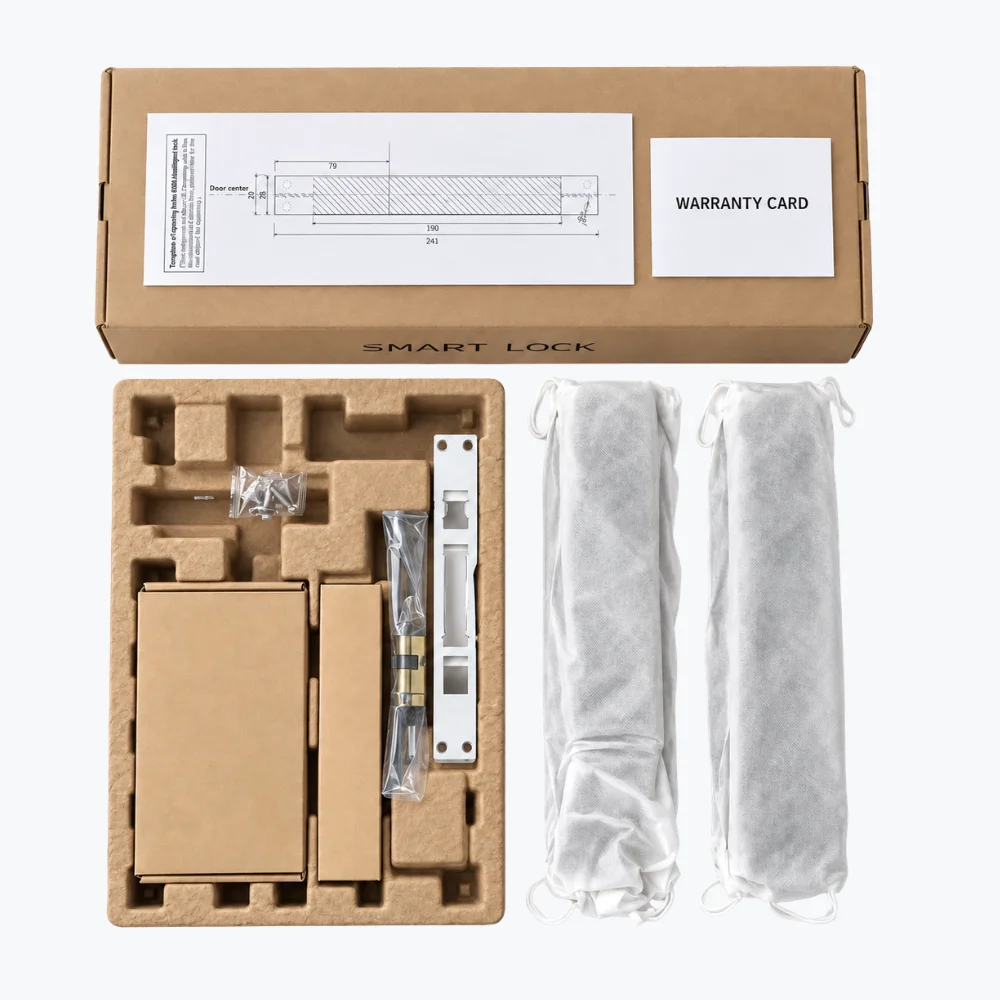
whats in the box
PACKAGE

What's in the Box

See the ZEKI S1 package contents at a glance. The product image shows the supplied components and accessories so you can review what comes with your lock before purchase.
Front & Indoor Lock Panels
Both main lock panels are securely protected inside individual sleeves.
Mortise, Cylinder & Fitting Hardware
Core locking hardware and mounting components are packed together for installation.
Installation Template & Warranty Card
A fitting template and warranty card are included inside the package.
QUESTIONS

Before You Choose

Clear answers to the most common questions about the ZEKI S1, including biometric access, Tuya connectivity, battery, emergency access and everyday smart-lock functionality.
Does the ZEKI S1 support palm vein recognition?

Yes. Palm vein recognition is one of the main biometric access methods on the ZEKI S1. The lock can store up to 100 registered palm vein profiles.

Does the ZEKI S1 also support face recognition?

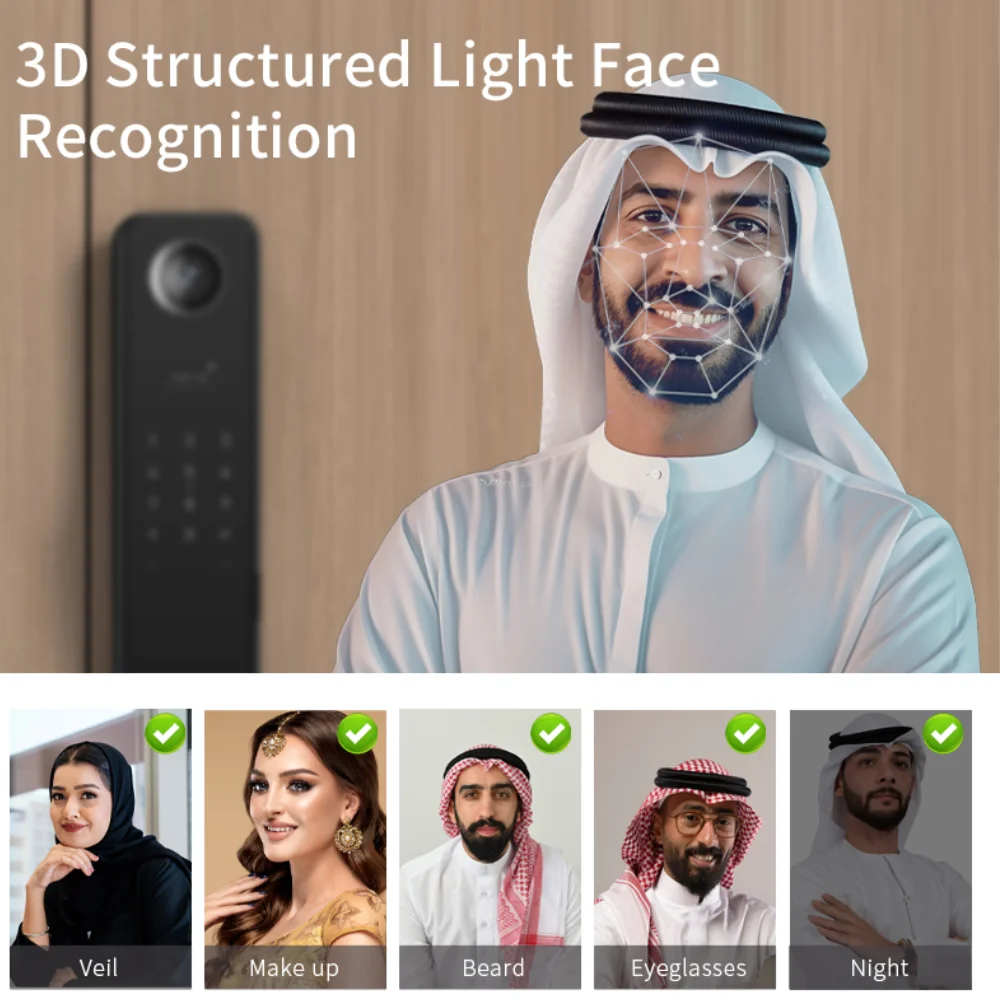
Yes. The S1 supports face recognition alongside palm vein and fingerprint authentication and can store up to 100 registered face profiles.

What unlocking methods does the ZEKI S1 support?

The S1 supports palm vein recognition, face recognition, fingerprint, password and IC card authentication, together with supported app functionality and documented emergency-access methods.

How many fingerprints can the ZEKI S1 store?

The ZEKI S1 supports up to 100 registered fingerprints.

Does the S1 have a camera and indoor screen?

Yes. The S1 includes a built-in camera and an HD screen on the interior unit for supported visitor-viewing functionality.

Does the ZEKI S1 work with the Tuya app?

Yes. The supplied manual documents Tuya app connectivity, including setup through a supported 2.4 GHz Wi-Fi network.

Does the ZEKI S1 support remote unlocking?

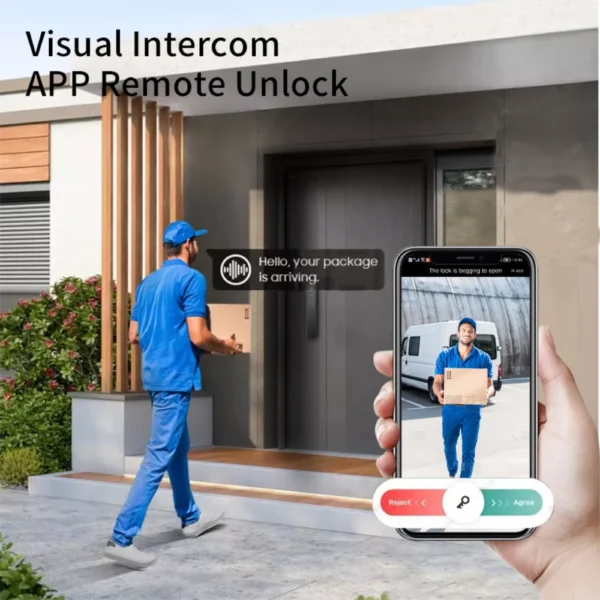
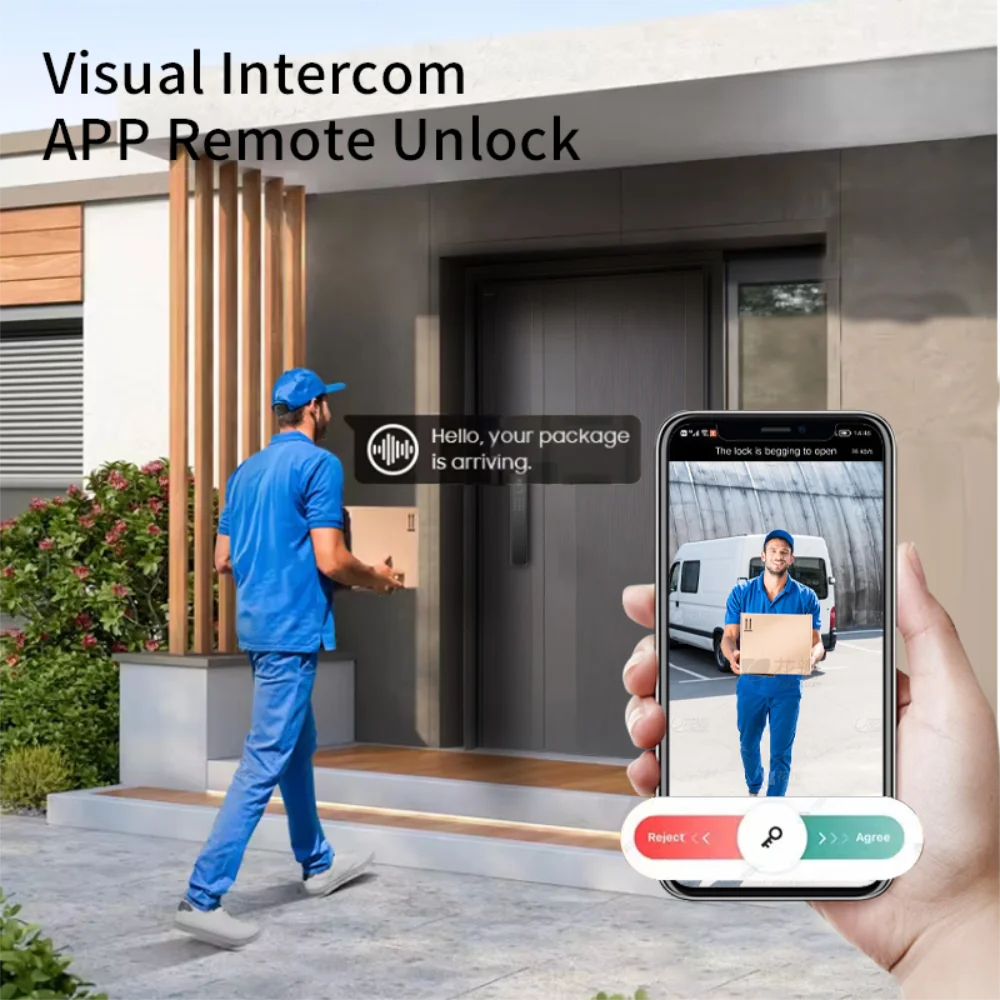
The manual documents a remote-unlocking request workflow. When the doorbell is activated, the supported app can receive an unlocking request that an authorized user can respond to.

What is the virtual password function?

The virtual password function allows unrelated digits to be entered before and after the correct password while keeping the registered password within the complete sequence.

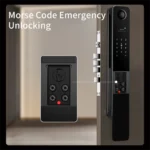
What is Morse Code emergency unlocking?

The S1 includes a configurable Morse Code emergency mechanism. According to the supplied manual, it can be used to unlock the door if the lock runs out of power or experiences a system failure.

What battery does the ZEKI S1 use?

The ZEKI S1 uses an 8900mAh lithium battery system with Type-C support for charging and emergency external power.
ZEKI S1 Palm Vein Smart Door Lock
ZEKI S1

Ready for Smarter Access?

Upgrade your entrance with palm vein, face recognition, fingerprint, PIN, IC card and Tuya smart access in one premium smart lock.

Original price was: ₨ 149.900.Current price is: ₨ 139.900.

4 in stock