
In this guide
Is TTLock or Tuya Better for a Smart Lock?
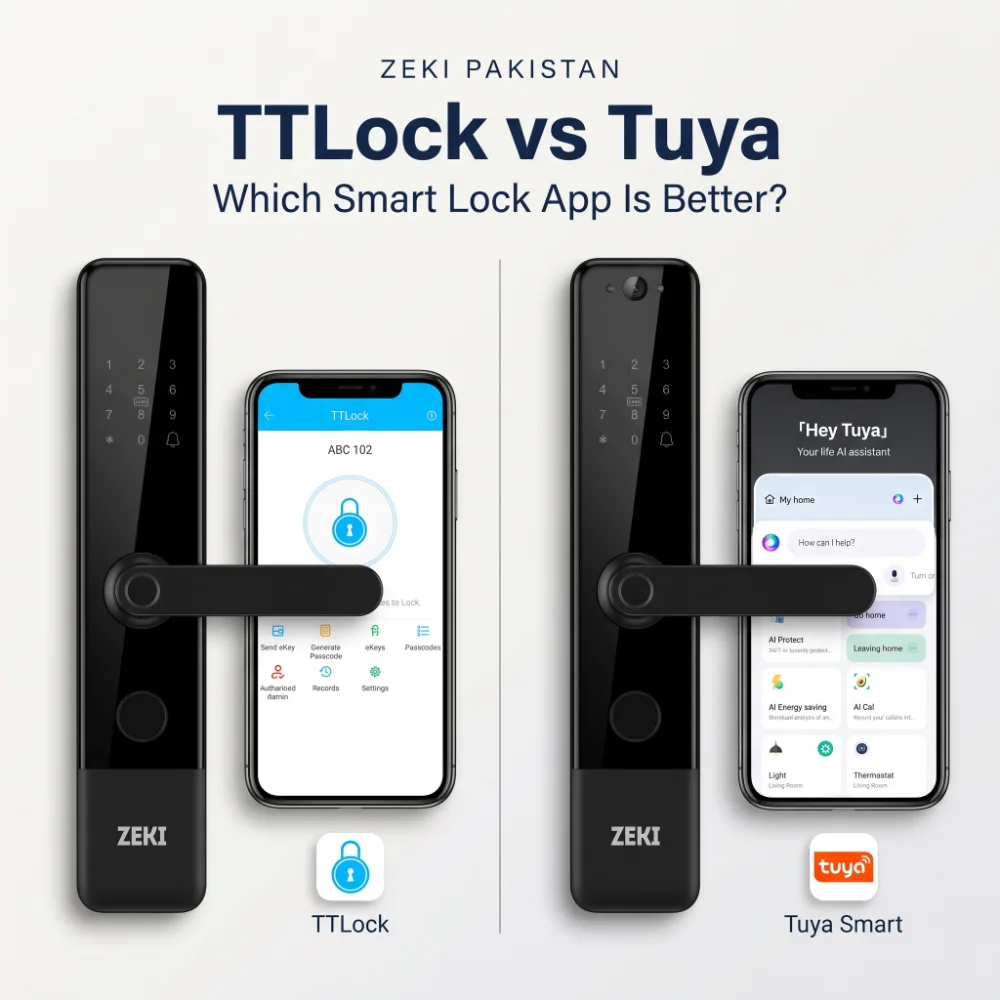
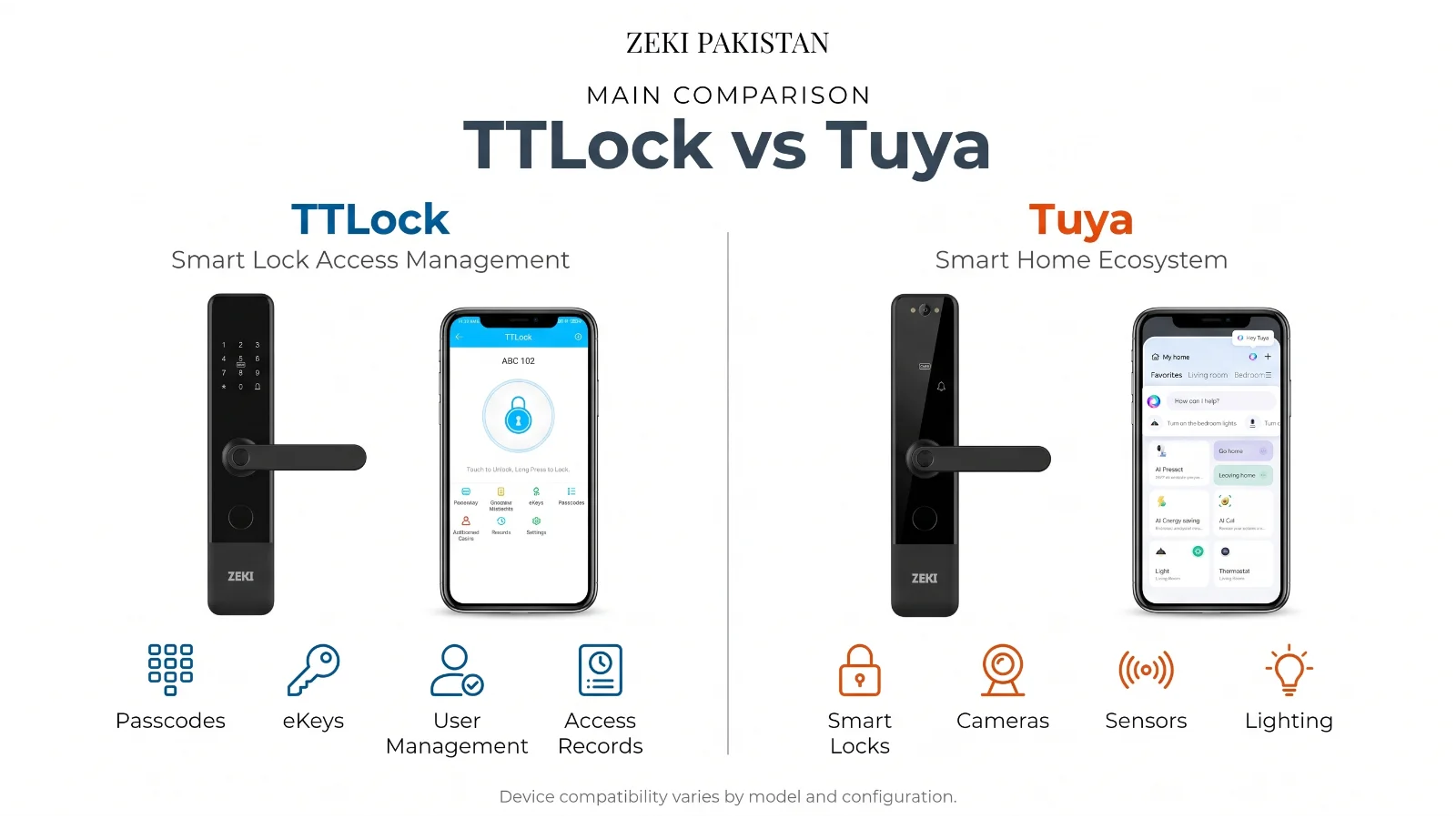
Neither platform is automatically better for every buyer. TTLock is primarily focused on managing door access, including credentials, passcodes, eKeys and lock records. Tuya is part of a much wider smart-home ecosystem that can connect compatible locks with other connected devices and automation functions.
For a homeowner who mainly wants straightforward smart-lock access management, TTLock can be a strong fit. For someone who wants the entrance to become part of a broader connected-home setup, or who is choosing a Tuya-based camera lock, Tuya can make more sense.
The most important rule is simple: choose the lock and access workflow first, then evaluate the app.
Buyers often see the words TTLock or Tuya Smart in a product specification and assume they describe one particular lock feature.
They do not.
They are software and connectivity platforms used by many different electronic-lock manufacturers. Two locks can use the same app but still have very different fingerprint sensors, mortises, cameras, batteries, remote-access behaviour and supported functions.
That distinction matters when comparing a lock for a family home in DHA Lahore, an apartment in Islamabad, an office in Karachi or a rental property where guest credentials need to be managed remotely.
What Are TTLock and Tuya?
A Lock-Focused Access Platform
TTLock is built primarily around electronic locks and access management. Depending on the compatible hardware, the ecosystem can manage functions such as eKeys, passcodes, cards, fingerprints, lock records and gateway-based remote operations.
Its strength is that the door lock remains the centre of the workflow.
A Wider Smart-Home Platform
Tuya Smart is not limited to door locks. The ecosystem can also support compatible cameras, sensors, lighting, plugs, thermostats and other connected devices.
A Tuya lock therefore has the potential to sit inside a broader smart-home environment instead of operating as a completely separate category of device.
TTLock Is Lock-Centric. Tuya Is Ecosystem-Centric.
This is the simplest useful way to understand the TTLock vs Tuya comparison.
TTLock starts with the question: how should this door be managed?
Tuya starts from a broader connected-device environment: how can this lock participate in the rest of the smart home?
Do Not Choose an App Logo. Choose a Workflow.
A rental host generating guest access codes has a different priority from a homeowner who wants a camera-equipped entrance connected to other Tuya devices. The correct platform depends on what you expect the door to do after installation.
Access-Focused Users
- Homes using straightforward keyless access
- Rental units requiring flexible credentials
- Small offices managing several authorized users
- Owners who want lock-focused app management
- Projects where eKeys and passcodes are central
Connected-Home Users
- Homes already using compatible Tuya devices
- Camera or doorbell-equipped smart entrances
- Users interested in wider device automation
- Properties combining locks with sensors or other devices
- Buyers who want one broader smart-home ecosystem
TTLock vs Tuya Smart Lock: Key Differences
The table below compares the platforms at ecosystem level. The exact features available on your door still depend on the specific smart-lock model and firmware.
| Buying Factor | TTLock | Tuya |
|---|---|---|
| Main focus | Electronic-lock and access management | Wider smart-home and IoT ecosystem |
| Nearby phone connection | Commonly Bluetooth on compatible locks | Depends on lock: Wi-Fi, Bluetooth or Zigbee configurations exist |
| Remote functions | Often require a compatible gateway or suitable network-enabled lock | Depends heavily on the lock architecture and manufacturer implementation |
| Temporary access | Strong passcode and eKey management options on supported hardware | Temporary passwords and user-management features available on supported locks |
| Unlock records | Supported within compatible TTLock workflows | Supported on compatible Tuya lock implementations |
| Wider smart-home devices | Not the platform's main focus | Major platform strength |
| Rental / guest use | Particularly relevant where passcodes and access sharing are central | Can work well, but exact guest-access workflow depends on the lock |
| Camera / doorbell integration | Model-dependent | Commonly available on compatible Tuya camera-lock configurations |
| Best reason to choose it | Focused lock and credential management | Broader connected-home integration |
Bluetooth, Wi-Fi and Gateways: Where Buyers Get Confused
The app is only one part of the system. The communication path between the lock and your phone determines what you can do nearby and what can be done from another city.
How TTLock Commonly Works
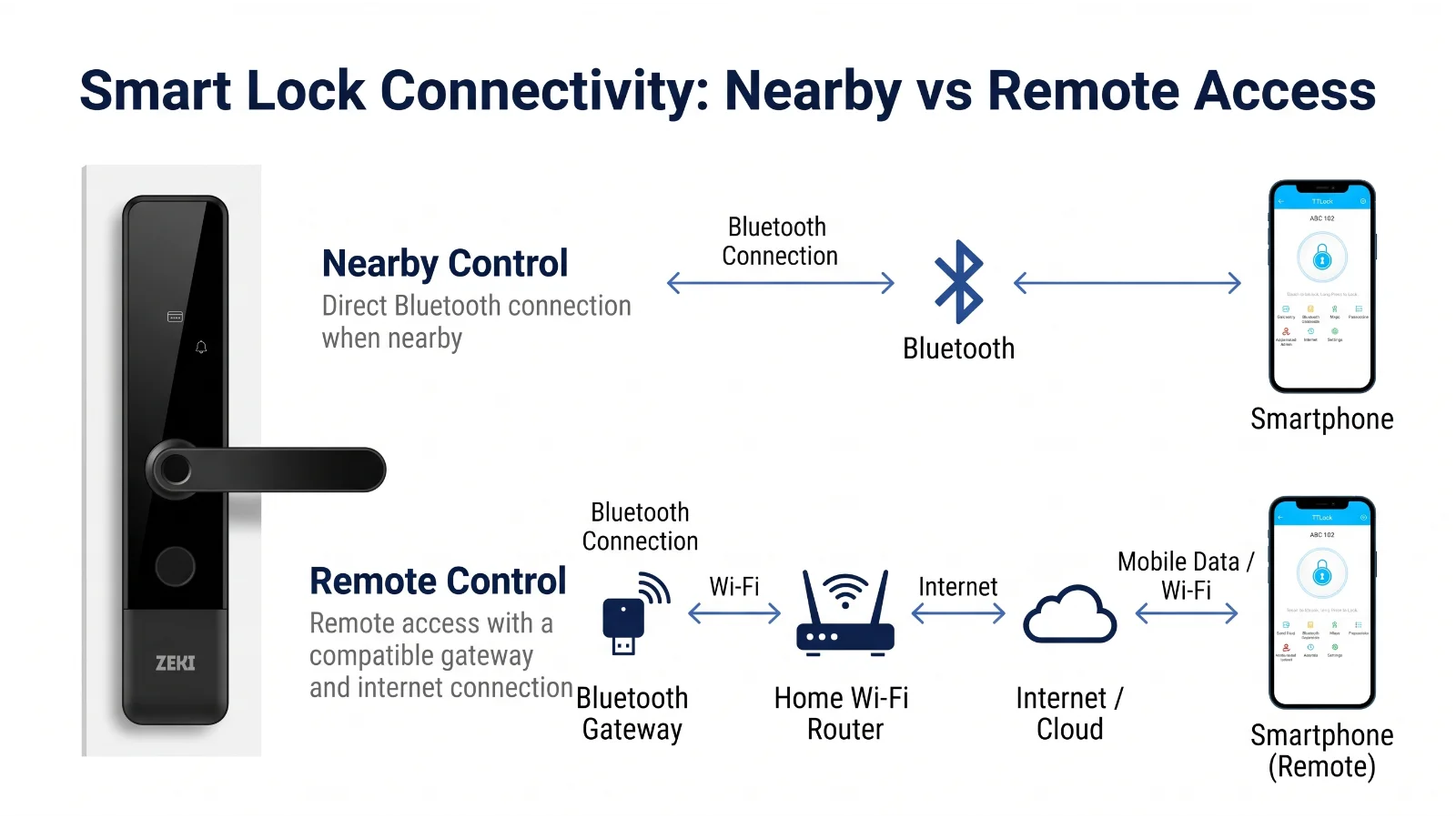
Many TTLock-compatible locks use Bluetooth for nearby communication. This allows the phone and lock to communicate when you are within suitable range.
If a supported lock needs live remote communication over the internet, a compatible TTLock gateway may be required. The gateway provides a network path between the lock and the online service.
This distinction matters because a buyer may see “TTLock app” and assume every app function works from anywhere immediately. That is not necessarily true.
How Tuya Varies
Tuya supports several smart-lock architectures. Some models use direct Wi-Fi, while others can use Bluetooth or Zigbee with an appropriate gateway.
As a result, there is no reliable universal sentence such as “all Tuya locks work remotely without a gateway.”
You need to check the exact lock.
Temporary Codes, eKeys and Guest Access
This is where TTLock's lock-focused design becomes particularly easy to understand.
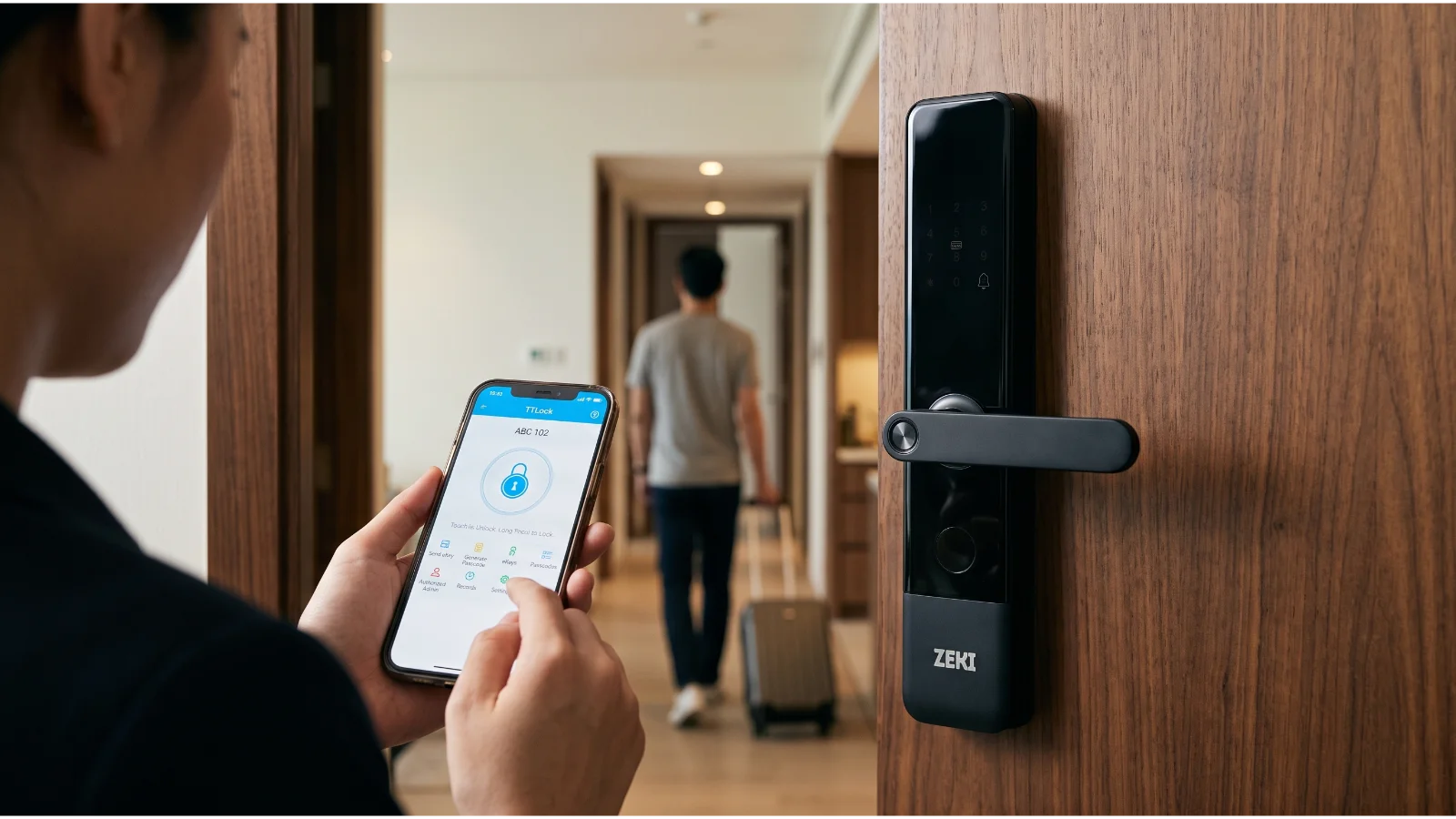
TTLock supports different passcode workflows on compatible hardware. Depending on the lock and connection method, owners can manage permanent, timed or other supported credential types.
The platform also supports eKey-style access sharing, allowing compatible mobile-based access to be assigned and managed.
Tuya also supports temporary-password workflows on compatible smart locks. The important difference is that Tuya functionality can vary according to the product implementation.
Permanent Household Access
Family members usually need credentials that remain active until the owner changes or removes them.
Time-Limited Guest Access
A rental guest, cleaner, contractor or visiting relative may only need entry during a defined period.
Maid or Driver Access
Separate credentials make more sense than sharing the homeowner's master PIN or physical key.
Property Management
Landlords and hosts should prioritize how quickly access can be created, changed and removed between occupants.
Remote Unlocking Is Not the Same on Every TTLock or Tuya Lock
“Can I unlock it from anywhere?” sounds like a simple yes-or-no question. In practice, it is one of the most configuration-dependent smart-lock features.
TTLock documents remote unlocking through a compatible gateway on supported locks. Remote passcode management can also depend on whether the lock has a gateway or suitable network connection.
Tuya's ecosystem supports several remote-access architectures, but direct remote unlocking is not universal across every Tuya lock. Temporary-password workflows and visitor-request workflows can differ by hardware implementation.
Never Buy a Smart Lock Based Only on “Remote Access”
Ask the seller to demonstrate the exact off-site workflow on the exact model you are purchasing. A feature supported by the platform does not automatically mean every compatible lock implements it in the same way.
What Happens if the Internet Goes Down?
A properly designed entrance lock should not make basic local authentication depend on a working ISP connection.
On the ZEKI models discussed here, normal registered credentials are handled at the lock. Internet connectivity is used for supported connected features rather than replacing the lock's local access system.
That matters in Pakistan, where a home may temporarily lose PTCL, StormFiber, Nayatel or another broadband connection while the entrance still needs to work normally.
Where Tuya Has the Clearest Ecosystem Advantage
A door lock is only one category inside the Tuya ecosystem.
Depending on compatible devices and the specific configuration, Tuya can connect locks with broader automation scenarios involving devices such as sensors, lighting, cameras and other smart-home equipment.
This becomes relevant when a homeowner wants the entrance to participate in a wider automation strategy instead of simply replacing a mechanical key.
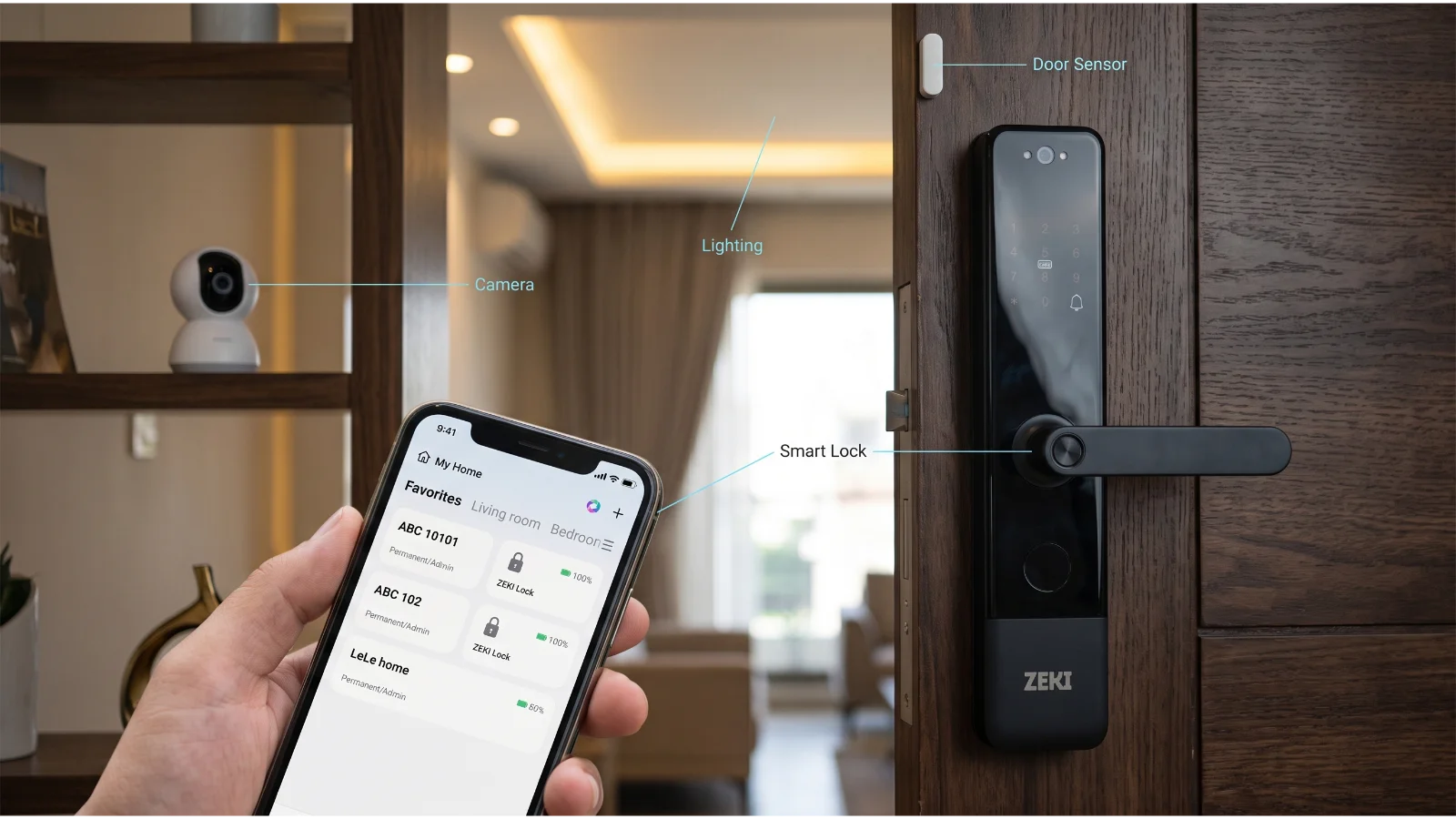
If your interest is specifically in camera-equipped entrance hardware, our Smart Lock Camera Guide explains what to check beyond the app, including indoor viewing, offline access and door compatibility.
Which Platform Makes More Sense for Pakistani Properties?
The answer becomes easier when you stop comparing apps and start comparing properties.
If the priority is fingerprint, PIN, IC-card and straightforward phone-based lock management, a TTLock-based model can be a practical fit. If the entrance includes a camera, indoor display or wider automation requirement, a Tuya-based model may fit better.
Focus on credential lifecycle. Ask how easily you can create guest access, define validity periods, revoke access and review entry records. TTLock deserves serious consideration where these lock-specific workflows are the main requirement.
Both platforms can be suitable depending on the lock. Prioritize user capacity, credential management, records and how administrators will add or remove staff access.
If the lock needs to coexist with a larger collection of compatible smart-home devices, Tuya's broader ecosystem can become the more important advantage.
App choice comes second. Door thickness, mortise, backset, spindle alignment and frame clearance must still be confirmed before installation.
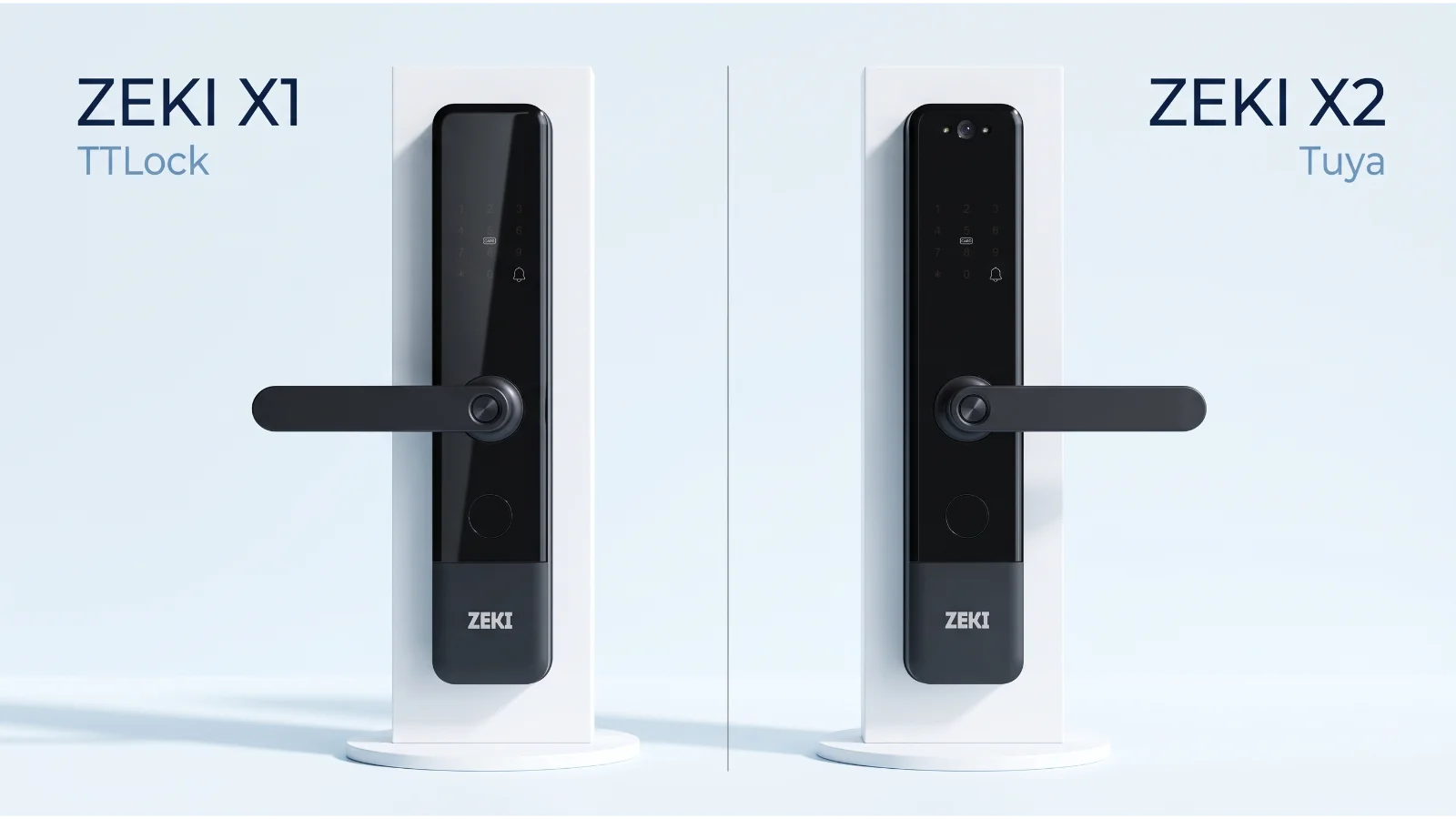
ZEKI X1 Uses TTLock. ZEKI X2 Uses Tuya.
ZEKI Pakistan gives buyers a useful real-world example of why these platforms should not be treated as competing apps in isolation.
The X1 and X2 are designed for different buyer priorities.
ZEKI X1
The X1 is the cleaner choice for buyers whose priority is streamlined biometric and credential-based entrance access through the TTLock ecosystem.
- Fingerprint access
- Password access
- IC-card access
- Mechanical-key backup
- TTLock app compatibility
- Virtual-password support
ZEKI X2
The X2 adds a more visual entrance experience, combining local access methods with a built-in exterior camera, indoor display and supported Tuya-connected functions.
- Fingerprint access
- PIN access
- IC-card access
- Built-in exterior camera
- Indoor HD screen
- Tuya connectivity
5 Mistakes Buyers Make When Comparing TTLock and Tuya
Assuming Every Feature Comes from the App
Fingerprint capacity, cameras, displays, battery systems and mortise hardware are properties of the lock itself, not simply TTLock or Tuya.
Assuming “Remote” Means Anywhere Without Extra Hardware
Check whether the exact lock uses built-in Wi-Fi, Bluetooth, Zigbee or a separate gateway for the remote function you need.
Choosing the App Before Checking the Door
A perfect app cannot correct the wrong mortise, insufficient mounting space or poor strike alignment.
Assuming All Tuya Locks Have Identical Menus
Tuya is a platform used by many manufacturers. The exact functions exposed in the app can depend on the device implementation.
Ignoring Internet Failure Scenarios
Ask what still works locally if the router or broadband connection temporarily goes offline.
Which Should You Choose: TTLock or Tuya?
Use your actual requirements instead of trying to declare one ecosystem universally better.
Final Verdict: Match the Ecosystem to the Job
TTLock is a strong choice when the lock and access-management workflow are the priority. Tuya becomes especially attractive when the lock is part of a wider connected-home setup or when the selected hardware uses Tuya for visual and smart-home functions. Neither platform removes the need to evaluate the actual lock hardware.
Not Sure Whether You Need TTLock or Tuya?
Tell us how you plan to use the door: family access, maid or driver entry, rental guests, office staff, camera viewing or wider smart-home automation. The ZEKI Pakistan team can help you compare the X1 and X2 based on the actual access workflow rather than simply choosing an app.
If you are also unsure whether your existing wooden door mortise, handle direction or frame clearance can accept the lock, send clear photos of the door and existing lock for a compatibility review.
TTLock vs Tuya FAQs
Is TTLock better than Tuya?
Not universally. TTLock is particularly focused on smart-lock access management, while Tuya offers a broader smart-home ecosystem. The better choice depends on the lock model and how you intend to manage the property.
What is the main difference between TTLock and Tuya?
TTLock is primarily built around electronic locks and access credentials. Tuya is a broader IoT platform covering smart locks as well as many other compatible connected-home devices.
Does TTLock need Wi-Fi?
Not for every function. Many TTLock-compatible locks use Bluetooth for nearby app communication and perform local unlocking at the lock. Some off-site remote functions require a compatible gateway or other supported network connection.
Does Tuya need Wi-Fi?
It depends on the lock. Tuya supports different connectivity architectures, including Wi-Fi, Bluetooth and Zigbee devices. Check the exact model rather than assuming every Tuya lock has the same network requirement.
Can TTLock generate temporary access codes?
TTLock supports several passcode workflows on compatible hardware, including temporary or timed access scenarios. The exact method and whether a gateway is needed depends on the type of passcode and lock configuration.
Can Tuya create temporary passwords?
Supported Tuya smart-lock implementations can provide temporary-password functionality. Availability and the exact workflow depend on the particular lock and firmware.
Which is better for Airbnb or a rental property?
TTLock is worth considering when credential creation, timed codes and lock-focused guest access are the main requirements. A suitable Tuya lock can also work for rental use, particularly where the property already uses the Tuya ecosystem. Compare the exact guest-access workflow before choosing.
Which is better for a smart home?
Tuya generally has the clearer advantage when the door lock needs to participate in a wider compatible smart-home ecosystem involving other devices and automation scenarios.
Does ZEKI X1 use TTLock or Tuya?
The current ZEKI X1 sold by ZEKI Pakistan uses TTLock. It combines the TTLock app with fingerprint, password, IC-card and mechanical-key access.
Does ZEKI X2 use TTLock or Tuya?
The current ZEKI X2 configuration used by ZEKI Pakistan uses Tuya. It combines local access methods with a built-in exterior camera, indoor HD display and supported Tuya-connected functions.
Can I change a TTLock lock to Tuya later?
You should not assume so. The platform is tied to the lock's electronics, firmware and communication module. Downloading a different app does not normally convert one platform into the other. Buy the correct hardware configuration from the beginning.
Which app should I choose for a ZEKI smart lock?
Use the app specified for the exact ZEKI model. For the current Pakistan configurations, X1 uses TTLock while X2 uses Tuya. Choose the model according to the access and hardware features you need rather than selecting the app first.