
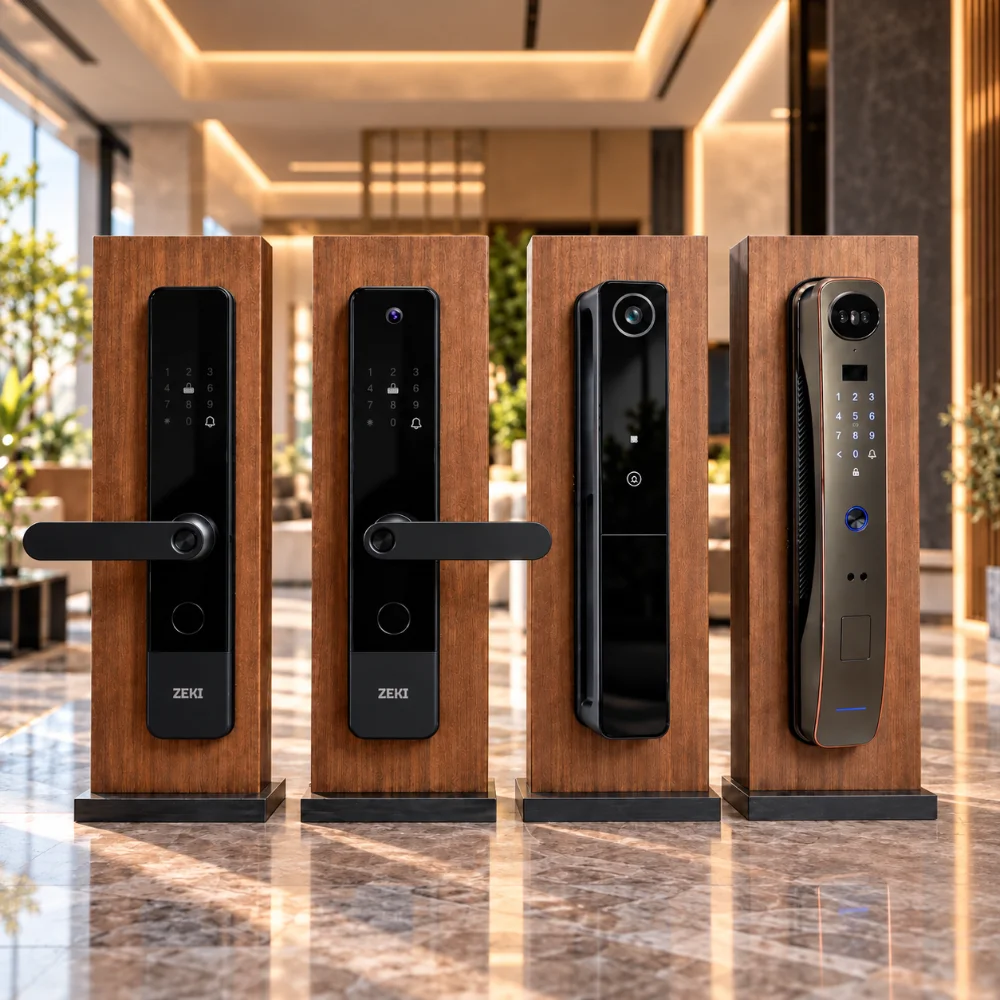
In this guide
How should you choose a smart door lock?
The right smart lock starts with your door compatibility, not the longest feature list. Check your door material, thickness, existing mortise and opening direction first. Then choose the access methods you will actually use, such as fingerprint access, PIN, card, camera, face recognition, palm vein recognition or mobile app connectivity.
For buyers in Pakistan, battery type, emergency power and how the lock behaves without internet access should also be considered before making a final decision.
If you are trying to work out how to choose a smart door lock for your home, apartment or office, it is easy to focus on technology first. In practice, the better approach is to start with the door itself and then work forward from your daily access needs.
This smart lock buying guide for Pakistan explains the most important checks before purchase and shows how fingerprint, camera, face recognition, palm vein, TTLock and Tuya Smart options fit different buyer requirements.
Start With Your Door, Not the Smart Lock
A smart lock can have excellent features and still be the wrong choice if its physical lock body does not suit your door. This is especially important when choosing a smart lock for a wooden door or replacing an existing mechanical mortise lock.
Before comparing apps or biometric technology, inspect the basic construction of your entrance.
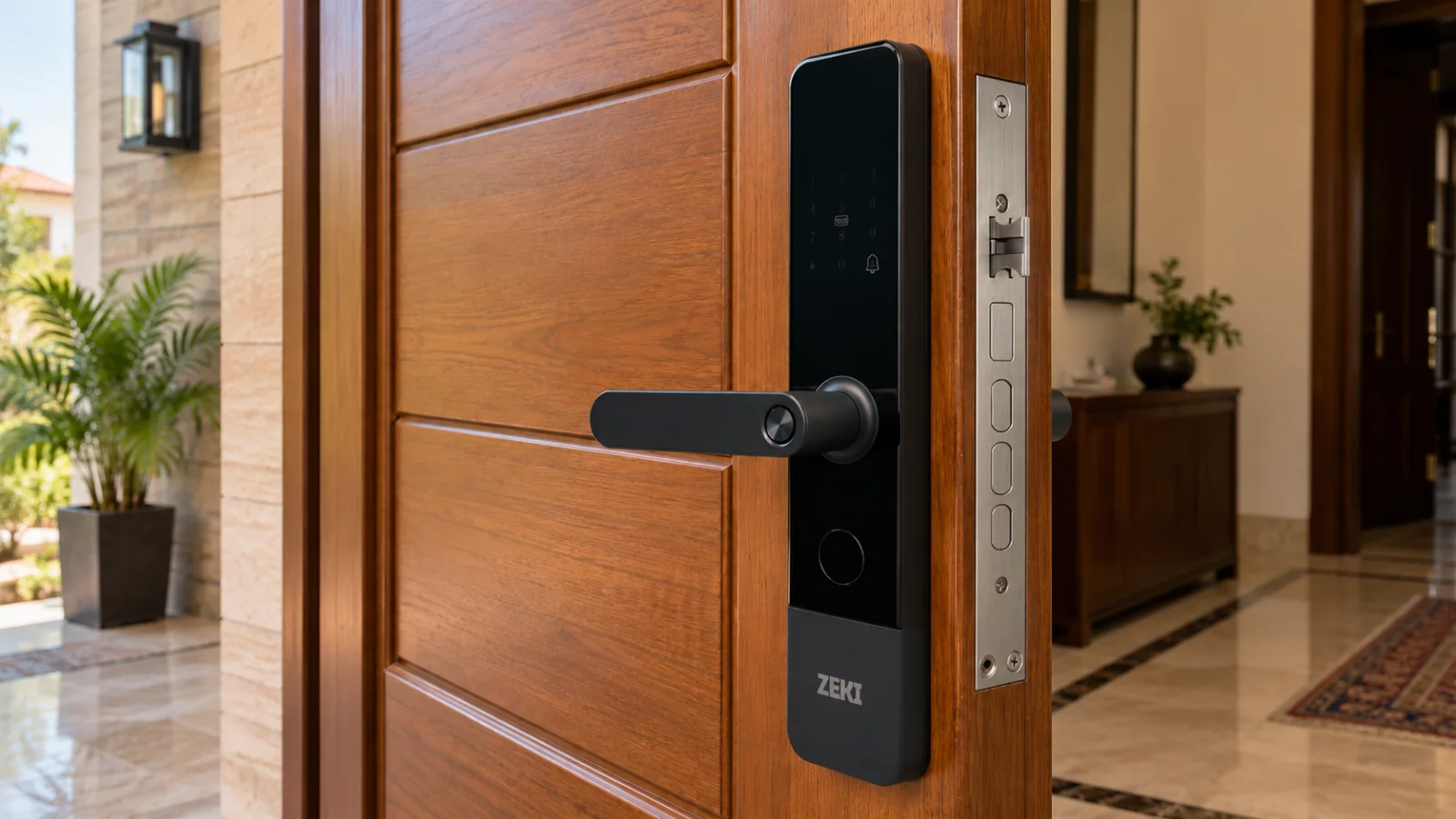
Choosing a smart lock for a main door
A smart lock for a main door is used frequently, so everyday convenience matters. Think about who normally enters the property, which access method will be easiest for them, and whether entrance visibility is important.
A family that mainly wants quick keyless access may value fingerprint recognition more than a built-in camera. Another household may prefer a camera smart lock because seeing a visitor before opening the door is more important to them.
Choose the Access Methods You Will Actually Use
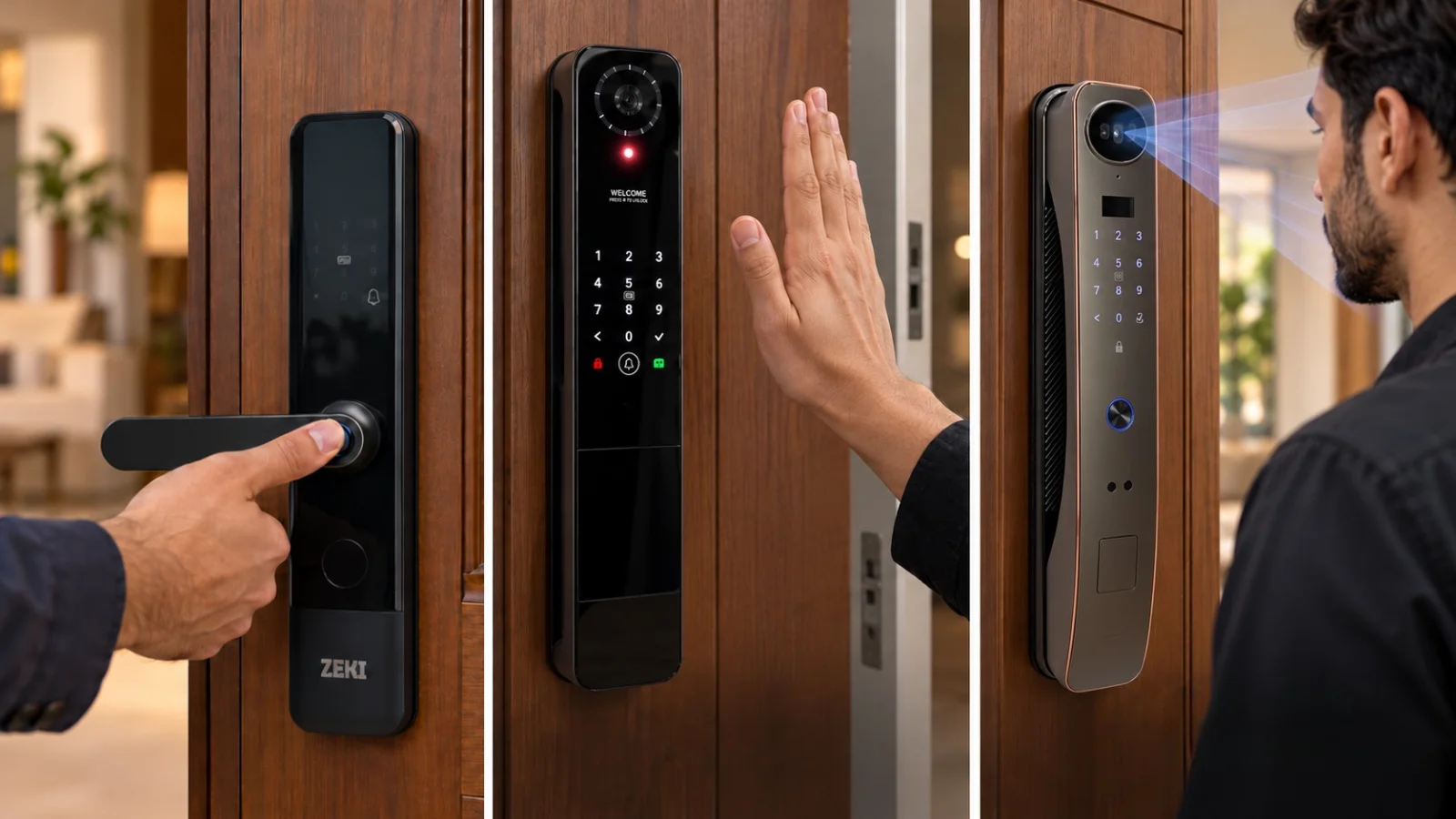
Modern smart locks can provide several ways to unlock a door, but more methods do not automatically make one model the better choice. The aim is to select the combination that suits the people using the door.
Fingerprint Access
Useful for fast everyday entry because an authorized user does not need to carry a key or remember a code each time.
PIN / Password
Practical when different authorized users need access without carrying a physical key or card.
IC / RFID Card
A convenient option for users who prefer a physical credential that can be presented to the lock.
Mechanical Backup
A physical backup method remains useful when electronic access is unavailable or the user needs an alternative way to enter.
For many buyers asking which smart lock is best, fingerprint access is an excellent starting point because it is simple to understand and convenient for regular users. But the right choice changes if visitor monitoring, contactless biometric access or remote app functions are more important.
Decide Whether You Need a Camera or Advanced Biometrics
The largest differences between entry-level and premium smart locks often appear in visual and biometric features.
Camera smart locks
A camera smart lock can add entrance visibility alongside normal locking functions. This can be useful when you want to view a visitor from inside or use supported connected visitor features.
Face recognition
Face recognition provides hands-free biometric access for registered users. It is particularly useful for buyers who want contactless entry instead of touching a fingerprint sensor or entering a PIN.
Palm vein recognition
Palm vein recognition is another contactless biometric method. Instead of relying on a fingerprint, the lock authenticates a registered palm using its supported biometric system.
Check App Connectivity Before You Buy
App connectivity can help with supported credential management, lock settings, access records, visitor interaction or remote workflows depending on the exact smart lock configuration.
ZEKI models do not all use the same app ecosystem. For example, the ZEKI X1 uses TTLock, while selected advanced ZEKI models use Tuya Smart. This matters because the app experience and available connected features can differ from one model to another.
When comparing app connectivity, ask what you actually need. If your priority is simply local fingerprint, PIN or card access, advanced remote functions may not be essential. If connected visitor interaction or remote management matters, verify that the specific model supports the workflow you expect.
Understand Battery Power and Emergency Access
Battery design is an important part of a smart lock buying decision in Pakistan. Smart locks use their own power system, so you should check the battery type, low-power warning and emergency access options of the exact model you are considering.
Do not assume every smart lock uses the same battery. Some models use replaceable AA batteries, while others use rechargeable lithium battery systems.
Also check whether the lock provides emergency power, mechanical-key backup or another documented emergency-access method. These options are important if the main battery becomes depleted.
Power and internet are separate questions
Household electricity, the lock's internal battery and Wi-Fi connectivity should be evaluated separately. A buyer should understand how the lock itself is powered, how local authentication works and which functions require internet connectivity.
Compare the Current ZEKI Smart Lock Models
Once your door requirements and preferred access methods are clear, comparing the ZEKI range becomes much easier. Each model is positioned around a different primary buyer need.
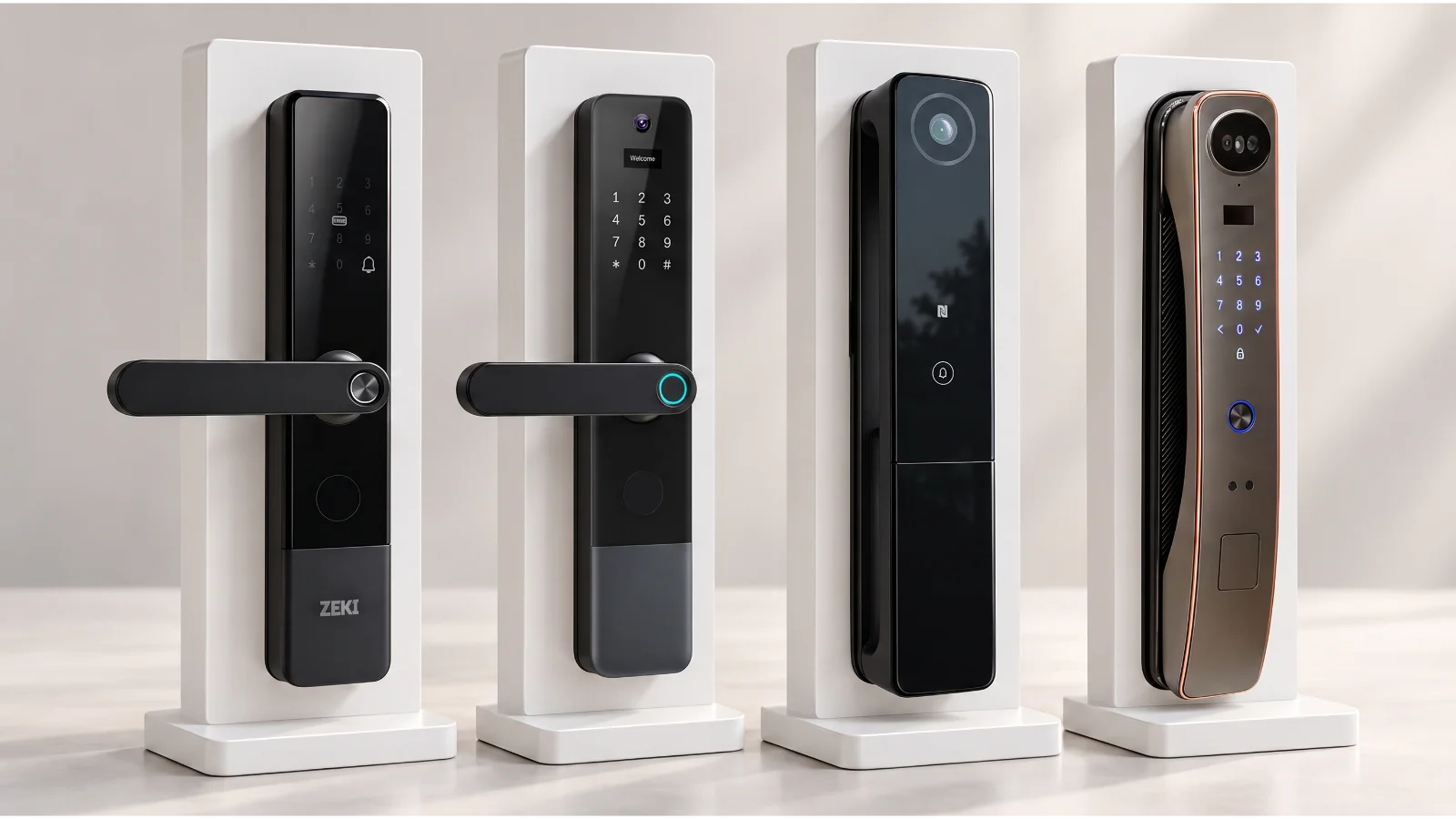
| Model | Main focus | App ecosystem | Consider it when... |
|---|---|---|---|
| ZEKI X1 | Fingerprint-led everyday access | TTLock | You want a practical fingerprint smart lock with PIN, card and app-supported access. |
| ZEKI X2 | Camera + visual entrance access | Tuya | You want fingerprint access plus a built-in camera and indoor viewing screen. |
| ZEKI S1 | Palm vein + multiple biometrics | Tuya Smart | You specifically want contactless palm vein access alongside other biometric methods. |
| ZEKI R1 Pro | Face recognition + multiple biometrics | Tuya Smart | You want face recognition to be one of the main ways you enter the door. |
ZEKI X1
A practical choice when your priority is straightforward fingerprint access with PIN, IC card, mechanical backup and supported TTLock management.
Explore ZEKI X1 →ZEKI X2
Consider the X2 when you want a smart lock with visual entrance features, including a built-in camera and indoor display.
Explore ZEKI X2 →ZEKI S1
Designed for buyers interested in palm vein recognition and a broader range of biometric and connected smart-access options.
Explore ZEKI S1 →ZEKI R1 Pro
A premium multi-biometric option for buyers who want face recognition as a central method of hands-free access.
Explore ZEKI R1 Pro →Smart Lock Buyer Checklist for Pakistan
Before placing an order, you should be able to answer the following questions clearly.
If those answers are clear, choosing a smart lock for your home becomes much more straightforward. Instead of comparing long feature lists, you are matching a product to your actual door and daily access needs.
Compare ZEKI Smart Locks
Review the current ZEKI range, compare access technologies and check the individual product specifications before choosing the right model for your door.
Frequently Asked Questions
Which smart lock is best for a home in Pakistan?
There is no single best model for every home. Start with door compatibility, then decide whether your priority is straightforward fingerprint access, a built-in camera, face recognition, palm vein recognition or connected app functions.
Can a smart lock be fitted on a wooden door?
Many smart locks can be fitted to suitable wooden doors, but compatibility depends on the actual door thickness, existing mortise, available mounting space and opening direction. These details should be checked before purchase.
Do I need Wi-Fi for a smart lock?
Not necessarily for every unlocking method. Local fingerprint, PIN or card authentication can differ from internet-dependent app functions. Check the exact connectivity requirements of the model you are considering.
Should I choose fingerprint or face recognition?
Fingerprint recognition is a simple and familiar option for quick daily entry. Face recognition can provide a more contactless experience. The better choice depends on your preferred way of using the entrance rather than one technology being universally better.
Is a camera necessary on a smart door lock?
No. A camera is useful when entrance visibility and visitor viewing matter to you, but a fingerprint-focused smart lock may be more suitable if your main goal is convenient keyless access.
What should I check before ordering a smart lock?
Check door material, thickness, existing mortise, opening direction, your preferred unlocking methods, app requirements, battery system and documented emergency-access options before ordering.