
In this guide
What Happens When a Smart Lock Battery Dies?
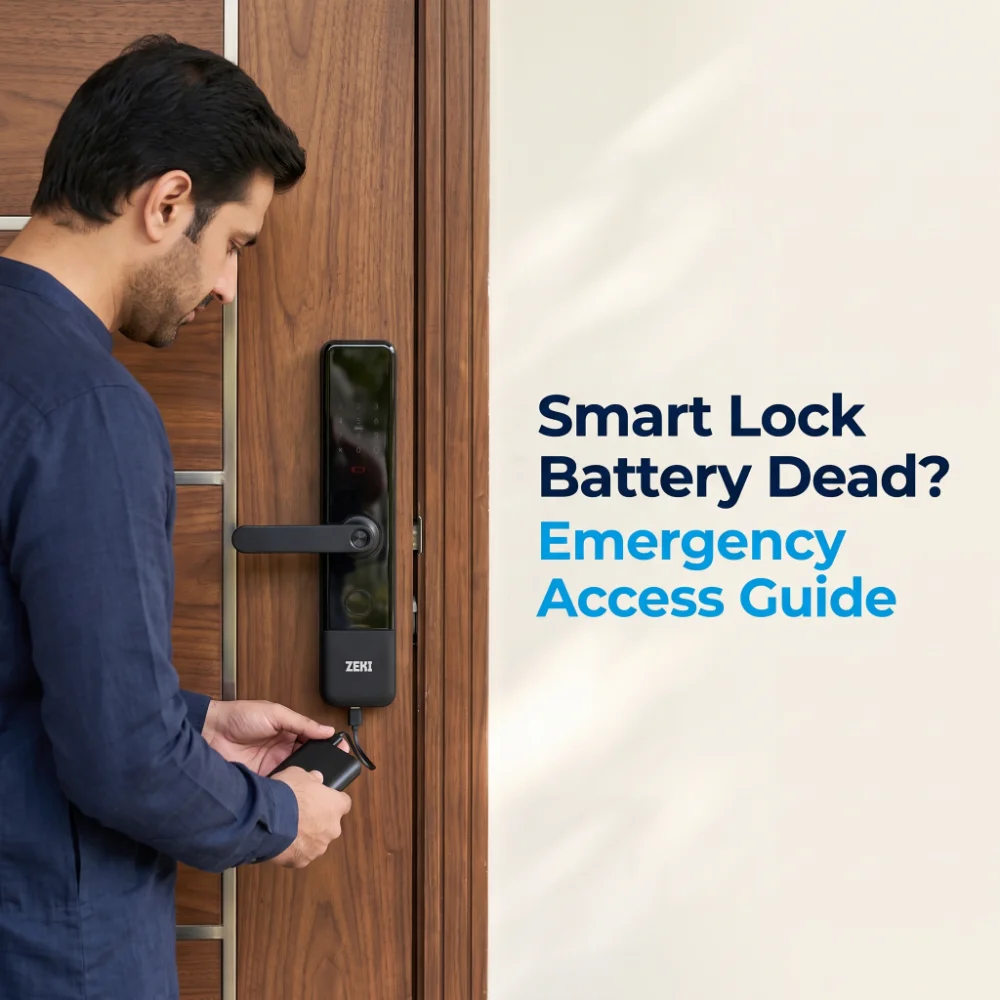
If your smart lock battery is dead, the electronic features that depend on battery power may stop responding. This can include the fingerprint reader, touchscreen keypad, biometric sensors or electronic unlocking mechanism.
However, a dead battery does not automatically mean you are permanently locked out.
Many smart locks include a temporary emergency power input, a mechanical key or another model-specific recovery method.
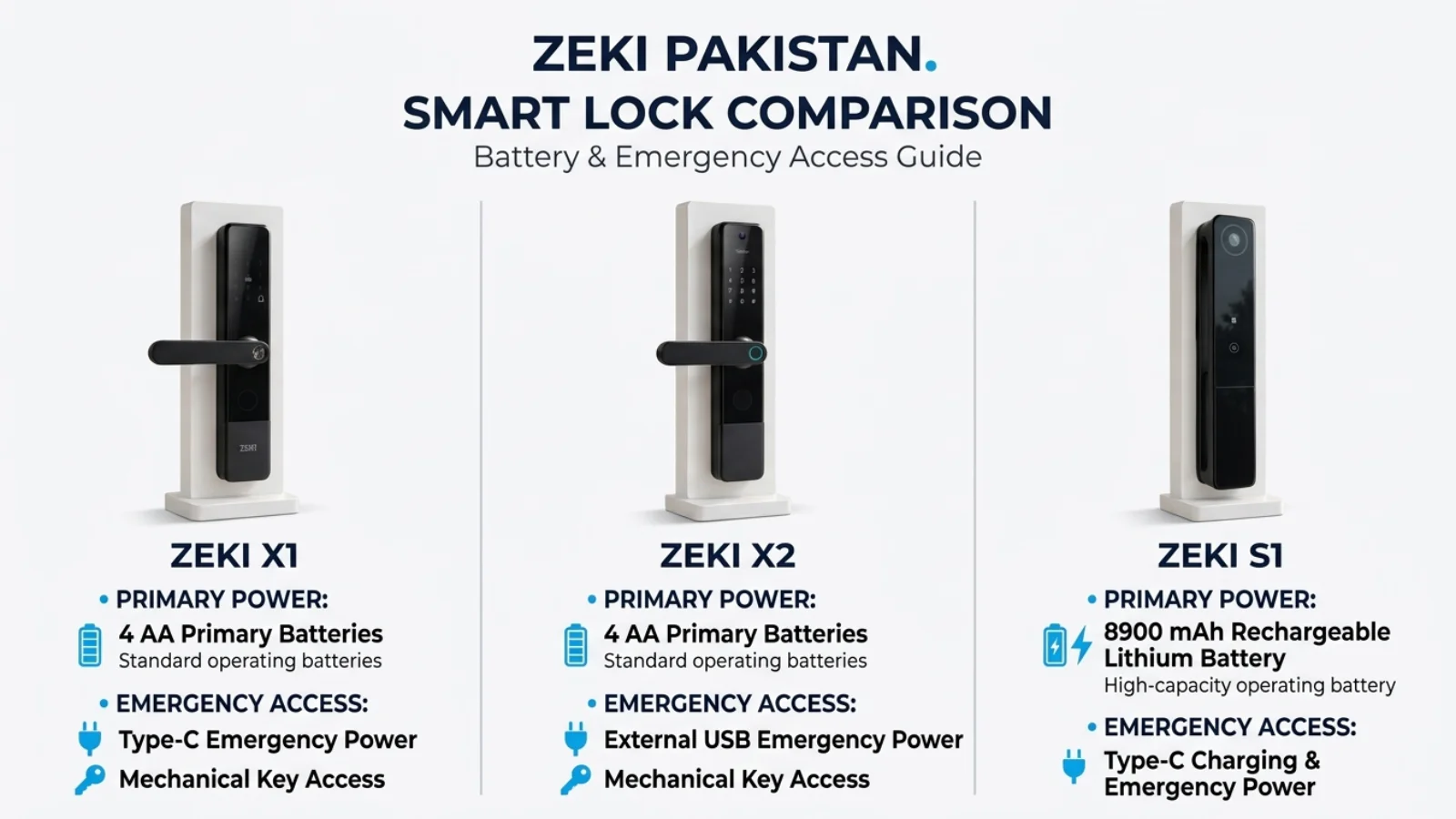
For example, the ZEKI X1 supports Type-C emergency power and mechanical-key entry, while the ZEKI S1 uses a rechargeable lithium battery system with Type-C charging and emergency power support.
How Do Battery-Powered Smart Door Locks Work?
Most residential smart door locks are designed to operate independently of continuous household electricity.
Their normal battery systems provide power for supported electronic components such as the fingerprint reader, keypad, control board, indicators and electronic locking mechanism.
Depending on the product, a smart lock may use disposable AA batteries, a rechargeable lithium battery or another specified power arrangement.
Primary Batteries Are Not Backup Batteries
This distinction is particularly important for customers in Pakistan.
The four AA batteries used by ZEKI X1 and ZEKI X2 are their normal operating power source. They are not described as backup batteries.
A separate external emergency power connection is available for certain low-power situations, but it does not replace normal battery maintenance.
Does Load Shedding Drain a Smart Lock Battery?
Household load shedding does not automatically drain a battery-powered smart lock. Its normal battery system operates separately from the home's mains power. However, routers and gateways may lose connectivity when their own electricity supply stops.
How Do You Know When a Smart Lock Battery Is Low?
Most users should never wait until their smart lock becomes completely unresponsive before checking the battery.
Supported smart locks provide low-power warnings intended to give users an opportunity to replace or recharge their batteries.
Common Signs to Watch For
A weak fingerprint response, keypad issue or unsuccessful unlock can also involve credential problems, dirty sensors, door alignment or electronic faults.
What Should You Do When the Warning Appears?
Replace the approved disposable batteries or recharge the supported battery pack according to the product instructions.
Then check that the lock recognizes authorized credentials and opens normally before treating the issue as resolved.
What to Do If Your Smart Lock Battery Is Dead
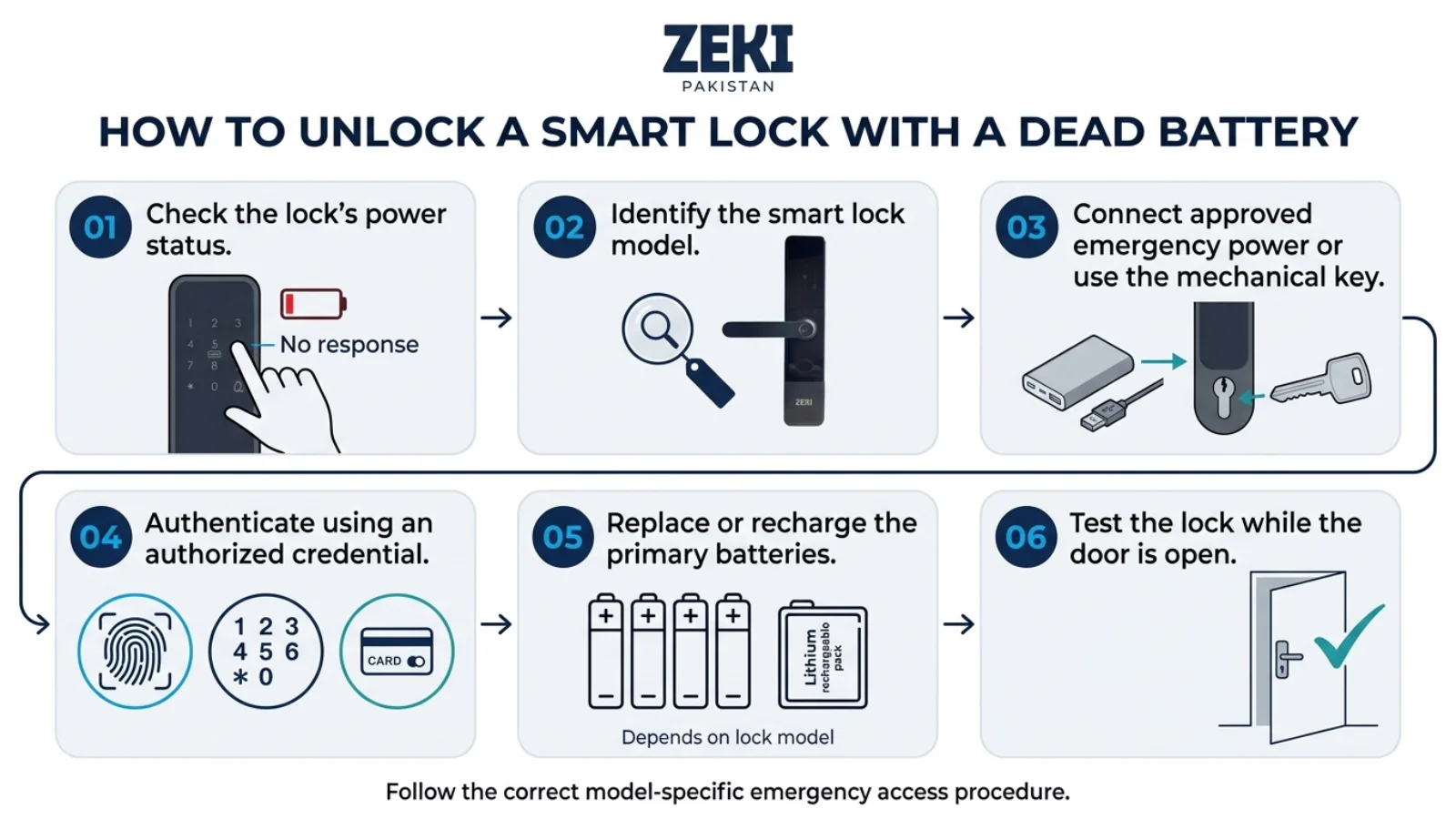
If a smart door lock is unresponsive, avoid forcing the handle, damaging the keypad or attempting to pry open the panel.
Instead, identify the exact model and follow its supported recovery procedure.
Check Whether the Lock Has Power
Look for its normal display, keypad, indicator or low-battery warning. A completely blank panel may indicate a power issue but is not conclusive.
Identify the Lock Model
Check whether it uses AA batteries, a rechargeable pack, emergency USB power or a mechanical key.
Use the Approved Emergency Method
If supported, connect a suitable external power source to the designated input, or use the supplied mechanical key. Follow the manufacturer's instructions.
Authenticate Normally
Once the lock receives sufficient temporary power, use an already authorized fingerprint, PIN or another available credential.
Restore the Primary Battery System
Replace the approved AA batteries or recharge the lithium battery system as directed for the model.
Test the Lock Before Relying on It
While the door is safely open, verify normal locking and unlocking and investigate persistent power warnings or unusual behavior.
If the lock remains unresponsive, its emergency connection is damaged, or you do not have the authorized backup credential, contact qualified support rather than attempting to dismantle a locked door.
Can You Unlock a Smart Lock Using USB Emergency Power?
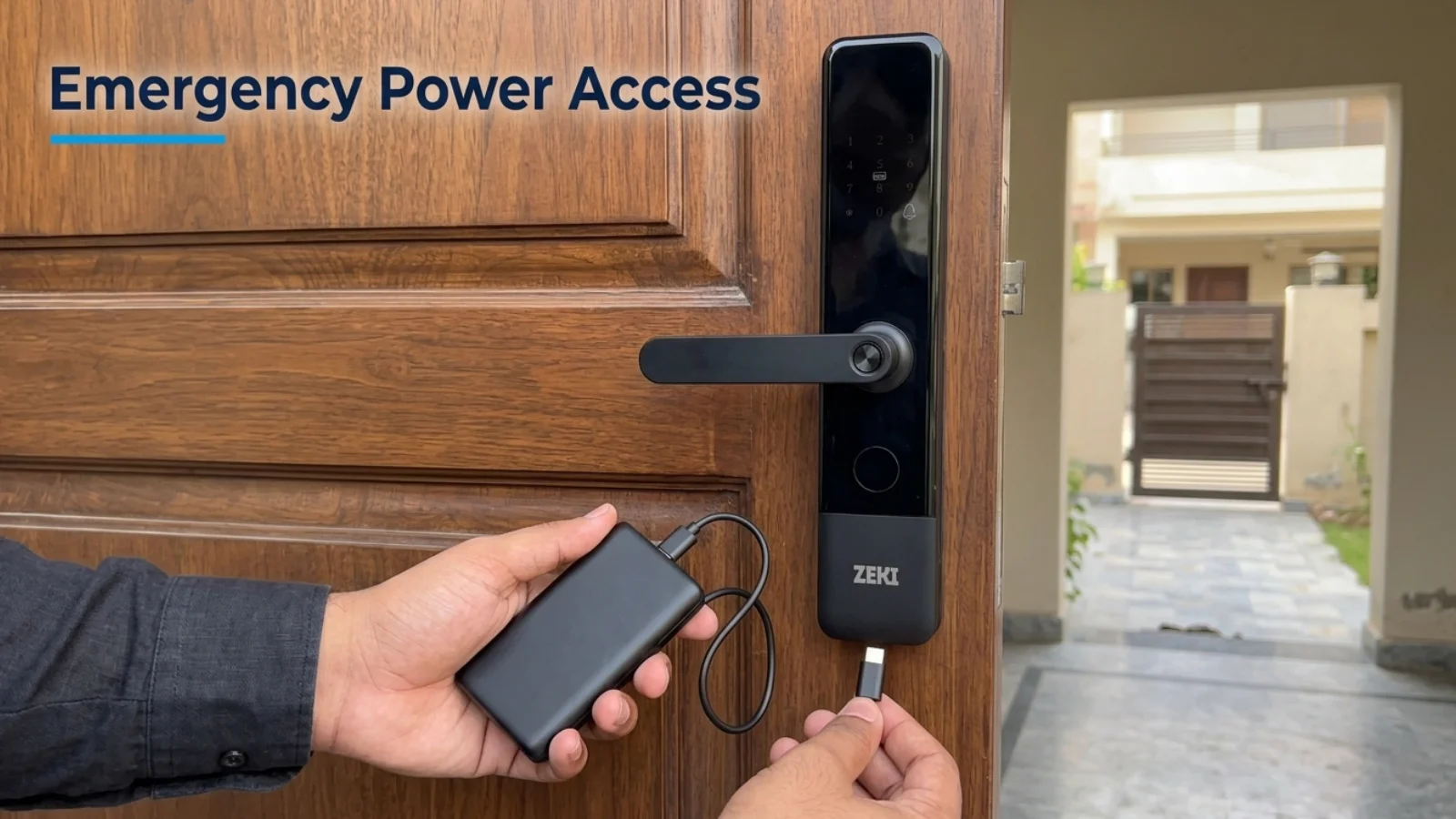
Some electronic door locks include an external power input designed for situations where the normal battery supply is depleted.
This connection can allow a compatible external power source to temporarily power the lock's electronics.
How Emergency USB Power Works
On a supported model, an external power source is connected to the designated emergency power port using the correct cable and manufacturer-approved power specification.
Once the lock becomes responsive, the authorized user can authenticate normally and open the door.
The normal battery problem should then be corrected.
ZEKI X1 Emergency Type-C Power
The ZEKI X1 fingerprint smart door lock has a Type-C emergency power connection.
If its four AA batteries become exhausted, the supported external power input can temporarily supply the lock so an authorized user can authenticate.
ZEKI X2 Emergency USB Power
The ZEKI X2 smart door lock with camera includes an external USB emergency power option.
The exact connector and acceptable power source should be confirmed from the supplied model documentation rather than assumed.
Emergency USB Power Is Not a Permanent Replacement
An emergency input is intended to help recover access when supported by the model. Restore the primary battery system promptly and avoid leaving an external power source connected contrary to the manufacturer's instructions.
Can a Mechanical Key Open a Smart Lock With No Battery?
A mechanical key can offer an independent entry method on models equipped with an appropriate mechanical cylinder.
For example, ZEKI X1 and X2 include mechanical key access alongside their electronic unlocking features.
This makes the mechanical key an important part of an emergency access plan.
What If the Mechanical Key Does Not Turn?
Do not force the key. A problem with door alignment, the cylinder, the supplied key or the mechanical lock body may require assessment.
If the lock remains closed and you cannot safely restore access, seek professional assistance.
ZEKI X1 vs X2 vs S1 vs R1 Pro: Battery and Emergency Access
Not every ZEKI smart lock uses the same normal power system. Battery maintenance and emergency recovery should be based on the exact product model.
| Model | Normal Power | Emergency Power | Other Guidance |
|---|---|---|---|
| ZEKI X1 | Four AA batteries | Type-C emergency power | Low-battery warning and mechanical-key access |
| ZEKI X2 | Four AA batteries | External USB emergency power | Low-battery warning and mechanical-key access. Confirm exact USB connector. |
| ZEKI S1 | 8900 mAh rechargeable lithium battery system | Type-C charging and emergency power | Low-power warning. Follow the supplied rechargeable battery instructions. |
| ZEKI R1 Pro | Confirm exact supplied SKU battery configuration | Confirm the specified recovery method | Do not assume it shares the X1, X2 or S1 battery arrangement. |
The R1 Pro's exact battery chemistry, capacity and emergency connection should be confirmed against the supplied variant's manual or product label. They are intentionally not estimated here.
ZEKI X1
Uses four AA batteries for normal operation. Provides Type-C emergency power, mechanical key and low-battery warnings.
Explore ZEKI X1 →ZEKI X2
Uses four AA batteries with low-battery warning, emergency USB power and mechanical-key access.
Explore ZEKI X2 →ZEKI S1
Features an 8900 mAh rechargeable lithium battery system with Type-C charging and emergency power support.
Explore ZEKI S1 →ZEKI R1 Pro
Advanced multi-biometric access. Confirm the power and emergency recovery arrangement for the exact supplied configuration.
Explore ZEKI R1 Pro →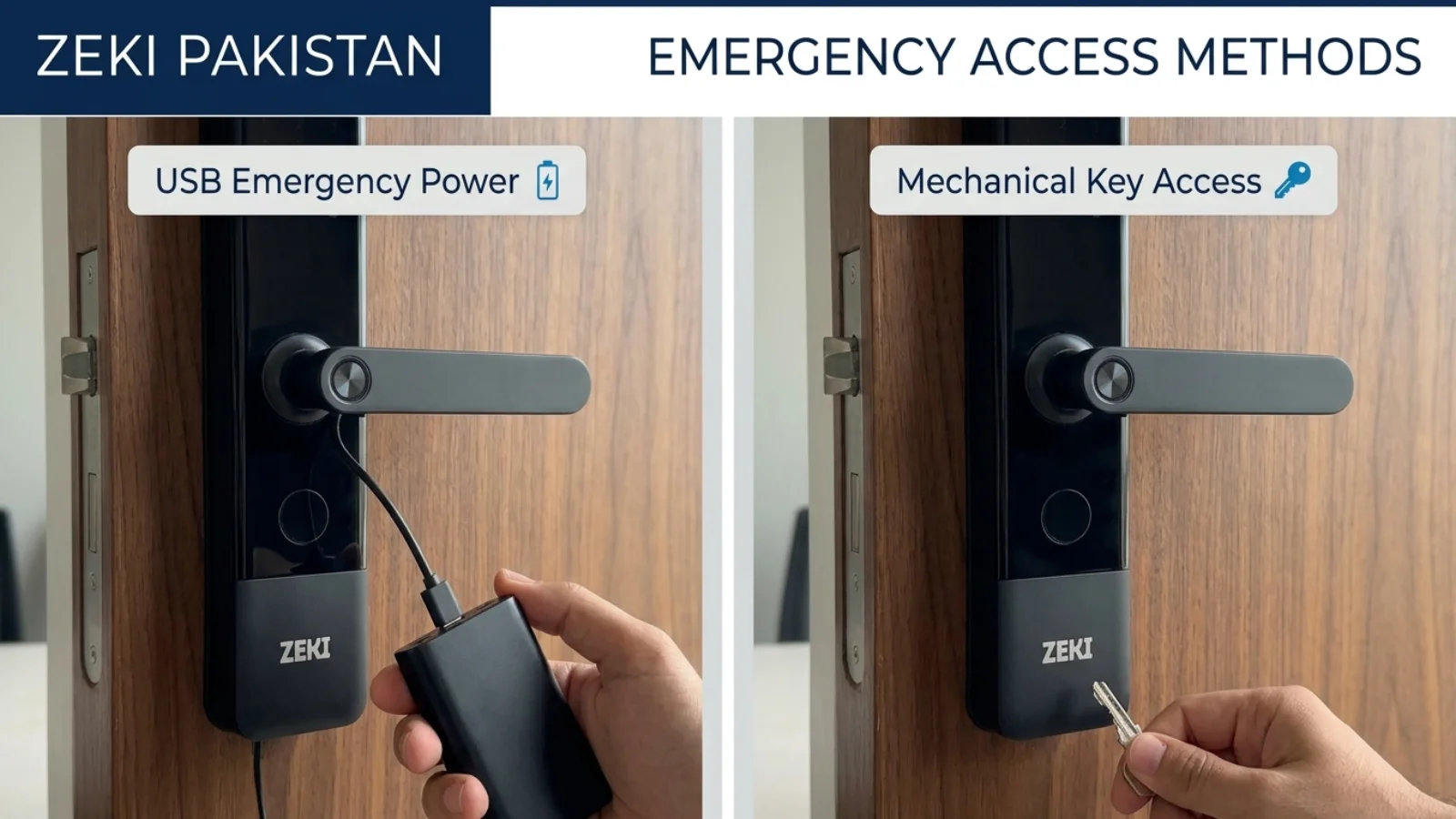
What If the Smart Lock Is Still Not Responding?
Sometimes a lock appears to have a dead battery even when the cause is different.
For that reason, a completely blank keypad or unsuccessful fingerprint attempt should not automatically be treated as proof of battery failure.
1. Check for a Power Warning
Review any display message, indicator or warning sound that the model provides.
2. Confirm the Power Source
If the model allows normal battery replacement, use the specified approved batteries and follow the polarity and installation instructions.
3. Inspect for Battery Contact Problems
Loose contacts, damaged battery compartments or visible corrosion may require professional service.
Do not scrape, short-circuit or modify electrical contacts.
4. Consider a Door Alignment Problem
If the lock responds but the door will not open, the issue may involve latch or mortise alignment rather than battery power.
5. Avoid Repeated Forced Attempts
Repeatedly forcing the handle, pressing the keypad or pulling on the lock can create additional damage.
Seek professional assistance if approved emergency power does not restore normal response, the mechanical access method is unavailable, or the device shows persistent electrical or mechanical problems.
Smart Lock Batteries and Load Shedding in Pakistan
Buyers in Lahore, Karachi, Islamabad and other Pakistani cities sometimes worry that electricity outages will make their smart door locks stop functioning.
For battery-powered models, that concern needs to be separated into two different questions.
Will the Lock Lose Its Own Power?
A correctly functioning battery-powered smart lock does not need continuous household mains electricity for supported local operation.
Its battery condition matters independently of electricity availability in the home.
Will Remote App Features Still Work?
Remote operations may rely on routers, fiber ONTs, Wi-Fi networks, gateways and working internet service.
If those supporting devices lose power during load shedding, remote connected functions may temporarily become unavailable.
A suitable UPS or inverter can help keep supported network equipment running, but it cannot correct an outage at the internet provider.
What Should Pakistani Homeowners Prepare?
For more information about internet independence, read our guide to whether smart locks need Wi-Fi .
How to Prevent Smart Lock Battery Problems
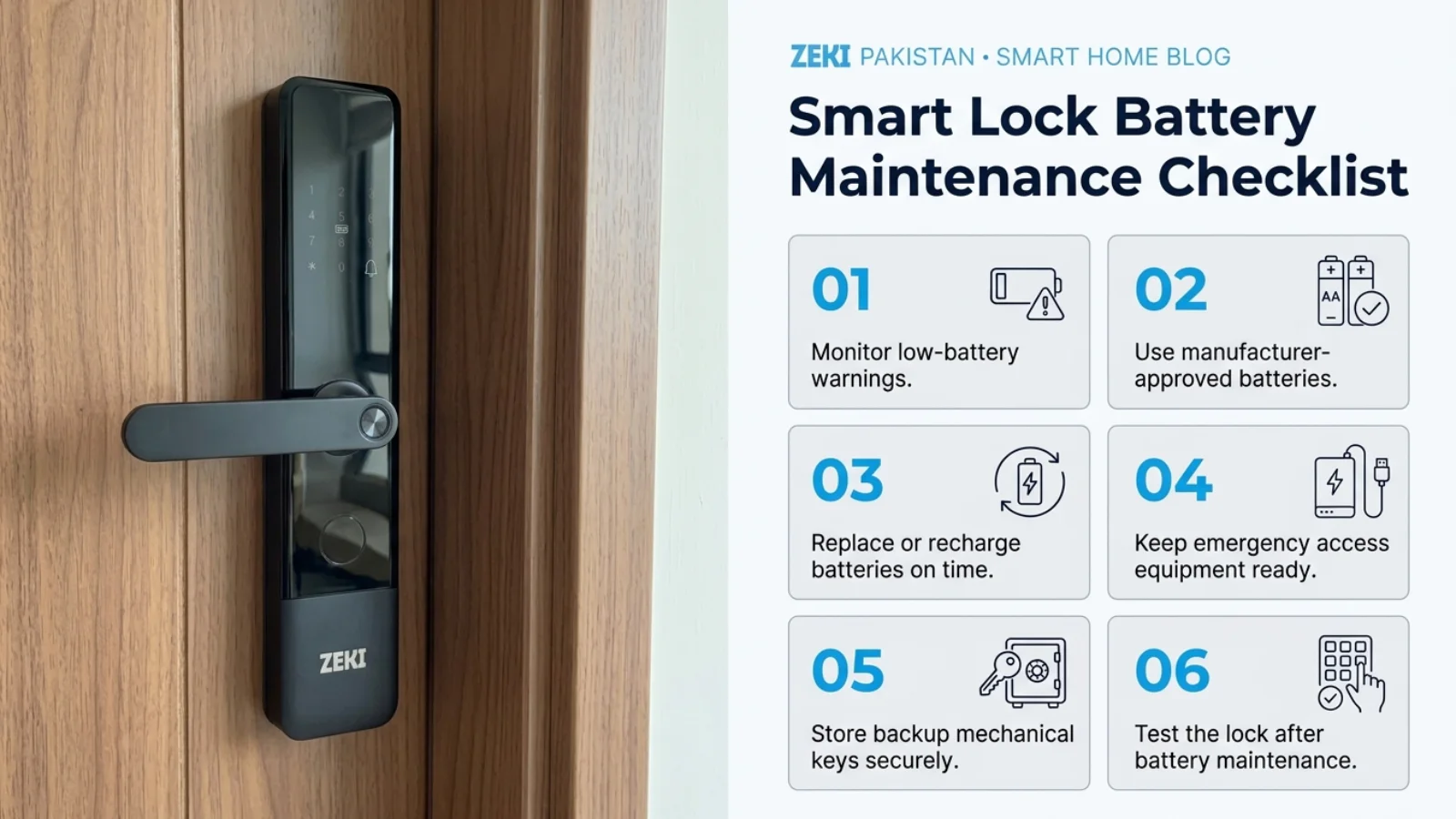
Good battery maintenance is more useful than waiting for an emergency.
A short routine can help reduce unexpected interruptions in everyday access.
How Long Do Smart Lock Batteries Last?
Battery life cannot be reliably estimated for every lock using a single fixed number.
Actual runtime depends on battery type, use frequency, electronic features, environmental conditions and product design.
Camera operation, connected features and biometric activity can also influence energy consumption depending on the hardware architecture.
Use verified manufacturer specifications as a reference and treat actual low-battery alerts as the immediate signal to take action.
Common Smart Lock Battery Mistakes
Preventive Maintenance Is the Best Emergency Plan
Replace or recharge the correct batteries when prompted, know the supported emergency entry method and keep authorized backup access available.
Smart Lock Battery Emergency Checklist
Before relying on a smart lock as your main entrance lock, confirm the following details.
Need Help With Smart Lock Battery or Emergency Access?
Not sure which battery your ZEKI lock uses, how its emergency power connection works or which model is suitable for your door?
Contact ZEKI Pakistan on WhatsApp at +92 304 7691488.
Share the exact model name, a photograph of the lock and a brief description of the issue.
For new purchases, you can also send photos of your door, existing lock body and door edge for model compatibility guidance.
Smart Lock Battery Dead: FAQs
What happens when a smart lock battery dies?
Electronic functions may stop responding when the lock's primary battery is depleted. Depending on the model, emergency external power, a mechanical key or another supported recovery method may still provide access.
Can you open a smart lock with a dead battery?
Often yes, if the lock includes an authorized emergency access method. Some models support temporary external power or mechanical-key entry. The exact procedure depends on the product.
Does a smart lock automatically unlock when the battery dies?
You should not assume that a smart lock will unlock automatically when its battery is depleted. Lock behavior depends on its mechanical and electronic design. Follow the manufacturer's emergency access instructions.
Can a power bank unlock a dead smart lock?
A compatible power bank may temporarily power a smart lock that supports external emergency power. The correct connector and approved electrical requirements must be followed.
Does ZEKI X1 have an emergency power port?
Yes. ZEKI X1 supports Type-C emergency external power. It also includes a mechanical key and low-battery warning.
What batteries does ZEKI X1 use?
ZEKI X1 uses four AA batteries as its primary normal operating power supply. These are not backup batteries.
What batteries does ZEKI X2 use?
ZEKI X2 uses four AA batteries for normal operation. It also supports low-battery warnings and external USB emergency power.
Is ZEKI S1 rechargeable?
Yes. ZEKI S1 has an 8900 mAh rechargeable lithium battery system with Type-C charging and emergency power support.
Can a mechanical key open a smart lock without battery power?
On models equipped with independent mechanical-key access, the authorized key can provide an alternative entry method without relying on the electronic battery supply.
How long do smart lock batteries last?
Battery life varies by model, power system, usage frequency, connected features and environmental conditions. Follow the specific product information and respond promptly to low-power alerts.
Do smart locks stop working during load shedding?
Battery-powered smart locks can continue supported local operation during household electricity outages. Remote internet functions may be interrupted if routers or gateways lose power.
What should I do if emergency power does not work?
Confirm that you are using the manufacturer-approved emergency power method. If the lock remains unresponsive, do not force the handle or dismantle the door. Contact qualified technical support.