
Explore This Article
What Is a Virtual PIN in a Smart Lock?
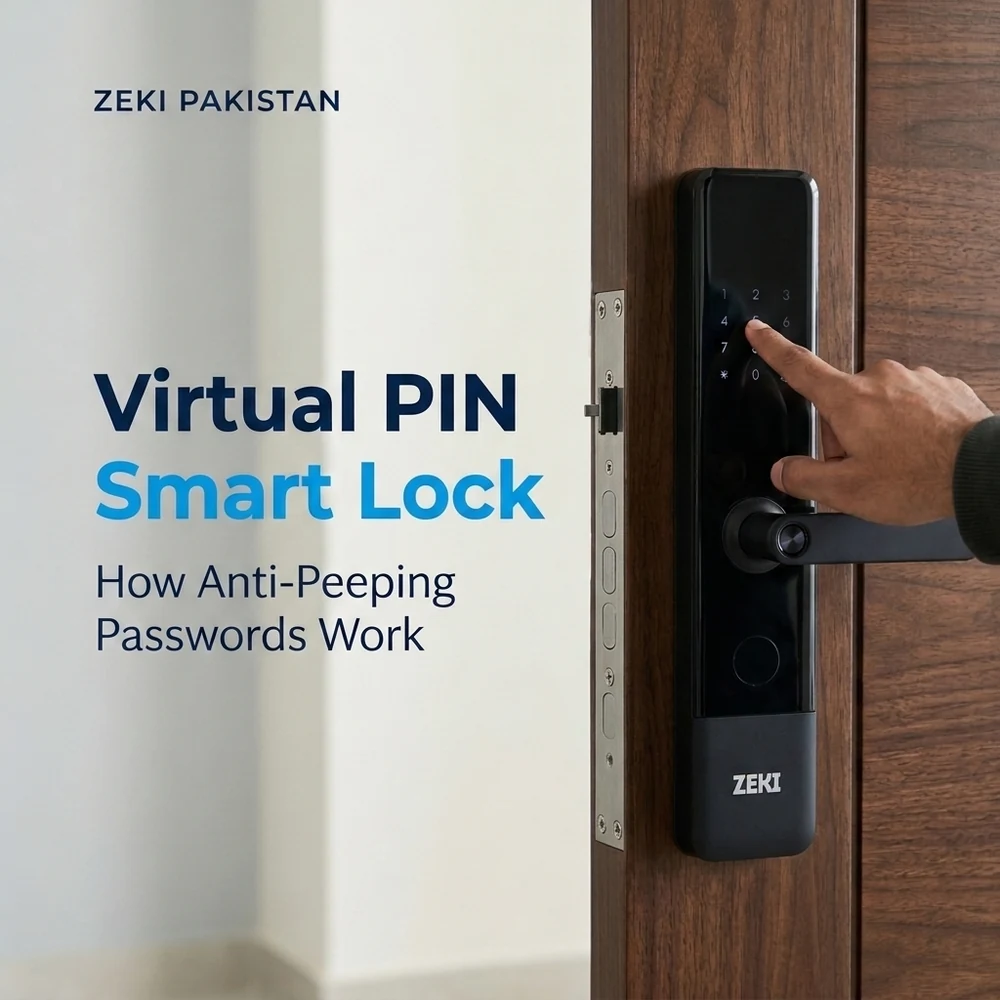
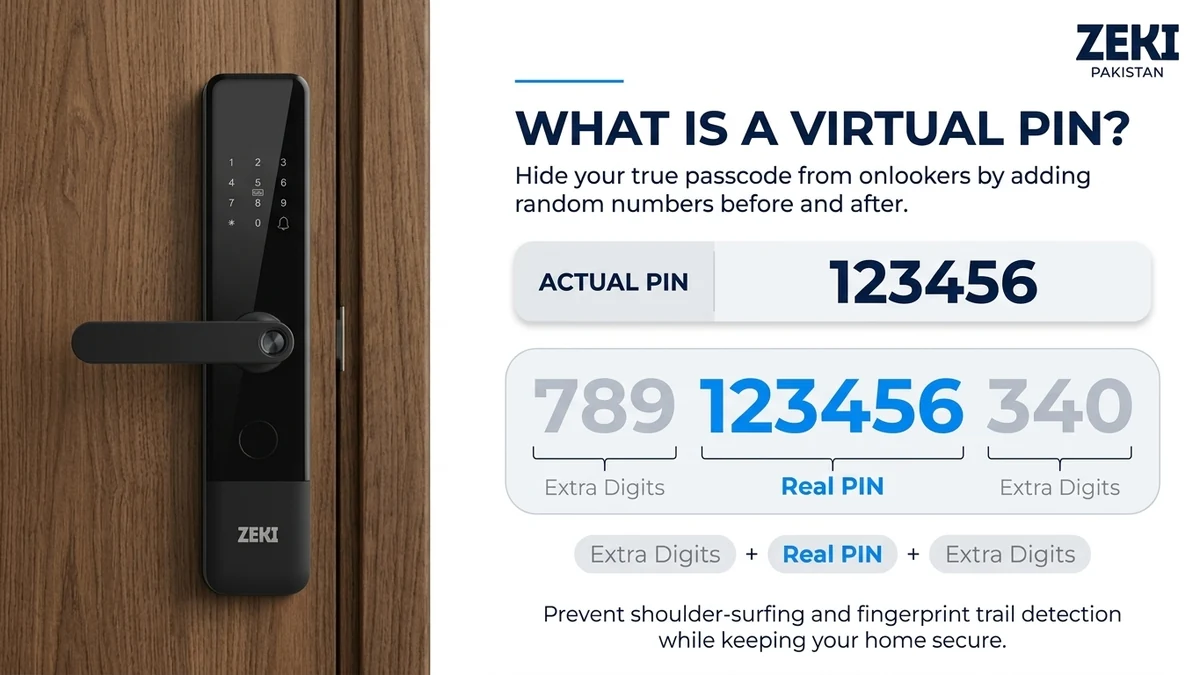
A virtual PIN smart lock allows you to enter extra, unrelated numbers before or after your actual registered PIN. On a compatible smart lock, the keypad recognizes the valid continuous password within the longer number sequence.
This feature is also called an anti-peeping password, anti-snooping password or virtual password. It helps make your real PIN less obvious when someone nearby might watch you entering it.
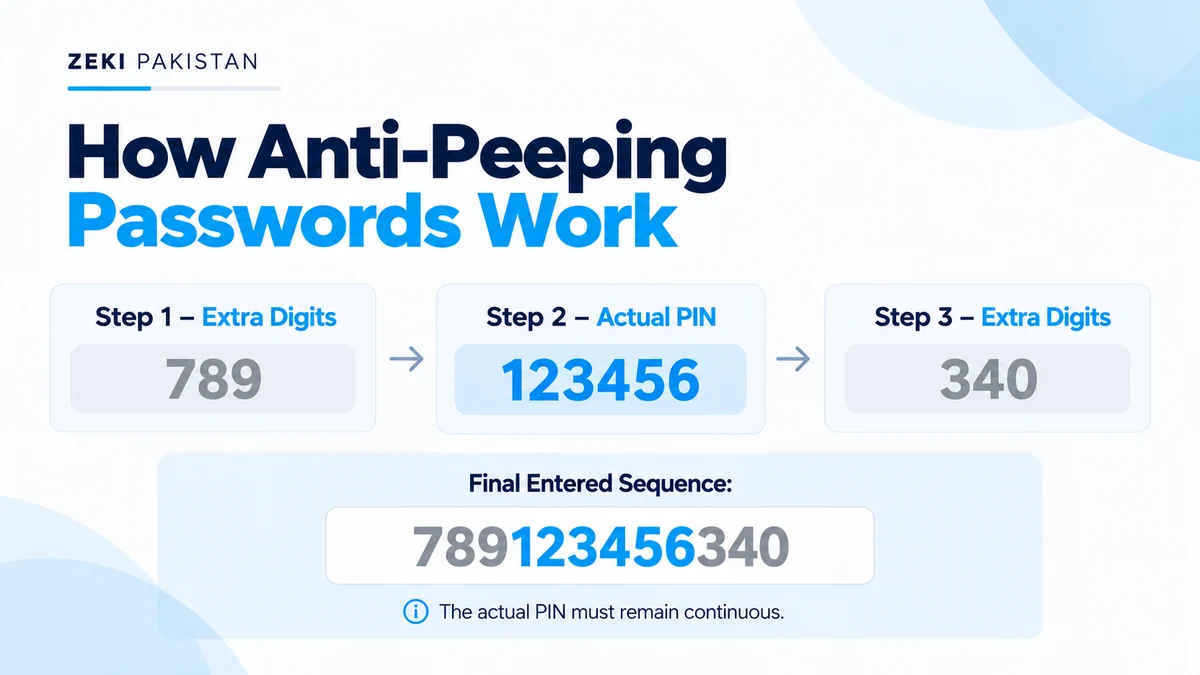
For example, if your actual PIN is 123456, a compatible anti-peeping lock may accept 789123456340. The lock identifies the uninterrupted registered PIN inside the longer sequence.
Smart door locks provide different ways to enter your home, including fingerprint, PIN, IC card and, on supported models, facial or palm vein authentication. However, keypad access remains useful because it allows authorized users to unlock a door without carrying a key.
One concern with keypad entry is that somebody standing nearby may observe the numbers you press. Anti-peeping password technology is designed to reduce this particular privacy risk.
In this guide, we explain how virtual passwords work, their benefits and limitations, how they compare with temporary passwords, and which ZEKI smart locks offer this feature for buyers in Pakistan.
How Does an Anti-Peeping Password Work?
In a conventional PIN-based door lock, a user normally enters the exact registered password. This is simple, but someone watching the keypad may be able to remember or record the complete sequence.
An anti-peeping smart door lock permits supported additional numbers around the correct PIN. Rather than treating every entered digit as the registered code, the lock checks the submitted sequence according to its virtual password rules.
Start With a Registered PIN
The smart lock already has a valid access code configured. The actual password does not need to change each time.
Enter Unrelated Numbers
Begin with additional digits that are not part of the real access code, within the model's supported limits.
Enter the Real PIN Continuously
Input the registered PIN in the correct order without inserting unrelated numbers between its digits.
Add Extra Numbers After the PIN
If supported by the model, additional unrelated numbers can follow the real PIN.
Complete the Unlocking Process
Follow the lock's required confirmation procedure. If the registered password is recognized, the lock can authorize entry.
The accepted input length, confirmation method and positioning of unrelated digits depend on the particular smart lock. A virtual password feature on one model should not be assumed to work identically on every other brand or model.
Virtual PIN Example: How Random Digits Hide Your Actual Password
The easiest way to understand a virtual password smart lock is through an example.
Suppose the registered PIN is 123456. Instead of entering only those six numbers, a compatible virtual password system may allow additional digits around them.
Actual Registered PIN
Complete Virtual Password Sequence
Can You Insert Random Digits Inside the Real PIN?
Not under the continuous-PIN method described here. The registered password needs to remain in the correct, uninterrupted order.
For example, if your real PIN is 123456, the sequence 123999456 separates the correct PIN into two parts. You should not assume the lock will accept that entry.
These examples illustrate the general anti-peeping principle. They do not establish the maximum PIN length or extra-digit limit for every ZEKI lock. Check the model's actual instructions.
Virtual PIN vs Regular PIN vs Temporary PIN
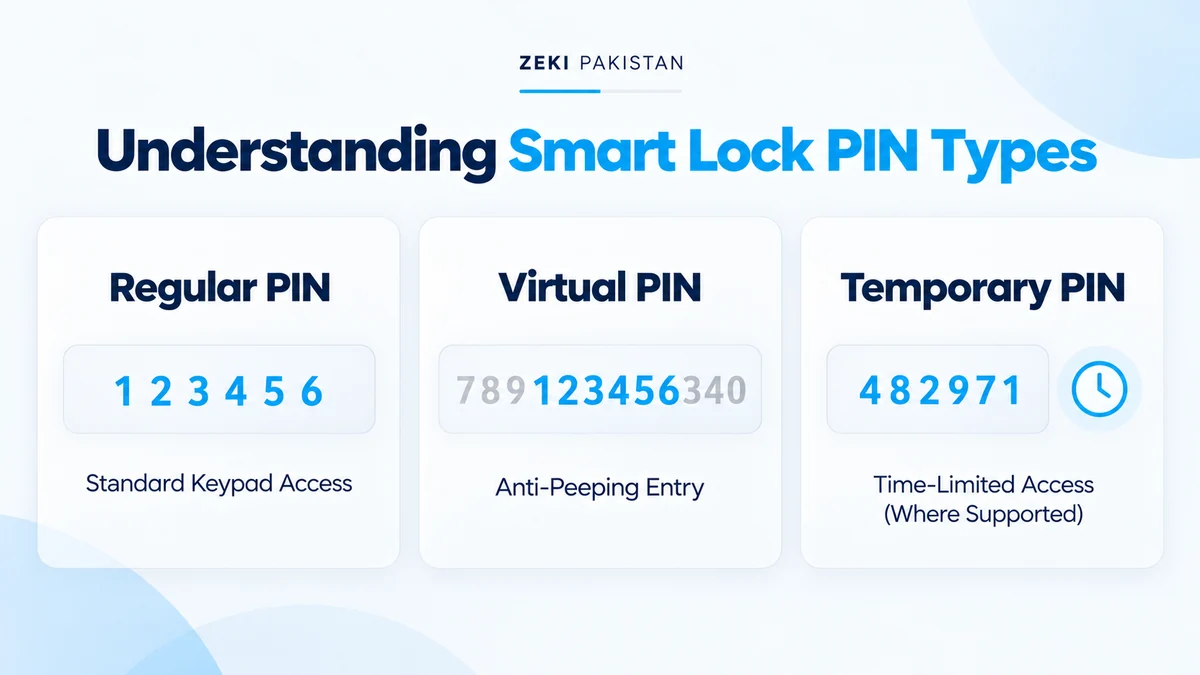
Smart lock buyers sometimes confuse virtual PINs with temporary passwords and one-time codes. These technologies serve different purposes and should not be used interchangeably.
| Feature | Regular PIN | Virtual PIN | Temporary PIN |
|---|---|---|---|
| Main Purpose | Normal keypad authentication | Reduce exposure of the real code during entry | Provide controlled access to another user |
| Entry Method | Enter the registered PIN | Enter the valid PIN with supported extra digits | Enter a separate assigned code |
| Changes the Real PIN? | No | No | Usually uses a separate credential |
| Main Benefit | Convenient keyless entry | Greater privacy during keypad use | Guest or time-based access where supported |
| Availability | Requires PIN support | Requires anti-peeping functionality | Requires compatible access-management features |
Is a Virtual Password the Same as a One-Time Password?
No. A virtual password does not automatically generate a new PIN, expire after one use or create temporary guest access.
Its purpose is to make the real registered PIN harder to identify during keypad entry. Temporary and one-time passwords are separate functions that depend on the model's supported access-management capabilities.
Benefits of Virtual Password Technology in Smart Door Locks
Virtual PIN technology addresses a practical concern: keeping your actual access code less obvious when using a keypad in front of other people.
More Private Keypad Entry
Extra digits make it more difficult for a casual observer to identify which numbers form the real PIN.
No Need to Change the PIN
The registered password remains the same. You can vary the unrelated digits during supported entries.
Convenient for Shared Entrances
Anti-peeping entry can be useful in apartment corridors, homes and workplaces where other people may be nearby.
Works With Other Access Methods
Supported smart locks may combine virtual passwords with fingerprint, IC card or biometric authentication.
Although useful, virtual password technology should be treated as an additional privacy feature, not a replacement for responsible credential management and overall door security.
Can Someone Still Discover Your Smart Lock PIN?
Yes. Anti-peeping password protection helps reduce casual observation risk, but it cannot guarantee that your real PIN will remain secret.
Repeated Observation
Someone recording several entry sequences might compare patterns to identify the recurring registered password.
Predictable PINs
Simple sequences and easily guessed codes remain weak credentials, even when surrounded by extra digits.
Shared or Exposed Passwords
If an unauthorized person already knows the actual PIN, entering extra numbers does not make that PIN invalid.
Other Security Risks
Virtual PINs do not eliminate account, wireless, software or physical door-lock risks.
Does an Anti-Peeping Password Make a Smart Lock Hack-Proof?
No. Virtual PIN protection focuses on keypad entry privacy. Smart door lock security also depends on authentication implementation, locking hardware, firmware, connected accounts and installation.
For a detailed discussion, explore our guide on whether smart locks can be hacked .
Does a Virtual PIN Smart Lock Need Wi-Fi?
Not necessarily. On a compatible model, virtual PIN authentication can be performed through the lock's local keypad system.
The lock checks its registered access credentials according to its supported authentication process. This does not automatically require an internet connection for every keypad unlock.
What About Remote Password Management?
Remote credential management is different from local password authentication. Depending on the lock, supported remote features may require Bluetooth, Wi-Fi, an internet connection or a compatible gateway.
Will Virtual PIN Work During Load Shedding?
Battery-powered smart locks can continue supported local functions during an electricity outage while their batteries remain functional.
Network-dependent features may become unavailable if routers or external gateways lose power.
Read our detailed article: Do Smart Locks Need Wi-Fi?
Which ZEKI Smart Locks Support Virtual Password Protection?
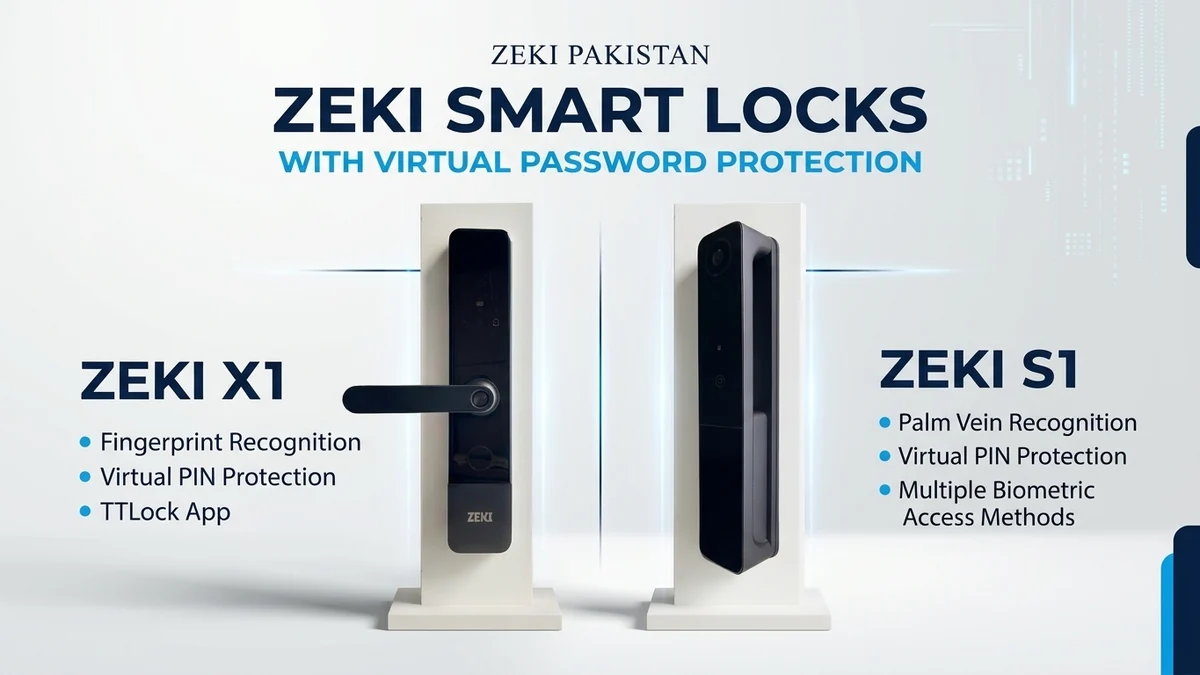
ZEKI Pakistan offers smart door locks with several access methods. Two models with documented virtual password functionality are the ZEKI X1 and ZEKI S1.
Both are relevant for buyers looking for an anti-peeping password feature, but their biometric technologies and power systems are different.
ZEKI X1
Everyday Fingerprint Access With Anti-Snooping PIN
The ZEKI X1 combines handle-integrated fingerprint unlocking, keypad access and virtual password functionality.
It is suitable for buyers who want practical keyless entry without requiring face recognition or a built-in camera.
- Virtual password functionality
- Fingerprint authentication
- PIN and IC card entry
- Mechanical key access
- TTLock app
- Four AA primary batteries
- Type-C emergency power
ZEKI S1
Multi-Biometric Access With Virtual Password
ZEKI S1 combines its virtual password feature with palm vein, face recognition, fingerprint, PIN and IC card access.
It is designed for buyers looking for multiple authentication methods and a rechargeable battery system.
- Virtual password functionality
- Palm vein recognition
- Face recognition
- Fingerprint authentication
- PIN and IC card access
- Camera and indoor HD display
- Tuya connectivity
- 8900 mAh rechargeable battery
The number of permitted extra digits and exact keypad confirmation procedure may vary by model. Check the supplied product documentation and confirm compatibility with your existing door.
How to Keep Your Smart Lock PIN Secure
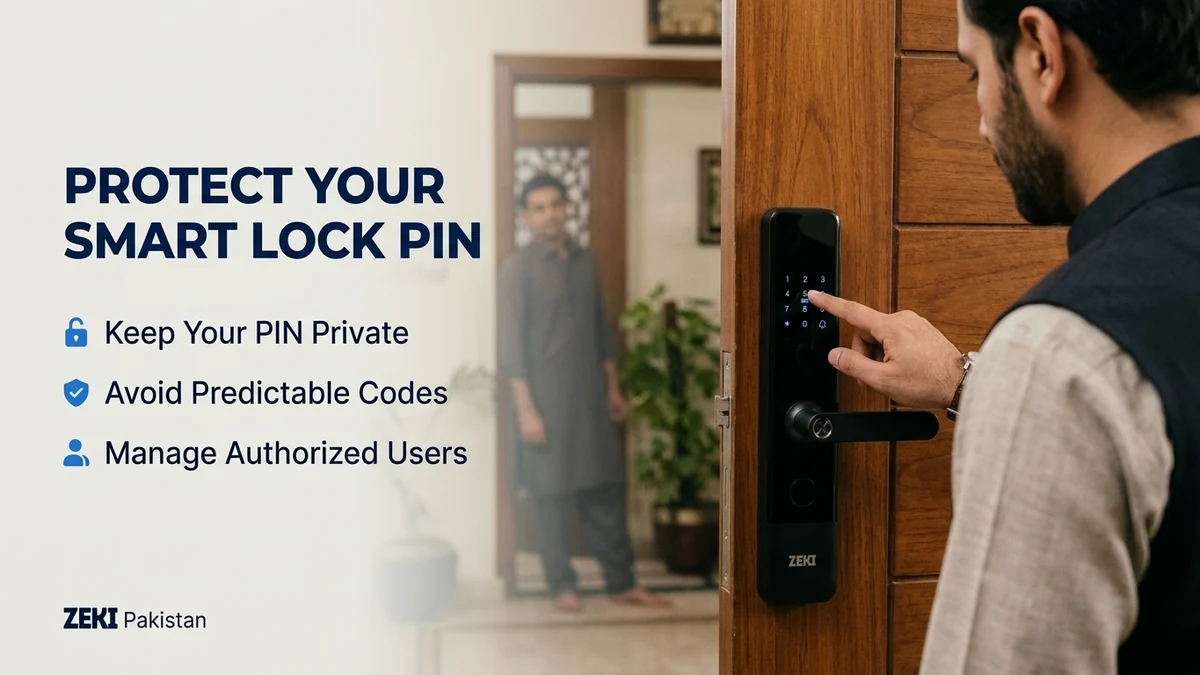
A virtual password feature is most useful when combined with strong credentials and sensible access-management habits.
Common Virtual Password Mistakes to Avoid
Splitting the Registered PIN
Placing unrelated digits inside the real code interrupts the correct continuous sequence.
Entering Too Many Digits
Each supported model has keypad input limits. Exceeding them may prevent authorization.
Using the Same Pattern Repeatedly
Repeated extended sequences can be easier to recognize when observed more than once.
Confusing Virtual and Guest PINs
A virtual password does not automatically create a temporary access code.
Ignoring Other Security Risks
PIN privacy does not replace proper app security or physical door protection.
Assuming Every Smart Lock Supports It
Anti-peeping password functionality must be confirmed for the exact lock model.
Where Is an Anti-Peeping Smart Door Lock Useful?
Virtual PIN protection can be particularly relevant when an entrance is used near other people. Its usefulness depends on how the keypad is accessed and how credentials are managed.
Family Homes
Household members using keypad entry can benefit from extra PIN privacy when others are nearby.
Apartments
Busy corridors and shared residential spaces may make password observation a practical concern.
Office Entrances
Staff using a keypad may benefit from anti-peeping entry alongside individual permissions.
Rental Properties
PIN privacy can help, but temporary guest access should still be managed separately when supported.
For smart lock buyers in Pakistan, door compatibility remains just as important as electronic features. Check door thickness, mortise, opening direction and available installation space before choosing.
Is a Virtual PIN Smart Lock Worth Buying?
A virtual PIN is a useful feature for buyers who regularly use keypad access and want to make their real password less obvious to people nearby.
By allowing supported additional digits around a registered PIN, the anti-peeping method adds a layer of privacy without requiring a different real password every time.
However, virtual password protection is not the same as a temporary credential, and it does not eliminate every security vulnerability. Strong PIN selection, responsible access management and correct installation remain essential.
Which ZEKI Smart Lock Should You Consider?
Choose ZEKI X1 if you primarily want fingerprint, PIN and IC card access with anti-snooping functionality. Consider ZEKI S1 if you also want palm vein, face recognition and additional biometric options. Confirm door compatibility before purchasing.
Looking for a Smart Lock With Virtual PIN Protection?
Explore ZEKI smart door locks with anti-peeping password functionality. Share photos of your entrance and tell us whether you prefer fingerprint, PIN or advanced biometrics.
Our team can help review available product features and potential door compatibility.
WhatsApp: +92 304 7691488
Virtual PIN Smart Lock FAQs
What is a virtual PIN in a smart lock?
A virtual PIN lets you enter supported unrelated digits before or after your real registered access code. The smart lock recognizes the valid continuous PIN within the longer sequence.
What is an anti-peeping password?
An anti-peeping password is another name for a virtual password feature. It helps make your real PIN less obvious when someone watches you using the keypad.
How does a virtual password work?
A compatible smart lock checks an extended keypad sequence for the correct registered PIN. The real PIN must remain continuous and follow the model's input rules.
Can I enter random numbers before my real PIN?
Yes, on a smart lock that supports virtual passwords. The permitted number of extra digits depends on the device specifications.
Can I insert random numbers between PIN digits?
Not under the continuous-PIN method described here. The real registered password needs to appear in its correct uninterrupted order.
Is a virtual PIN the same as a temporary PIN?
No. A virtual PIN changes how the existing password is entered. A temporary PIN is a separate credential that may have time or usage restrictions.
Can virtual PIN technology prevent password theft?
It can reduce the risk of casual password observation, but it cannot guarantee protection against repeated observation, credential disclosure or other attacks.
Does a virtual PIN smart lock require Wi-Fi?
Supported local keypad authentication generally does not need an internet connection. Remote credential management can have separate connectivity requirements.
Does ZEKI X1 support anti-peeping passwords?
Yes. ZEKI X1 includes documented virtual password functionality alongside fingerprint, PIN, IC card and TTLock features.
Does ZEKI S1 support virtual passwords?
Yes. ZEKI S1 includes virtual password support alongside palm vein, face recognition, fingerprint, PIN and IC card access.
Is an anti-peeping smart lock completely secure?
No single security feature guarantees complete protection. Virtual passwords improve keypad privacy, while overall security also depends on credentials, hardware, software and installation.
How can I improve smart door lock PIN security?
Choose a strong PIN, protect administrator credentials, vary extra digits when using virtual entry, remove unused access permissions and follow the official keypad instructions.