
In this guide
Can Smart Locks Be Hacked?
Yes, smart locks can potentially be hacked, just like other electronic and connected devices. However, this does not mean every smart lock is easy to compromise or that all models have the same vulnerabilities.
Security risks can involve weak account passwords, exposed PIN codes, insecure configurations, outdated software, compromised phones, vulnerable wireless communication or weaknesses in physical locking hardware.
The risk depends on the exact lock, its software and hardware design, how it is installed and how authorized users manage access.
A quality smart lock should be treated as part of a complete home-security system, not as a device that is automatically hack-proof.
How Does Smart Door Lock Security Work?
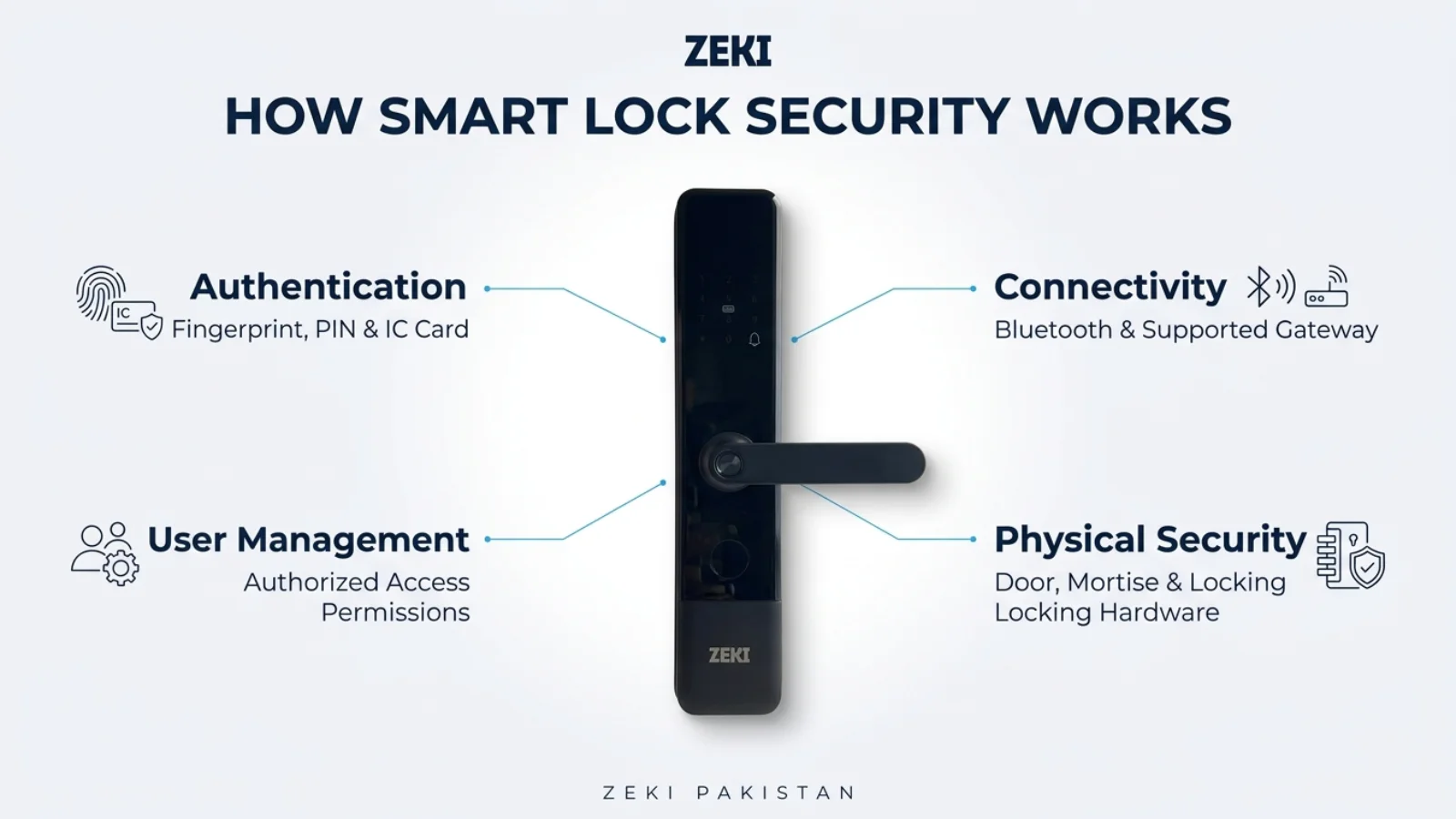
A smart lock can use several security layers to decide who is authorized to enter and how the locking mechanism operates.
Electronic authentication is only one part of that process. Physical locking components, administrator permissions and supported connected services also affect overall security.
1. Credential Authentication
The lock checks a presented credential such as a fingerprint, PIN, card or another supported biometric method.
A valid credential can authorize the locking mechanism to release. The precise authentication process varies by technology and model.
2. Administrator Permissions
Administrator access determines who can configure the device or manage authorized users.
Poorly protected administrator credentials can undermine the protection offered by otherwise convenient unlocking methods.
3. Communication Security
Smart locks with Bluetooth, Wi-Fi or gateway support may exchange information with authorized phones, networks or compatible cloud platforms.
The security of these connections depends on the manufacturer's implementation and configuration.
4. Physical Locking Hardware
A strong authentication system still needs appropriate mechanical locking components.
Mortise construction, door alignment, strike engagement and installation remain important.
One Security Feature Is Not Enough
A fingerprint reader, Wi-Fi connection or strong mechanical cylinder should never be evaluated in isolation. Good security depends on the entire access-control system.
What Are the Most Common Smart Lock Security Risks?
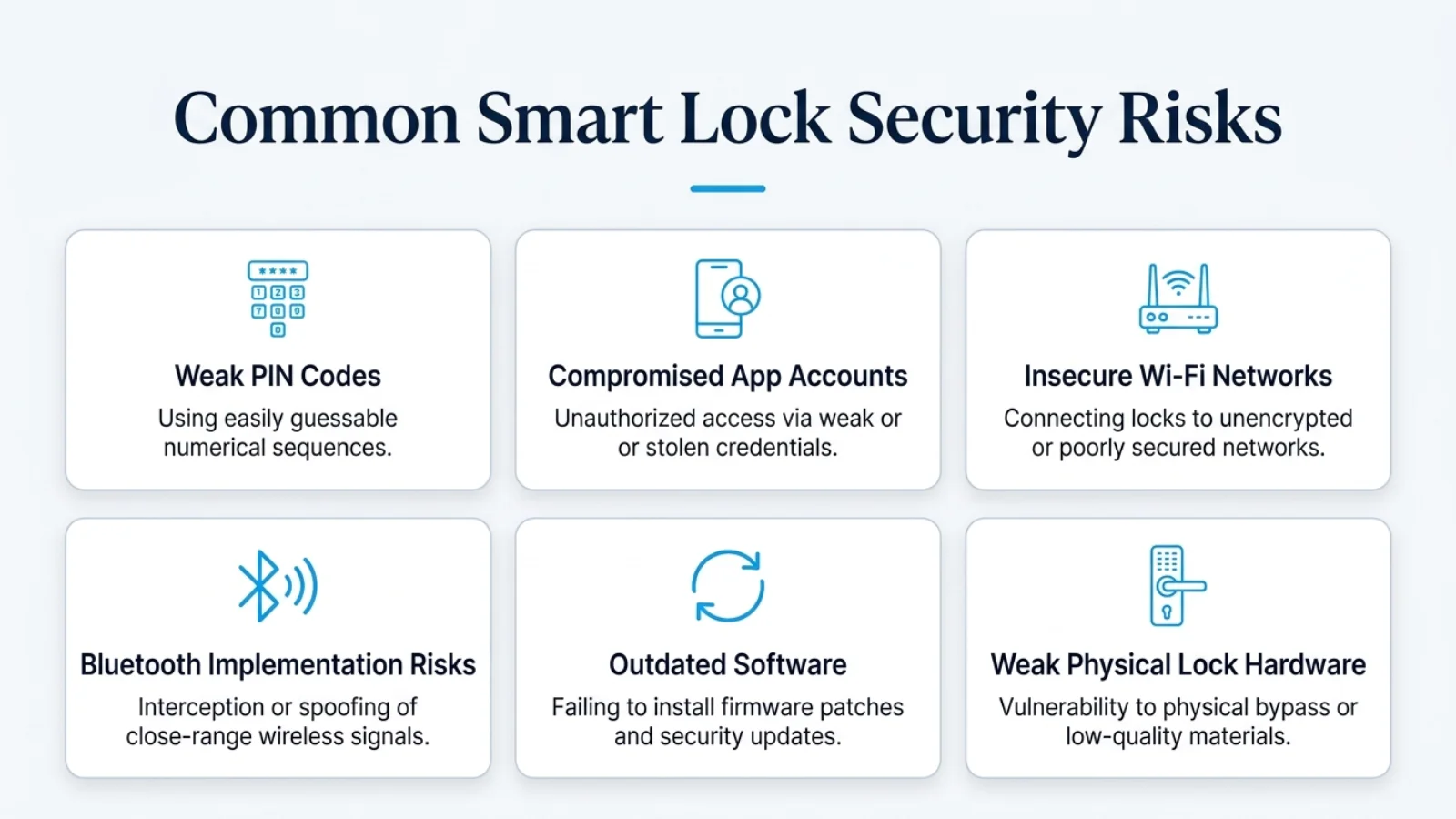
Not all smart lock security incidents require sophisticated technical hacking.
In practice, poor credential management or insecure account configuration can create avoidable risks.
| Potential Risk | What It Means | Prevention |
|---|---|---|
| Weak PIN | A short or predictable credential may be easier to guess or observe. | Use strong, unique codes and protect entry. |
| Shared Administrator Access | Unnecessary sharing expands the number of people who can change settings. | Limit administrator permissions. |
| Compromised App Account | An attacker may misuse credentials if an account is compromised. | Unique password and MFA where offered. |
| Outdated Software | Unresolved security issues may remain in supported software components. | Apply legitimate updates when available. |
| Wireless Vulnerability | An implementation weakness could affect connected communication. | Secure networks and follow vendor guidance. |
| Lost Phone or Card | An unauthorized person may gain access to an existing credential. | Revoke lost credentials promptly when supported. |
| Weak Mechanical Hardware | Physical weaknesses may undermine electronic access control. | Choose suitable hardware and ensure correct installation. |
This article discusses general smart-lock security considerations. It does not claim that ZEKI X1, X2, S1 or R1 Pro has any particular exploitable weakness.
Can Someone Hack a Smart Lock Through Wi-Fi?
A Wi-Fi-connected smart lock may be exposed to risks involving its wireless network, connected accounts or supporting services.
However, the existence of Wi-Fi functionality does not automatically mean an outsider can open the lock.
Whether an attack is possible depends on the exact system, its security controls and any actual vulnerabilities.
Weak Home Router Security
A poorly configured home router can expose connected devices to unnecessary network risks.
Use a strong router administrator password and supported modern wireless encryption.
Compromised Smart Lock Accounts
Someone who obtains access to an authorized app account may be able to misuse functions that account is permitted to perform.
Strong, unique account passwords and multifactor authentication, where available, reduce this risk.
Software and Cloud Security
Internet-connected systems depend partly on the software and services supporting them.
Check the manufacturer's supported update process and follow legitimate security advisories when issued.
Are Bluetooth Smart Door Locks Vulnerable?
Bluetooth allows compatible devices to communicate at relatively short range.
Like other wireless technologies, its security depends on the protocol, device software and authentication implementation.
A Bluetooth lock should not be considered secure merely because it does not require Wi-Fi.
Does Someone Nearby Automatically Gain Access?
No. Being within Bluetooth range is not the same as possessing an authorized digital credential.
But a poorly secured system could still have implementation weaknesses or problems involving compromised user accounts.
What About TTLock?
TTLock is a smart-lock management platform used by compatible models, including ZEKI X1.
The security of a particular installation depends on the actual lock hardware, app account, configuration and supported connectivity setup.
Do not confuse Bluetooth-based local operation with internet connectivity through an optional compatible gateway.
For a deeper comparison, read our TTLock vs Tuya guide .
Authentication design, permissions and software implementation matter more than simply calling a connection short-range.
Can Fingerprint, Face Recognition or Palm Vein Smart Locks Be Hacked?
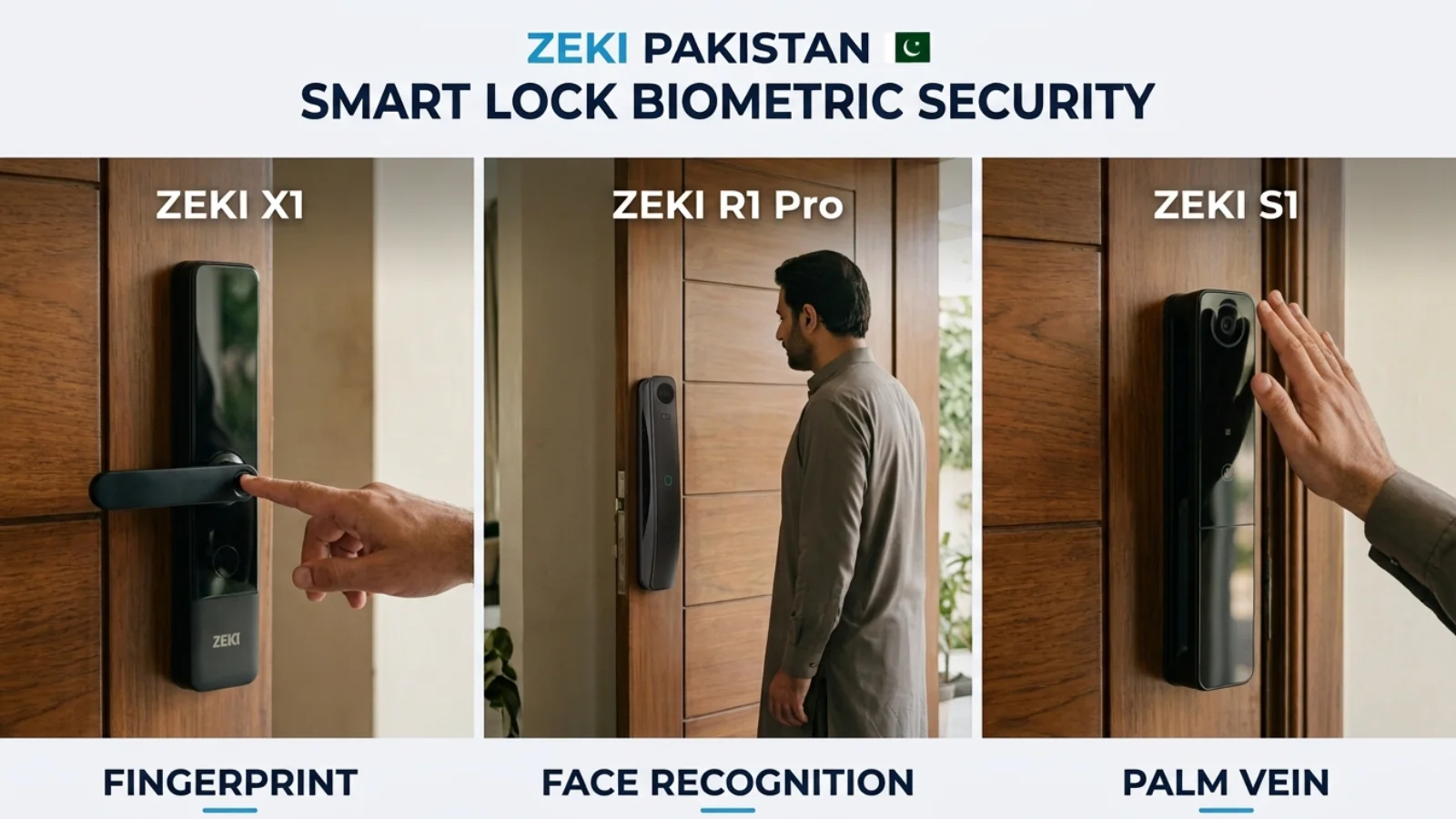
Biometric authentication can offer convenient alternatives to physical keys and memorized PIN codes.
However, no biometric system should be described as completely immune to attacks or recognition errors.
Fingerprint Smart Locks
Fingerprint authentication checks whether presented biometric information matches an authorized enrolled reference.
Its security depends on the sensor, matching system, anti-spoofing measures and supporting hardware.
Face Recognition Smart Locks
Facial recognition uses captured facial information to identify or verify an enrolled user.
A genuine depth-aware 3D system can use more than a flat image, but exact protection depends on the manufacturer's sensing technology.
Palm Vein Smart Locks
Palm vein authentication uses information associated with the vein pattern beneath the skin.
This is a different biometric method from surface fingerprint recognition, but its implementation still requires proper security controls.
| Biometric Method | Basic Principle | Security Consideration |
|---|---|---|
| Fingerprint | Compares fingerprint characteristics | Sensor quality, matching accuracy and presentation-attack resistance |
| Face Recognition | Compares facial biometric information | Sensor architecture, depth information, liveness measures and matching logic |
| Palm Vein | Evaluates a registered vein-pattern representation | Sensing method, template protection and recognition quality |
Read our fingerprint vs face recognition vs palm vein comparison for a more detailed buyer-focused explanation.
Can Someone Guess or Steal Your Smart Lock PIN?
A smart lock PIN is a security credential. Anyone who learns a still-valid code may be able to use it according to the lock's permissions.
Weak or frequently shared PIN codes can create unnecessary security exposure.
Examples of Avoidable PIN Risks
Can a Virtual PIN Help?
Certain smart locks support virtual or anti-peeping PIN entry methods.
These functions can help reduce some observation-related risks when used correctly, but should not be treated as complete protection against every form of credential theft.
ZEKI X1 and X2 support virtual PIN functionality. Buyers should follow their model's instructions for correct use.
Physical Security vs Digital Security: Which Matters More?
Both matter.
A well-protected app account cannot compensate for an incorrectly installed locking mechanism.
Equally, good mechanical hardware does not eliminate the need to protect digital credentials on connected smart locks.
Physical Security Includes
Lock-body construction, mortise quality, door material, frame strength, correct alignment and appropriate installation.
Digital Security Includes
PIN protection, app authentication, device permissions, supported security updates and secure management of connected functions.
Advanced Biometrics Do Not Replace a Strong Door
A premium biometric smart lock should still be matched with suitable mechanical hardware, correct door preparation and appropriate physical security.
For more on the physical-security comparison, read smart door lock vs traditional lock .
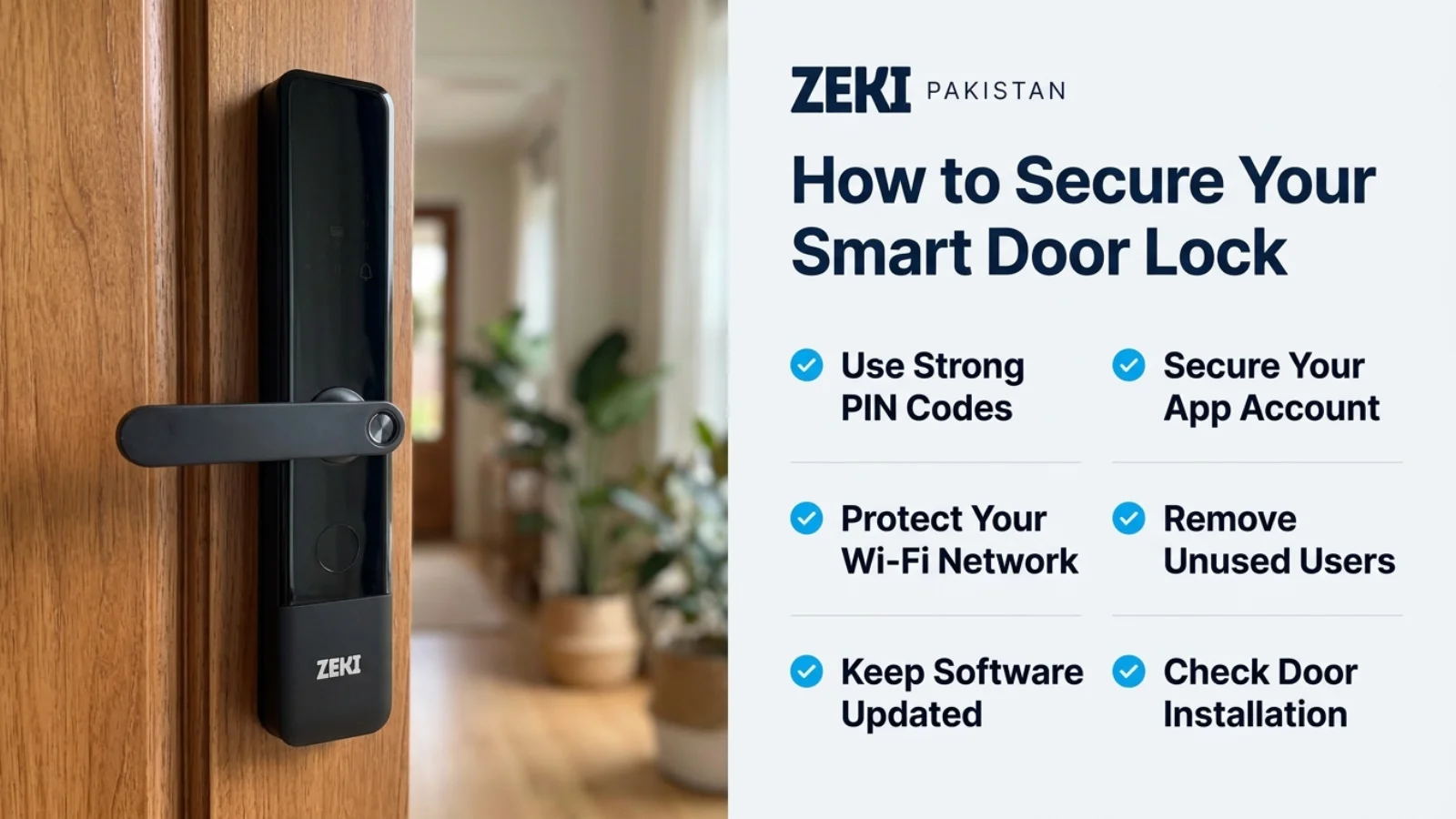
How to Protect Your Smart Door Lock From Unauthorized Access
Good smart lock security begins with careful setup and ongoing credential management.
Protect Administrator Credentials
Use a strong, unique administrator password or PIN. Do not share administrator access unnecessarily.
Secure Your Smart Lock App Account
Use a unique app password and enable multifactor authentication if the platform offers it.
Remove Unnecessary Users
Review authorized fingerprints, PINs, cards and app permissions. Revoke credentials that are no longer needed.
Secure the Home Wi-Fi Network
Use supported modern Wi-Fi security settings, a strong router password and relevant router updates.
Keep Supported Software Updated
Check for legitimate app, firmware and router security updates. Follow manufacturer instructions rather than installing unofficial firmware.
Secure Phones Used for Access
Use phone screen locks, current operating-system updates and secure account recovery options.
Review Guest Credentials
Use appropriately scoped temporary access when supported and remove permissions after they are no longer required.
Check Door Installation
Ensure the selected lock fits the door thickness, mortise, opening direction and frame clearance.
Understand Emergency Access
Know the model's primary battery, low-power warnings and supported emergency entry methods.
Monitor Unusual Activity
Review supported access records or alerts and investigate unexplained attempts or permission changes.
Where your router supports it, a properly configured separate IoT network may help limit unnecessary access between smart-home devices and personal computers. Follow your router's documented setup instructions.
What Happens to Smart Lock Security When Internet Connectivity Fails?
Internet interruption and smart lock compromise are not the same event.
Many compatible smart locks can continue validating previously registered fingerprints, PINs or cards locally.
Supported remote functions may stop working temporarily when Wi-Fi, internet or gateway connectivity is unavailable.
Does Offline Operation Make a Lock Unhackable?
No.
Offline operation changes the network exposure of a device, but does not eliminate risks involving physical access, credential misuse or implementation weaknesses.
What Happens During Load Shedding?
Battery-powered smart locks can continue supported local operation while their primary battery supply remains functional.
Network equipment such as routers and gateways may require separate power backup for connected features.
Read our smart lock Wi-Fi and offline access guide for more information.
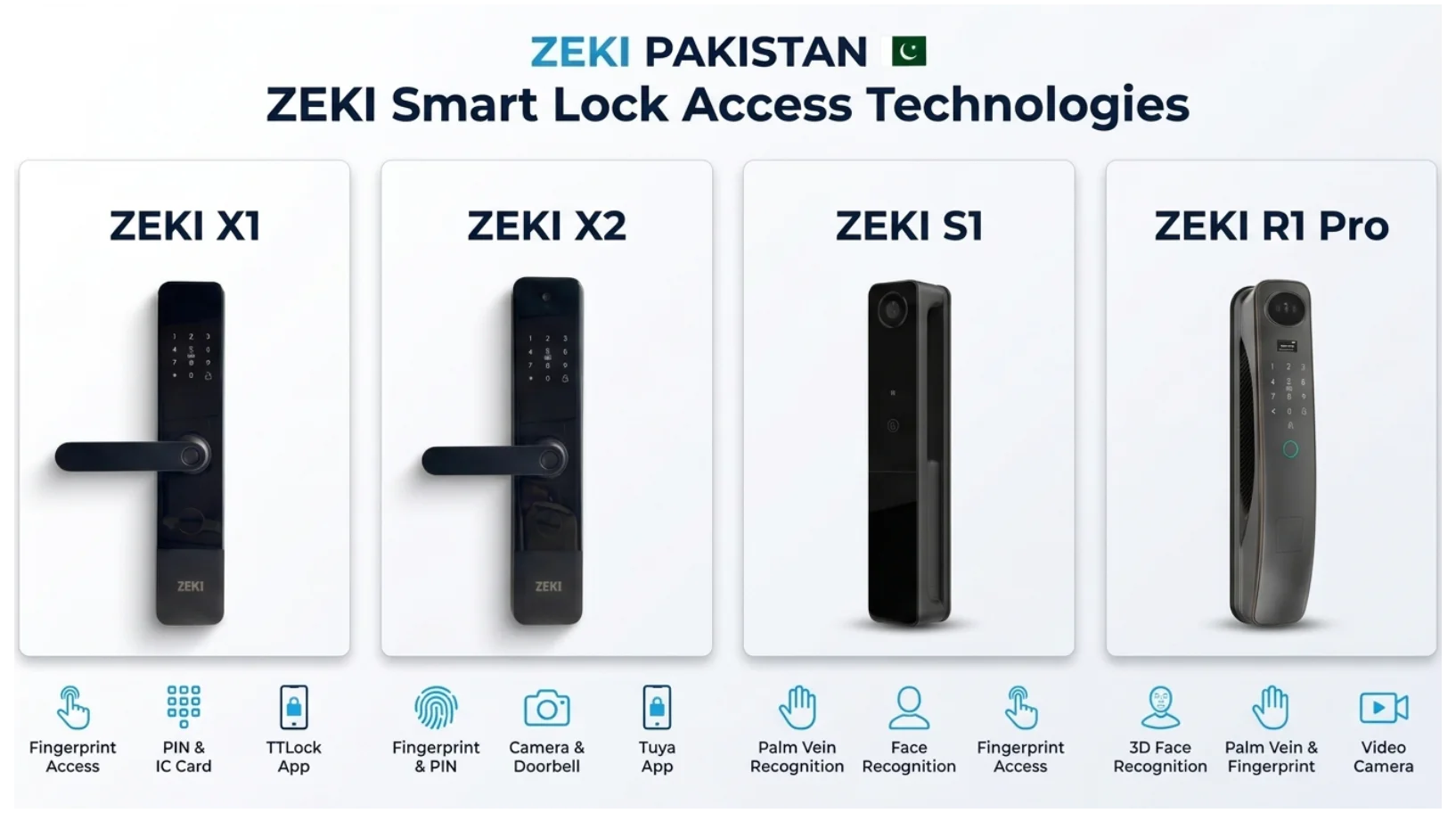
ZEKI X1, X2, S1 and R1 Pro: Security Features to Consider
ZEKI smart locks provide different authentication methods and connectivity arrangements.
These features should be evaluated for convenience and responsible access management, not interpreted as proof that a model is immune to attacks.
ZEKI X1
Supports fingerprint, PIN, IC card, mechanical key and TTLock app functionality.
Uses a Bluetooth-first configuration with a compatible gateway required for supported remote TTLock functions.
The X1 also supports virtual PIN functionality and low-battery warnings.
Explore ZEKI X1 →ZEKI X2
Supports fingerprint, PIN, IC card and mechanical-key access.
Includes a camera, doorbell, indoor display and supported Tuya connectivity over 2.4 GHz Wi-Fi.
Buyers should protect the connected app account and home Wi-Fi configuration.
Explore ZEKI X2 →ZEKI S1
Supports palm vein, face recognition, fingerprint, PIN and IC-card access.
Includes a camera, indoor HD display and supported Tuya connectivity.
Its available authentication methods should be configured and managed carefully.
Explore ZEKI S1 →ZEKI R1 Pro
Includes 3D face recognition, palm vein, fingerprint, PIN and IC-card access.
The verified configuration also includes a video camera, HD display and two-way voice.
Exact security mechanisms and connectivity settings should be verified for the supplied SKU.
Explore ZEKI R1 Pro →This comparison only identifies documented access methods and connectivity features. It does not assign vulnerability scores, penetration-test results or unverified encryption standards to any model.
Smart Lock Security Tips for Pakistani Homes and Offices
Smart lock owners in Lahore, Karachi, Islamabad and other Pakistani cities should consider both connected-device security and entrance compatibility.
Secure the Home Router
Whether using PTCL, StormFiber or another broadband connection, the router should have a strong administrator password and supported security settings.
Plan for Power and Internet Interruptions
A battery-powered lock can continue supported local access independently of home electricity while its primary batteries remain functional.
Remote notifications or management may be interrupted if network equipment loses power or internet connectivity.
Check the Door Before Installation
Confirm door thickness, mortise dimensions, opening direction and frame clearance.
A poorly fitted lock may create mechanical problems even when its electronic authentication works correctly.
Manage Access for Staff and Guests
For offices, rental properties and hotels, avoid unnecessary sharing of permanent administrator credentials.
Where supported, assign appropriate individual access methods and revoke them when no longer required.
Smart Lock Security Checklist
Use this checklist to review your smart lock's setup and ongoing security.
Smart Lock Security Is an Ongoing Process
Good hardware, careful installation, secure credentials and regular permission reviews work together. No lock should be treated as permanently secure simply because it has modern biometric features.
Need Help Choosing a Secure Smart Door Lock?
Not sure which ZEKI smart lock best suits your home, apartment or office?
Contact ZEKI Pakistan on WhatsApp at +92 304 7691488.
Send photos of your full door, existing handle, door edge and lock body.
Also tell us whether you need fingerprint, PIN, camera, face-recognition, palm-vein or remote access features.
The ZEKI team can help review product suitability and available compatibility information before you purchase.
Can Smart Locks Be Hacked? FAQs
Can smart locks be hacked?
Yes, smart locks can potentially have digital, wireless or physical vulnerabilities. However, the risk depends on the exact product, configuration, software and access-management practices.
Can someone hack a smart lock through Wi-Fi?
A Wi-Fi-connected lock may face risks involving its network, account or software. Wi-Fi support alone does not mean unauthorized unlocking is possible.
Are Bluetooth smart locks secure?
Bluetooth smart lock security depends on the device's authentication, wireless implementation, software and credential management. Short-range connectivity does not automatically guarantee security.
Can someone guess a smart lock PIN?
Weak or predictable PINs may be vulnerable to guessing or observation. Use strong codes, protect them from disclosure and remove unnecessary credentials.
Can fingerprint smart locks be hacked?
Fingerprint systems are not universally immune to attacks. Their security depends on sensor quality, matching, anti-spoofing measures and overall hardware.
Is 3D face recognition impossible to spoof?
No. A genuine depth-aware facial recognition system can use more than a flat image, but no specific system should be called impossible to spoof without supporting evidence.
Is palm vein recognition more secure than fingerprint?
Palm vein and fingerprint systems use different biometric information. Neither can be declared universally more secure without comparing their actual implementations and testing results.
Can a smart lock be hacked if it is offline?
Offline operation reduces dependence on internet-connected services but does not eliminate risks involving physical access, credentials, local interfaces or implementation weaknesses.
Are smart locks safer than traditional locks?
Not automatically. Smart locks add electronic authentication and access-management options, while traditional locks rely on mechanical access. Security depends on the complete product and installation.
What should I do if my smart lock app account is compromised?
Secure the account using the platform's official recovery process, change compromised passwords, revoke unauthorized access where supported and contact the manufacturer or qualified support.
Does ZEKI X1 use TTLock or Tuya?
The ZEKI X1 version sold through ZEKI Pakistan uses TTLock. It should not be presented as a Tuya model.
How can I protect my smart door lock in Pakistan?
Use strong administrator credentials, secure app accounts and Wi-Fi, remove unused access permissions, follow official update guidance and ensure correct physical installation.