
In this guide
What Is Palm Vein Recognition?
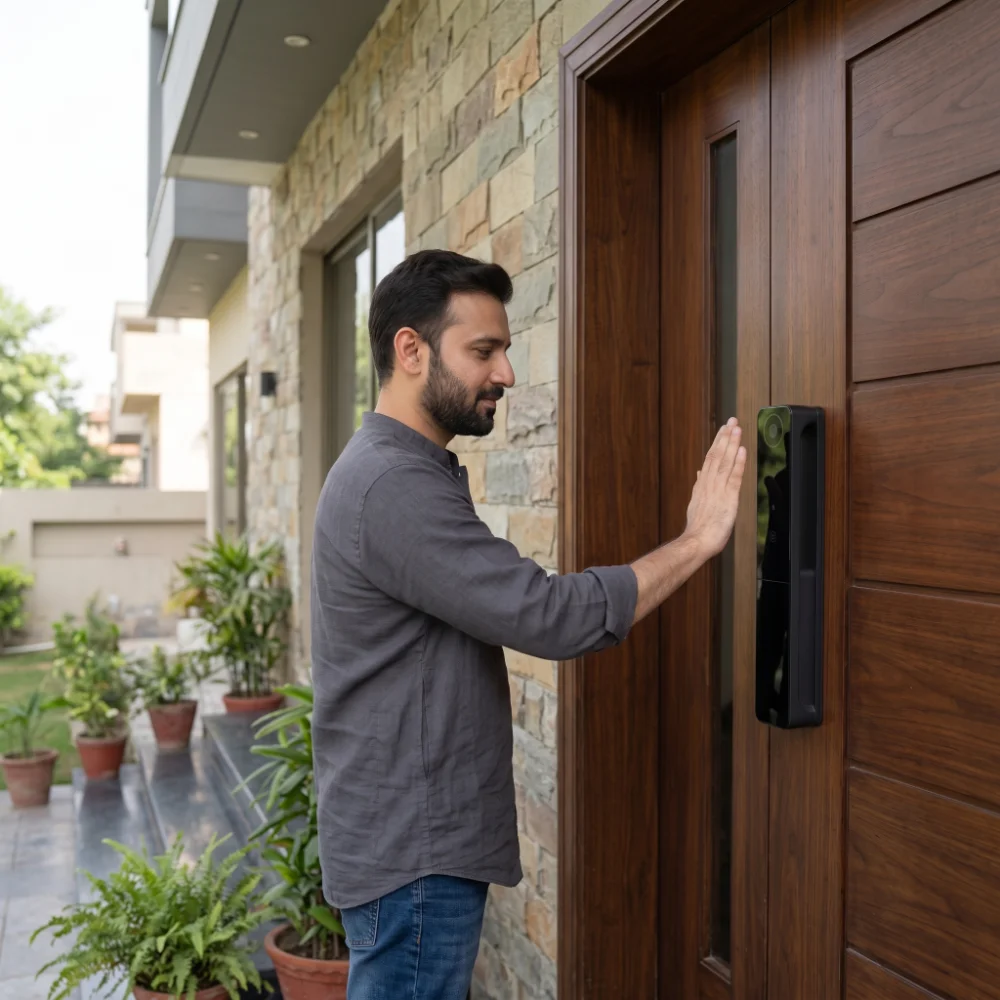
Palm vein recognition is a biometric authentication method that identifies an enrolled user from the pattern of blood vessels beneath the skin of the palm.
A compatible sensor uses near-infrared light to capture characteristics of the vein pattern. The system processes that information and compares it with the biometric template created when the user's palm was registered.
In a smart-lock application, a successful match can authorize the lock to open without requiring the user to remember a PIN or physically insert a key.
What Does a Palm Vein Biometric System Actually Read?
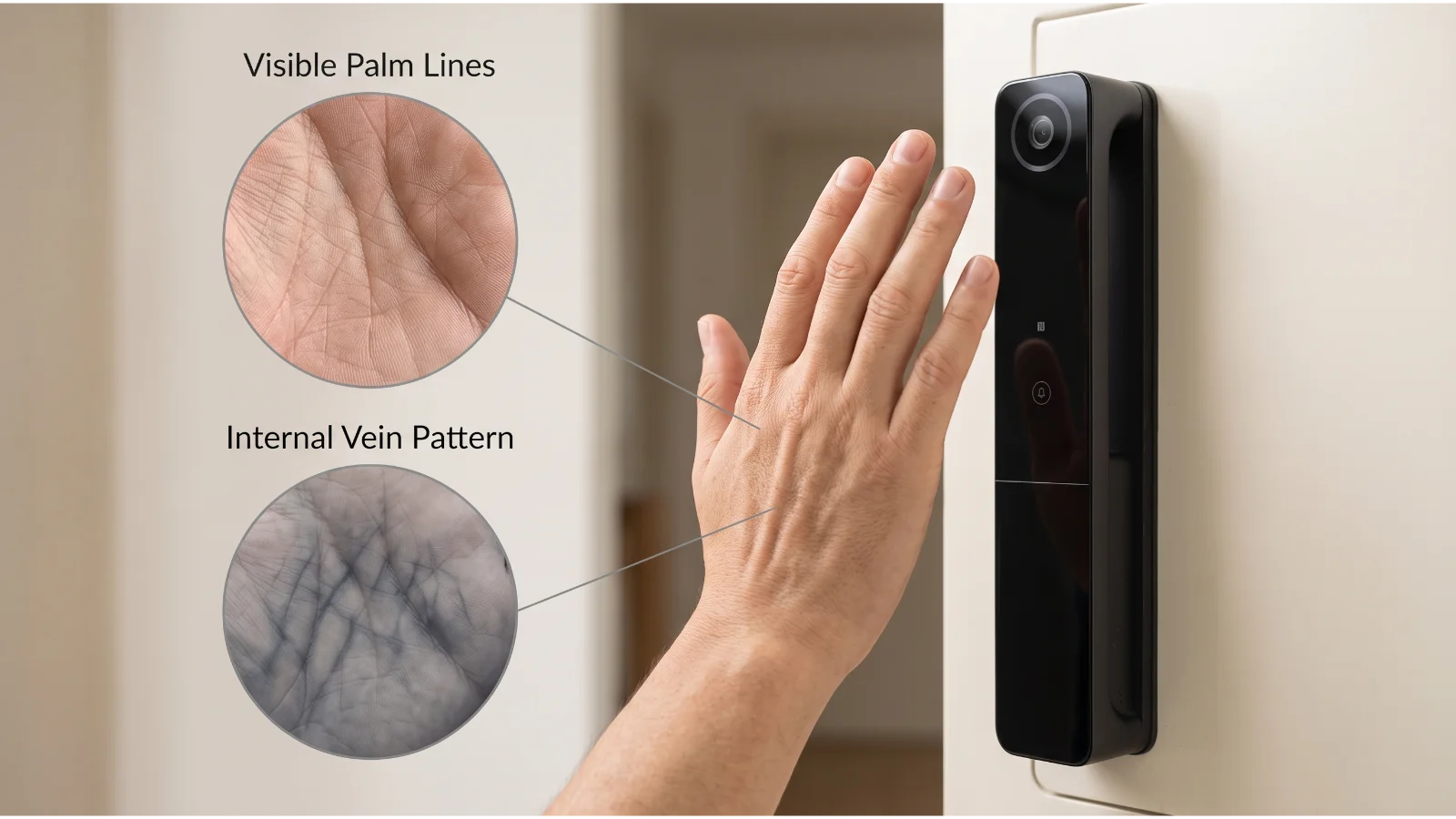
Palm vein technology does not simply photograph the visible lines on your hand.
Instead, it is designed to detect characteristics of the vascular structure beneath the surface of the palm.
Blood vessels form a complex branching pattern. A palm vein biometric system uses optical sensing to capture information from this internal structure and transform it into data that can be used for biometric matching.
The Vein Pattern Is Different from Palm Lines
The creases you can see with your eyes are surface features. Palm-vein authentication is interested in the blood-vessel pattern below the skin.
That distinction matters because the system is not functioning like a normal camera taking a photograph of the palm.
Why Near-Infrared Light Is Used
Palm-vein sensors typically use near-infrared illumination because blood within the vessels interacts with this light differently from surrounding tissue.
The sensor can use the resulting contrast to identify the vascular pattern needed for biometric processing.
How Does Palm Vein Recognition Work in a Smart Lock?
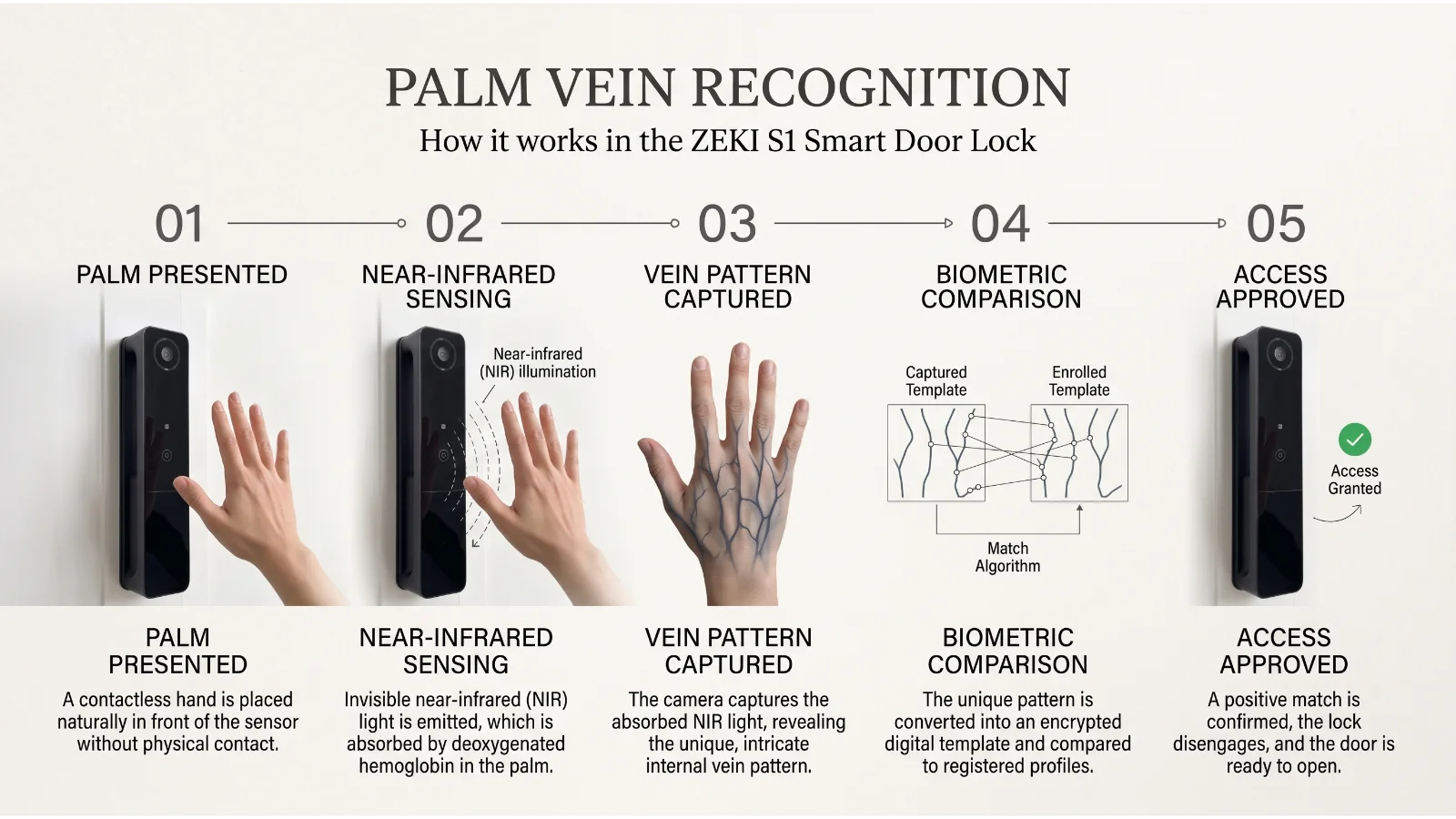
The exact implementation varies between manufacturers, but the basic recognition process can be understood in a few stages.
The User Presents a Palm
The user positions the palm within the sensing area at the distance and angle expected by the lock.
The Sensor Illuminates the Palm
Near-infrared light is used to help the optical system distinguish the sub-surface vascular structure.
Vein Features Are Captured
The sensor captures information that represents the vein pattern visible to the biometric system.
Software Extracts a Biometric Pattern
The recognition algorithm processes relevant features into a form that can be compared with previously enrolled data.
The System Looks for a Match
The newly captured biometric data is compared with the registered template or templates authorized for that lock.
Access Is Approved or Rejected
If the match satisfies the system's recognition threshold, the lock can authorize entry. If not, the user may need to reposition the palm or use another registered access method.
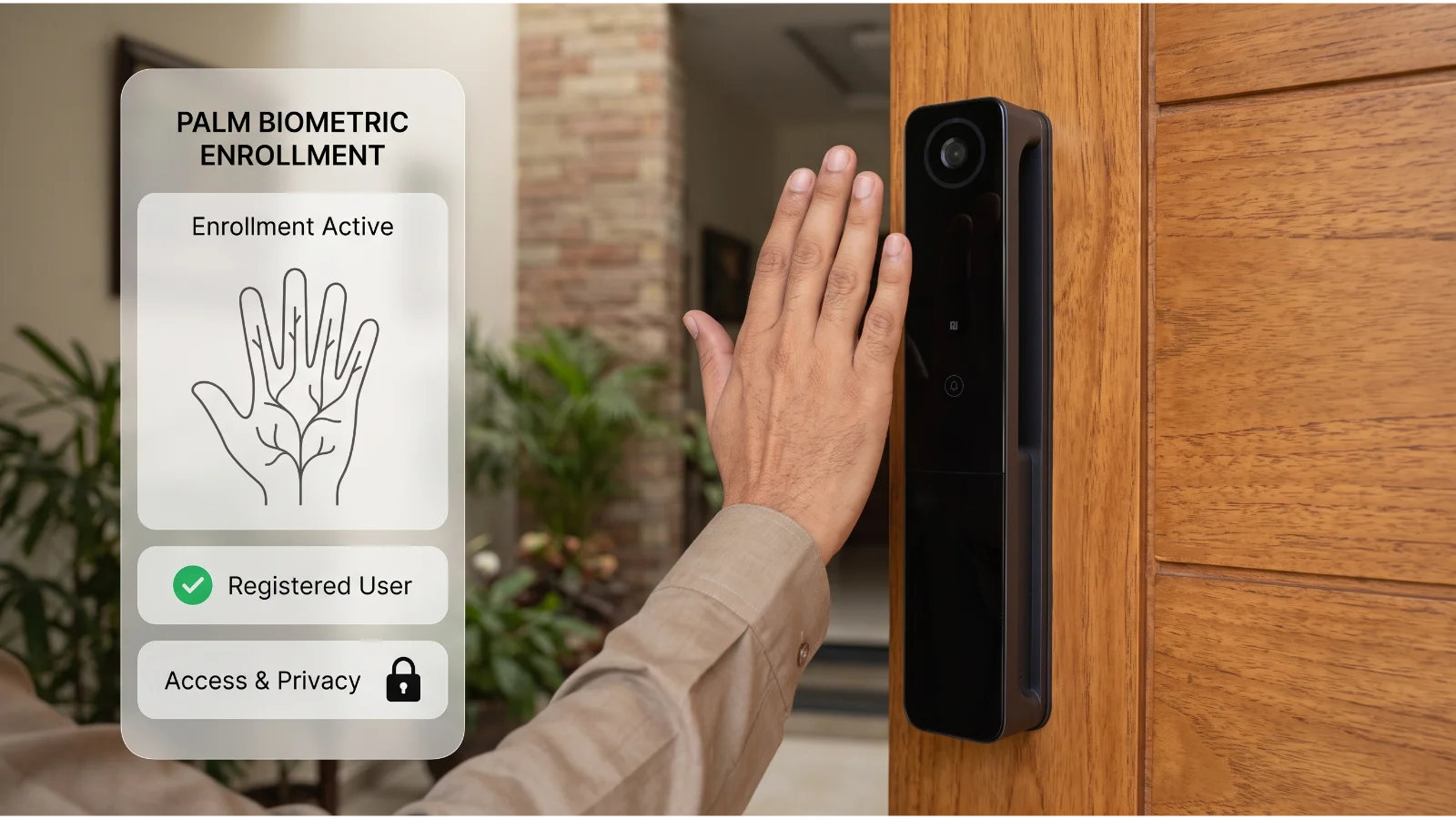
What Is a Registered Palm?
Recognition cannot happen reliably until the system has an enrolled reference for the authorized user.
The phrase registered palm simply means that the user has completed the lock's biometric enrollment process and the system has stored the data required for later matching.
Enrollment Creates the Reference
During registration, the user presents the palm according to the device's instructions.
Depending on the system, several captures may be taken so the device can build a useful biometric reference rather than relying on one imperfect scan.
Recognition Happens After Enrollment
When that person later approaches the door, the lock performs a new scan and compares it with the registered data.
Capture the authorized user's palm and create the biometric reference used by the system.
The enrolled user places an open palm in the expected sensing area when requesting access.
The newly captured vein information is compared with authorized registered data.
The lock accepts or rejects the authentication attempt based on the matching result.
Why Palm Vein Recognition Is Considered Contactless Biometric Access
One of the technology's most noticeable differences is that the user normally presents the palm to the sensing area rather than pressing a fingertip directly onto a small reader.
This makes it suitable for contactless authentication where the product is designed to recognize the palm at an appropriate distance.
A contactless biometric door lock can therefore be convenient for family members who prefer to approach the entrance, present a hand and gain access without locating a physical key.
Contactless Does Not Mean “From Any Distance”
The palm still needs to be placed within the sensor's effective capture area.
Holding the hand too far away, too close, at an extreme angle or moving it too quickly can reduce the quality of the scan depending on the particular hardware.
Contactless does not mean positioning no longer matters
Good biometric access depends on both the recognition technology and the way the user presents the biometric feature. A high-quality system should guide users toward a repeatable capture position.
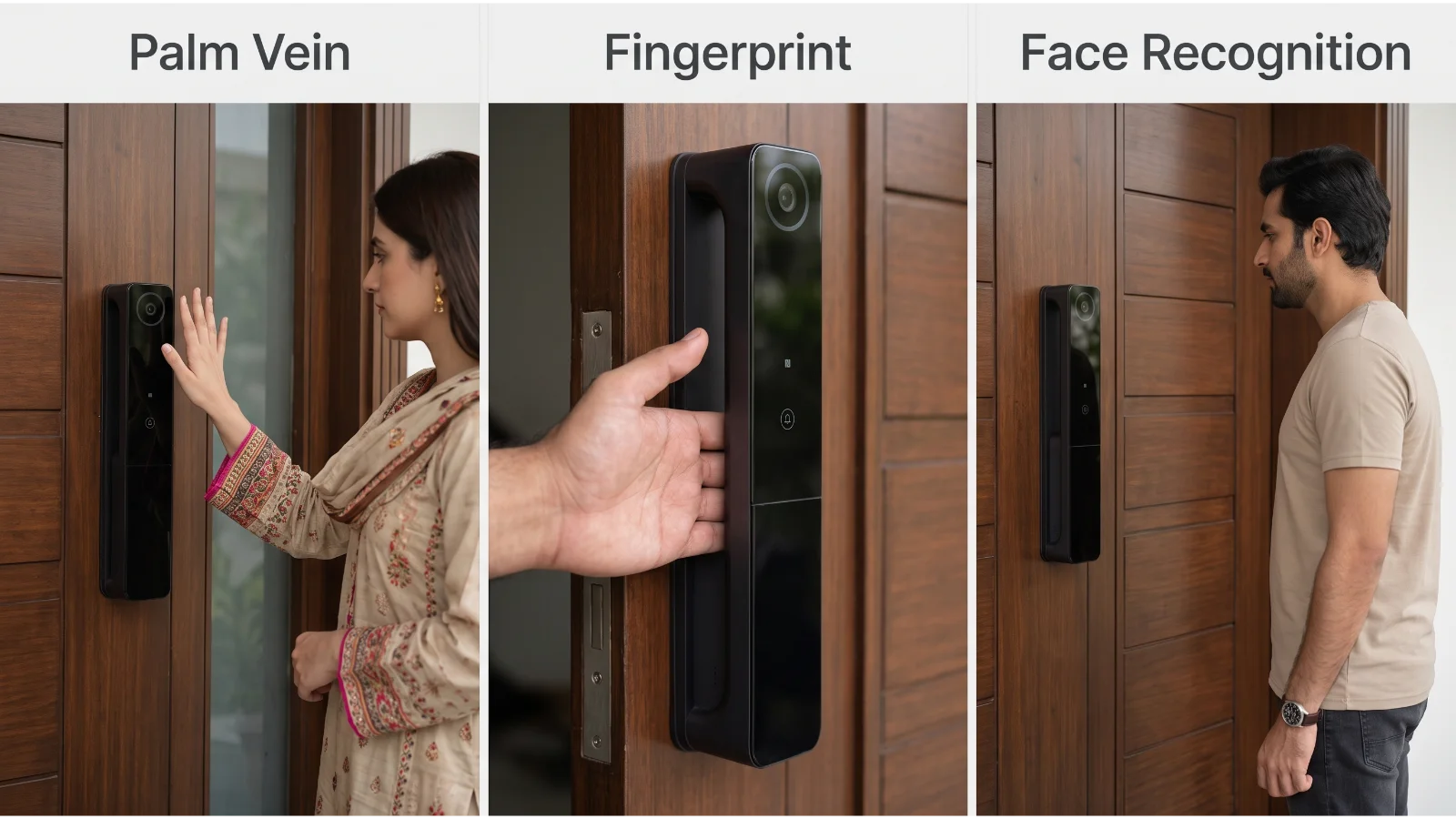
Palm Vein, Fingerprint and Face Recognition Read Different Features
These biometric methods all aim to identify an enrolled user, but they do not measure the same physical characteristic.
This is an important distinction when understanding biometric access.
| Method | What It Uses | Typical User Action | Practical Consideration |
|---|---|---|---|
| Palm vein recognition | Sub-surface vascular pattern in the palm | Present the palm to the sensor | Position, angle and sensing distance matter |
| Fingerprint recognition | Fingerprint ridge characteristics | Place a registered finger on the reader | Reader condition and finger presentation can affect capture |
| Face recognition | Facial characteristics captured by a compatible recognition system | Present the face to the sensing area | Camera position, viewing angle and implementation matter |
This article is not declaring one technology universally better than the others.
The better access method depends on who will use the door, the quality of the specific hardware, the required user experience and the backup access methods provided by the product.
If you are specifically evaluating fingerprint-based access, you can also read our fingerprint door-lock safety guide.
What Are the Practical Benefits of Palm Vein Recognition?
The technology becomes useful when its characteristics match the way people actually use the entrance.
What Palm Vein Recognition Does Not Guarantee
Advanced biometric technology should still be evaluated realistically.
The phrase “palm vein” on a product listing does not by itself prove that every device will have the same recognition quality, speed, usability or security characteristics.
Is Palm Vein Recognition Spoof-Proof?
It should not be described that way.
Palm-vein recognition uses an internal vascular characteristic, which is different from a visible password or a fingerprint left on a touched surface. But responsible security claims still depend on the exact sensor, matching algorithm, anti-spoofing design and complete lock implementation.
No biometric access method should be marketed as impossible to defeat.
What Should Buyers Know About Palm Vein Data and Privacy?
A biometric credential is different from a password.
If you forget a PIN, you can create another PIN. Your biological characteristics are not replaced in the same way.
That makes privacy and biometric-data handling important considerations when evaluating any biometric product.
A Biometric Template Is Not Necessarily a Normal Photograph
Many biometric systems process captured characteristics into a template or feature representation used for matching rather than using a normal image as the authentication credential.
However, buyers should not assume that every manufacturer stores, encrypts or synchronizes biometric information in exactly the same way.
Questions Worth Asking
Do not assume that having a mobile app means every biometric template is automatically stored in the cloud. Equally, do not assume it is local unless the manufacturer has documented that architecture.
How Does Palm Recognition Fit Pakistani Homes?
For Pakistani buyers, the biometric technology is only one part of the decision.
Main entrances in DHA Lahore, Bahria Town, E-11 Islamabad and Clifton Karachi can use very different wooden-door thicknesses, mortises, frames and handle arrangements.
A sophisticated biometric sensor cannot compensate for an incompatible physical installation.
Dust and Sensor Care
Contactless use reduces repeated finger contact with the biometric reader, but the sensor area still needs to remain reasonably clean.
Pakistan's dust can settle on optical surfaces over time, particularly around entrances that open directly outdoors.
Cleaning should follow the lock manufacturer's instructions rather than using harsh chemicals on the sensing area.
Load Shedding and Biometric Recognition Are Separate Issues
Palm-vein technology itself does not automatically mean a door requires continuous WAPDA or K-Electric supply.
What matters is how the specific lock is powered.
A battery-powered model can continue powering its local lock functions from its own battery system, while connected functions involving a Wi-Fi router, ONT or other network equipment can be affected if those devices lose power.
Fiber or PTCL Downtime Does Not Change Your Palm
Broadband dropouts, PTCL routing issues or a restarted Wi-Fi router are network problems. They are different from biometric recognition at the door.
Buyers should therefore ask two separate questions: How does the lock authenticate locally? and Which optional app functions depend on internet connectivity?
Voltage Fluctuations Matter More During Charging and Networking
For a rechargeable lock, sensible charging equipment and stable power are important. Routers, gateways and other continuously powered smart equipment should also be protected appropriately where local voltage quality is inconsistent.
How ZEKI S1 Uses Palm Vein Recognition
For buyers who understand the technology and want to see it applied in a real ZEKI product, the ZEKI S1 palm vein recognition lock combines palm-based access with several additional authentication methods.
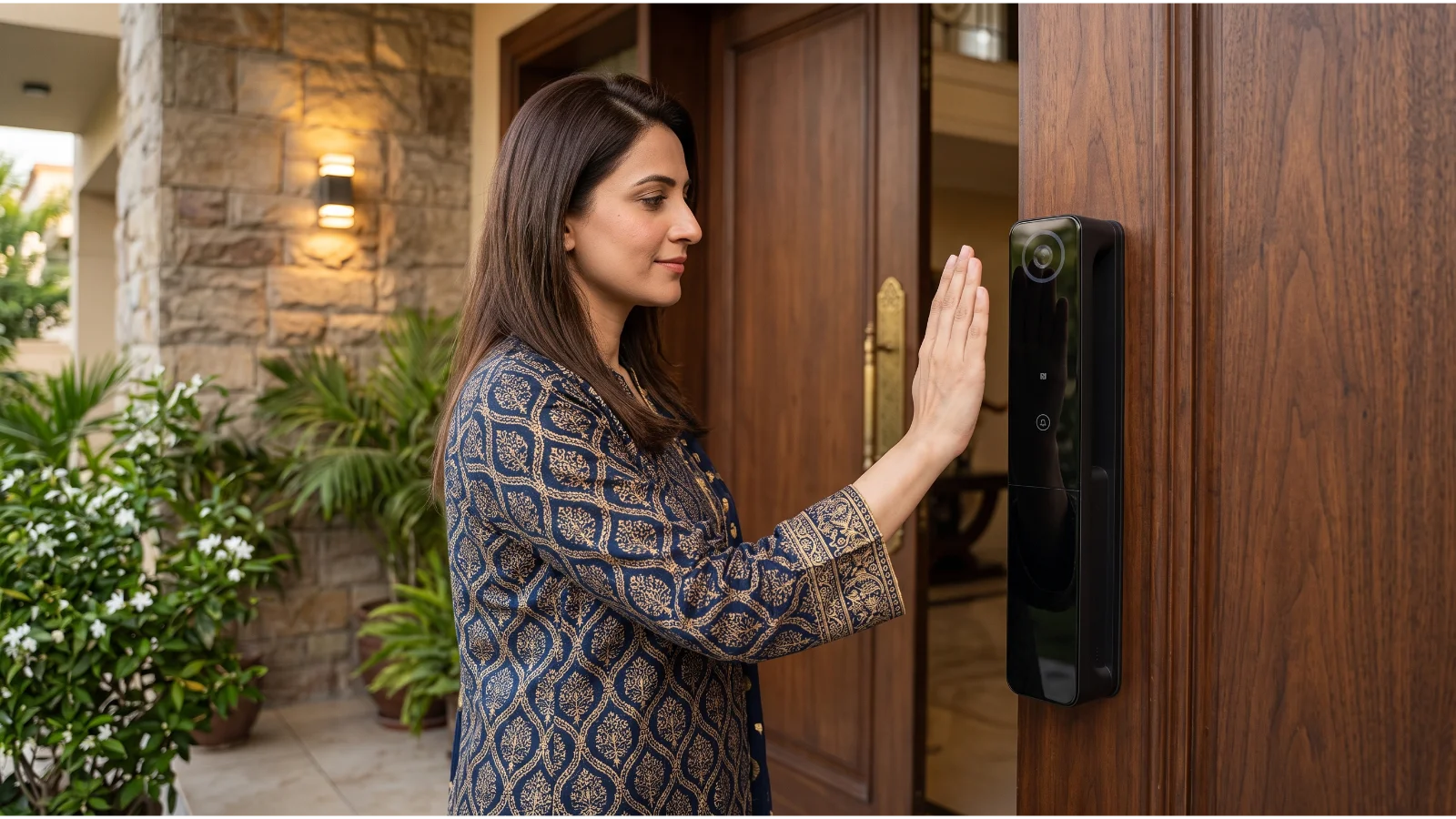
ZEKI S1
The current ZEKI S1 configuration documented for Pakistan combines palm vein recognition with multiple access and smart features.
- Palm vein recognition
- Face recognition
- Fingerprint recognition
- PIN / password access
- IC-card access
- Built-in camera and smart doorbell
- Indoor HD display
- Tuya Smart app
- 2.4 GHz Wi-Fi supported configuration
- Zigbee on applicable configuration with compatible gateway
- 8900mAh lithium battery system
- Type-C charging and emergency power
- Virtual-password function
- Double authentication support
- Tamper alarm
Why Multiple Unlocking Methods Matter
A household does not need to force every person to use palm recognition.
One family member may prefer a registered palm, another may use fingerprint recognition, while a PIN or IC card can provide another supported access route.
That flexibility is particularly useful in multigenerational homes where different users have different comfort levels with biometric technology.
A Palm Recognition Smart Lock Is Still a Physical Door Lock
A palm recognition smart lock should not be selected only because the biometric technology sounds advanced.
Door thickness, mortise type, handle direction, frame clearance and installation space still determine whether the hardware is suitable for the entrance.
Who Is Palm Vein Recognition Most Relevant For?
Regular Household Access
Useful where several family members want biometric entry without relying on one shared PIN.
Modern Main-Door Experience
Suitable for buyers prioritizing a more advanced contactless access experience on a premium wooden entrance.
Users with Different Preferences
Particularly relevant when the chosen lock combines palm, face, fingerprint, PIN and card access.
Buyers who mainly want the simplest possible access method may not need every biometric feature. A good buying decision starts with the users and the door, not with the longest specification list.
Palm Vein Recognition Buyer Checklist
Choose the complete access system, not just the biometric headline
Palm vein recognition can provide a convenient form of contactless smart access, but the right purchase still depends on sensor quality, backup access, battery design, door compatibility and the needs of the people using the entrance every day.
Interested in Palm Vein Access but Not Sure Your Door Is Compatible?
Not sure if your existing wooden door mortise, handle direction or frame clearance fits a digital lock?
Take a quick picture of your door lock body, door edge and full entrance and send it to the ZEKI Pakistan team on WhatsApp at +92 304 7691488 for initial compatibility guidance.
Tell us that you are considering palm vein recognition so we can review the door details before you choose the ZEKI S1.
Palm Vein Recognition FAQs
What is palm vein recognition?
Palm vein recognition is a biometric authentication method that uses characteristics of the blood-vessel pattern beneath the skin of the palm to identify an enrolled user.
How does palm vein recognition work?
A compatible sensor uses near-infrared illumination to capture information from the vascular pattern beneath the palm. The system processes those features and compares them with previously registered biometric data.
Is palm vein recognition contactless?
It can be. Many palm-vein systems are designed for contactless or near-contact operation, where the user holds the palm within a defined sensing area instead of pressing a finger onto a reader.
Is palm vein recognition the same as fingerprint recognition?
No. Fingerprint recognition analyzes characteristics of the fingerprint ridge pattern, while palm-vein recognition uses characteristics of the vascular pattern beneath the palm.
Is palm vein recognition the same as face recognition?
No. Face recognition identifies a user from facial characteristics captured by a compatible sensing system. Palm-vein recognition uses vascular characteristics inside the palm.
Does palm vein recognition require internet access?
Palm-vein recognition is a biometric method and does not inherently require internet connectivity. Whether a particular product needs the internet for specific functions depends on its design. App-based remote features should be evaluated separately from local biometric access.
Will a biometric lock work during load shedding?
That depends on how the lock is powered. A battery-powered lock uses its own battery system for normal lock operation, while routers and other network equipment may stop working during load shedding unless they have backup power.
Is palm vein recognition more secure than fingerprint recognition?
It should not be treated as universally more secure based only on the biometric type. Overall security depends on the sensor, recognition algorithm, anti-spoofing measures, firmware, credential management and physical lock design.
Can palm vein recognition be spoofed?
No biometric technology should be described as completely spoof-proof. Palm vein systems use sub-surface vascular characteristics, but resistance to presentation attacks depends on the specific sensor and complete authentication implementation.
Does ZEKI S1 support palm vein recognition?
Yes. The current ZEKI S1 configuration documented for Pakistan supports palm vein recognition together with face recognition, fingerprint, PIN/password and IC-card access.
What happens if palm recognition does not work?
A multi-access lock can provide other supported methods. ZEKI S1 includes alternative access options such as face recognition, fingerprint recognition, PIN/password and IC-card access.
What should I check before choosing a palm vein recognition lock?
Check the recognition method, enrollment process, alternative access methods, battery and emergency-power design, connectivity, privacy information and physical compatibility with your door thickness, mortise, opening direction and frame clearance.