
In this guide
Fingerprint, Face Recognition or Palm Vein: Which Is Better?
There is no single biometric method that is best for every smart-lock user.
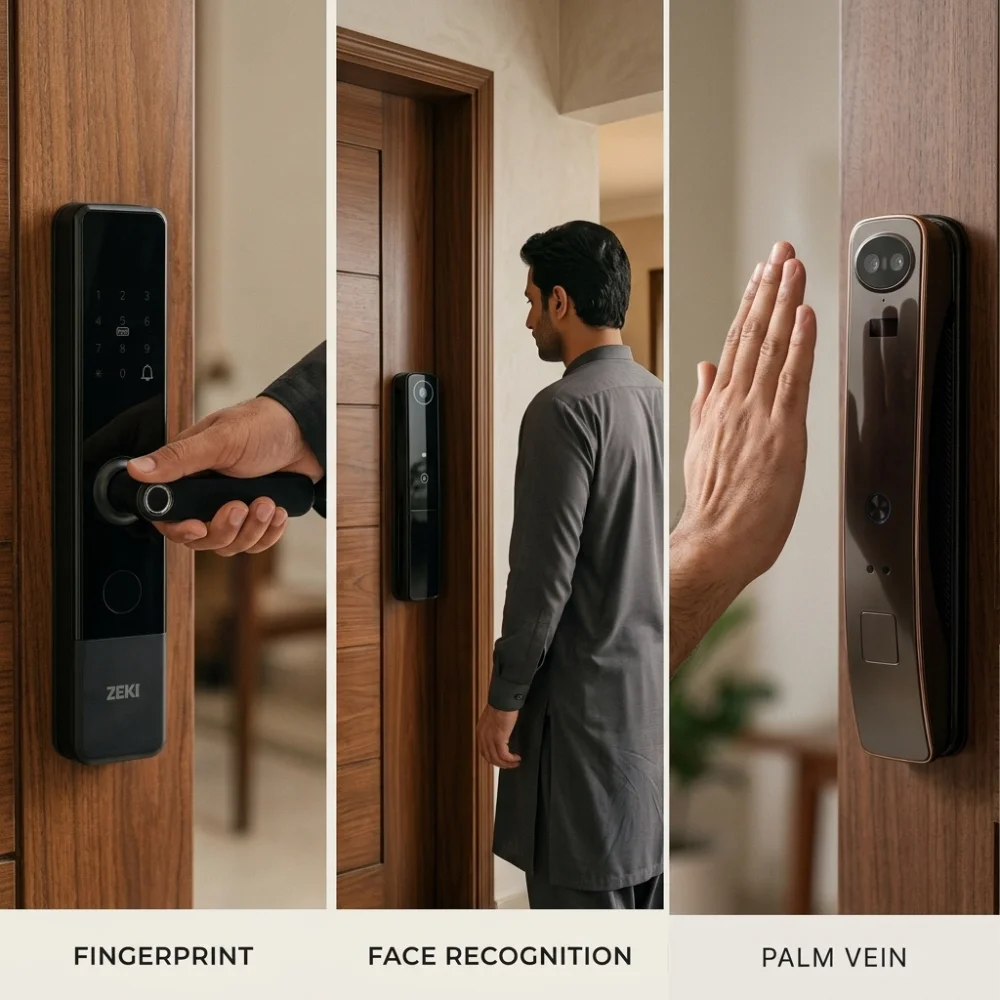
Fingerprint access is familiar and direct. Face recognition can provide hands-free entry. Palm vein recognition can provide contactless authentication using a registered palm.
The better choice depends on user convenience, the quality of the specific sensor and lock, family requirements, backup access methods and the physical door itself.
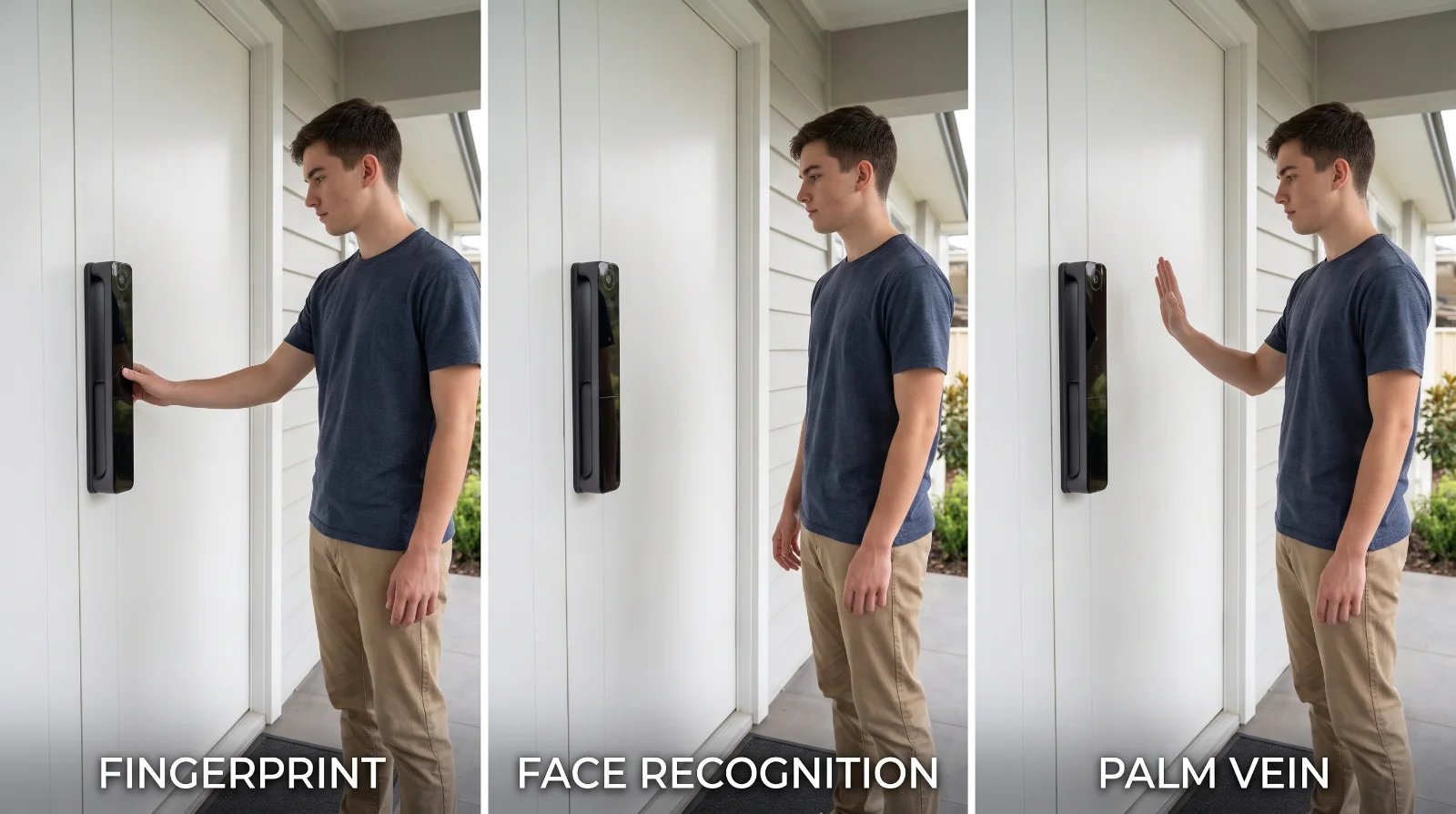
Fingerprint, Face and Palm Vein Systems Identify Different Biometric Features
These technologies are often grouped together under the term biometric access, but they do not operate in the same way.
A fingerprint system reads characteristics of a fingerprint. A face-recognition system analyzes facial information captured by its recognition hardware. A palm-vein system uses characteristics of the vascular pattern beneath the palm.
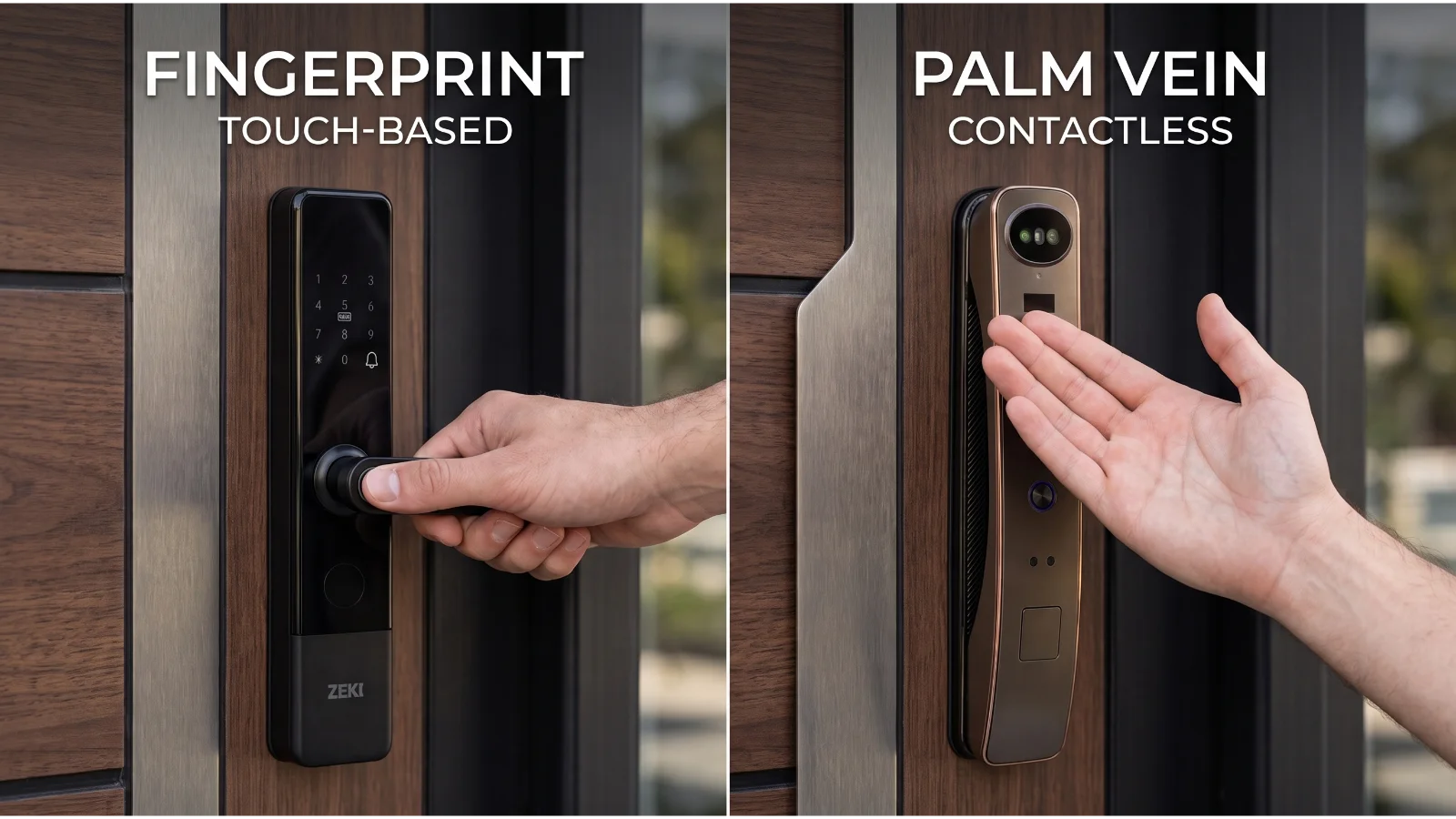
Touch-Based Biometric
The user normally places a registered finger onto a dedicated fingerprint sensor and waits for the system to match it.
Hands-Free Biometric
The user presents their face to the lock's recognition system, allowing supported hardware to authenticate without touching the reader.
Contactless Palm Biometric
The user presents a registered palm within the sensing area so the system can compare the captured vein pattern.
| Factor | Fingerprint | Face Recognition | Palm Vein |
|---|---|---|---|
| User action | Touch registered finger to sensor | Present face to recognition area | Present registered palm to sensing area |
| Contact | Normally requires sensor contact | Contactless | Typically contactless or near-contact |
| Biometric feature | Fingerprint ridge characteristics | Facial characteristics | Sub-surface palm vascular pattern |
| Typical convenience | Simple and familiar | Hands-free when recognition works smoothly | Present an open palm without touching a small reader |
| Position matters? | Yes, finger placement matters | Yes, face position and capture conditions matter | Yes, palm distance and angle matter |
| Backup recommended? | Yes | Yes | Yes |
How Fingerprint Smart-Lock Access Works
Fingerprint authentication is one of the most familiar biometric methods for everyday users.
During enrollment, a user's fingerprint characteristics are registered by the lock. During later access attempts, the sensor captures the presented finger and compares it with authorized biometric data.
Why Fingerprint Access Feels Natural
The interaction is simple: approach the door, place the enrolled finger on the reader and allow the lock to perform the match.
There is no code to remember for normal biometric entry and no physical key to remove from a pocket.
What Can Affect Fingerprint Recognition?
Finger position matters. Sensor cleanliness also matters.
A poorly presented finger, contamination on the reader or temporary changes to the fingertip can affect capture quality depending on the specific sensor.
This does not mean fingerprint access is unreliable by definition. It means biometric performance should be judged on the actual lock and its implementation rather than only the technology name.
For a deeper security discussion, see our guide to fingerprint door-lock safety.
How Face Recognition Changes the Entry Experience
The biggest practical difference between face recognition vs fingerprint door lock access is the user's interaction with the device.
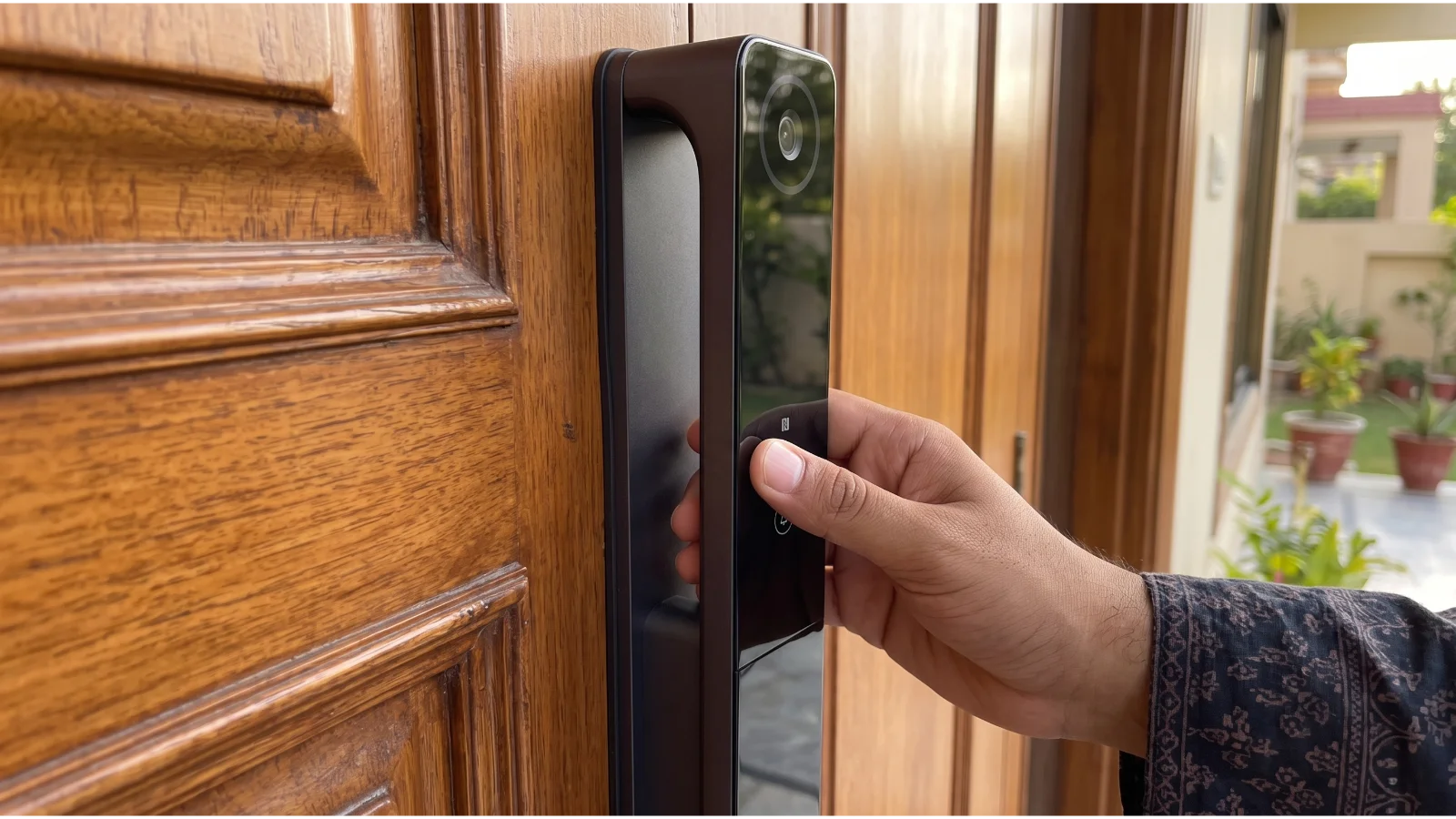
With fingerprint entry, the user intentionally touches the reader. With a compatible face-recognition system, the user presents their face to the recognition area instead.
Face Recognition Can Be Hands-Free
This can be convenient when someone approaches the main entrance with shopping bags, luggage or other items in their hands.
The system still needs a usable view of the enrolled user. “Hands-free” does not mean the lock can identify a person from any angle, any distance or under every possible condition.
2D and 3D Marketing Terms Should Not Be Treated as Identical
Face-recognition implementations can use different hardware and sensing approaches.
Buyers should therefore evaluate the actual product rather than assuming every device labelled “face recognition” has identical recognition performance or anti-spoofing capability.
Palm Vein vs Fingerprint: What Is the Practical Difference?
In a palm vein vs fingerprint comparison, one of the clearest differences is what the sensor reads and how the user presents the biometric feature.
Fingerprint recognition analyzes fingerprint characteristics at the fingertip. Palm-vein technology uses vascular characteristics beneath the palm.
The user normally presents an open palm within the sensor's recognition area rather than pressing a fingertip directly on a small reader.
Why Some Buyers Prefer Contactless Access
A contactless workflow can be appealing where users want to avoid repeatedly touching a fingerprint reader.
The palm still needs to be positioned correctly. Contactless does not mean that the sensor can authenticate from anywhere around the door.
Palm Vein Does Not Automatically Mean “More Secure”
The biometric characteristic is only one component of a complete lock.
Overall security also depends on physical construction, mortise quality, firmware, authentication logic, administrator controls, backup credentials and how the system handles unauthorized attempts.
If you want to understand the technology in more detail, read our guide to how palm vein recognition works.
Which Biometric Method Has the Fastest Recognition Speed?
There is no responsible universal answer.
Recognition speed is affected by the exact hardware, sensor, processor, algorithm, enrollment quality and the way the user presents the biometric feature.
A high-quality fingerprint reader may feel faster than a weak face-recognition system. A well-implemented face or palm system may feel more seamless because the user does not need to locate and touch a small reader.
| Method | What Often Makes It Feel Fast | What May Cause a Retry |
|---|---|---|
| Fingerprint | Direct sensor touch with an enrolled finger | Poor placement, dirty reader or poor capture |
| Face recognition | Hands-free presentation when the user is within the intended recognition area | Unsuitable position, angle or capture conditions |
| Palm vein | Open-palm presentation without touching a small sensor | Incorrect palm distance, position or movement |
Do not buy from a theoretical speed ranking
For everyday use, consistency can matter more than a fraction of a second. A biometric method that works naturally for your family is often more useful than one chosen only because a marketing sheet claims a faster recognition time.
Which Is the Best Biometric Door Lock Method for Security?
Buyers searching for the best biometric door lock method often expect one technology to be declared the winner.
That would oversimplify the decision.
Biometric type matters, but it is not the only factor that determines the security of a lock.
Can Fingerprints Be Copied?
Fingerprints are visible biometric characteristics and can be left on touched surfaces.
That fact alone does not tell you whether a specific fingerprint lock can be defeated. Resistance to presentation attacks depends on the actual reader and authentication implementation.
Can Face Recognition Be Fooled by a Photo?
You should not assume either answer without knowing the particular recognition system.
Different products use different sensing and anti-spoofing approaches. A verified 3D implementation should not automatically be treated as equivalent to a basic 2D image-matching product.
Is Palm Vein Spoof-Proof?
No biometric technology should be described as completely spoof-proof.
Palm-vein recognition uses an internal vascular characteristic, but the security of a real device still depends on the sensor, matching system and complete lock design.
Which Access Method Is Better for Family Use?
User convenience is often more personal than buyers expect.
A young adult may prefer fingerprint access because it feels familiar. Another family member may prefer face recognition because nothing needs to be touched. Someone else may find an open-palm gesture easier than locating a small fingerprint sensor.
Choose Fingerprint When...
Your family wants a simple, direct biometric method and users are comfortable touching a registered finger to the reader.
Choose Face Recognition When...
Hands-free entry is the priority and users prefer approaching the door without intentionally touching a biometric reader.
Choose Palm Vein When...
You want a contactless palm-based biometric method and are comfortable presenting an open hand to the recognition area.
Family Access Does Not Have to Use One Method
A multi-biometric lock can solve this problem by letting different authorized users choose different credentials.
For example, parents may use palm or face recognition, while another household member uses fingerprint access.
A Maid, Driver or other approved regular user may instead receive a PIN, IC card or another controlled credential depending on the specific lock and household policy.
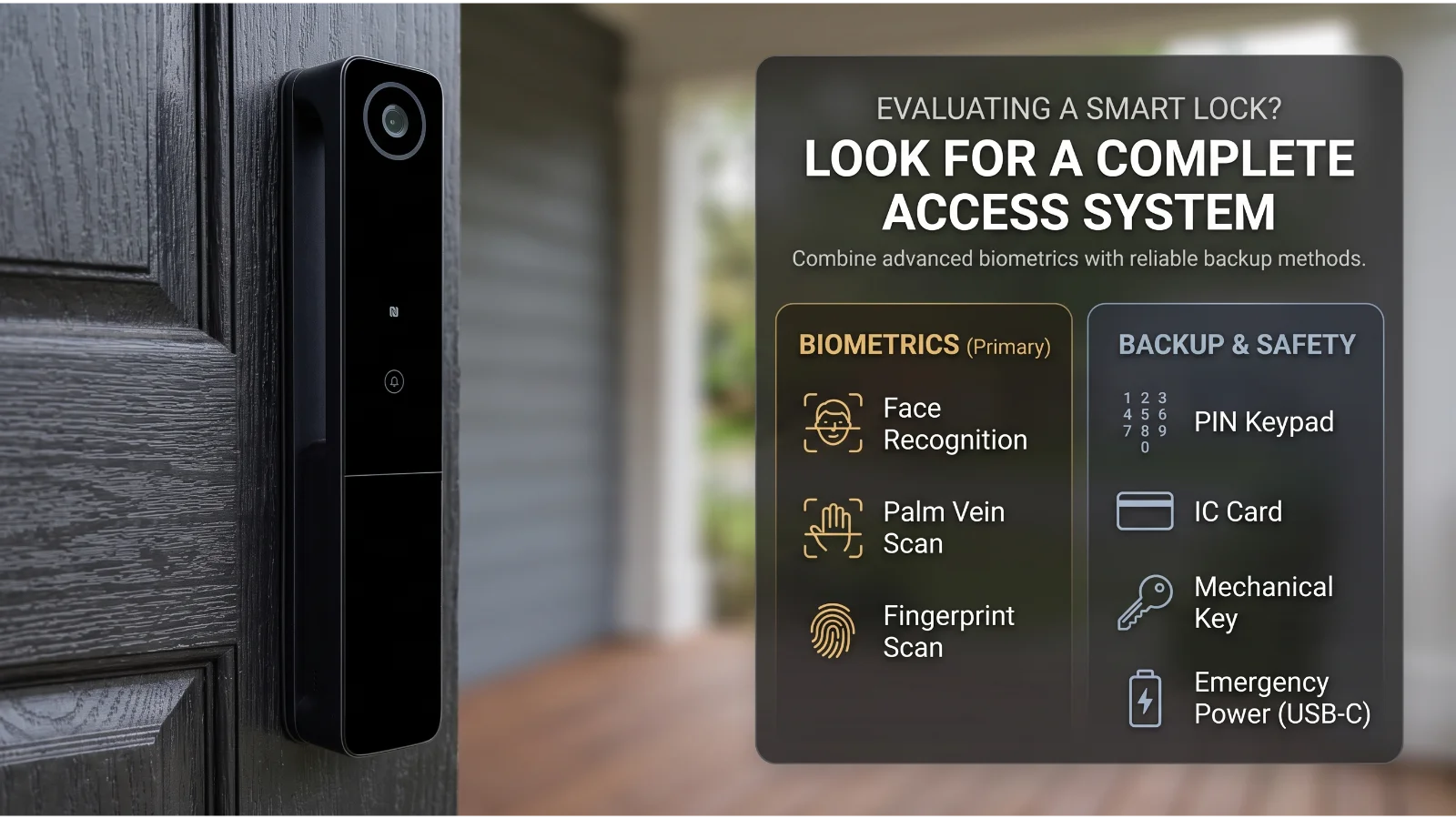
Why Backup Methods Matter More Than Picking a Biometric Winner
Biometric entry should not be viewed in isolation.
The practical question is what happens when your preferred biometric method cannot be used.
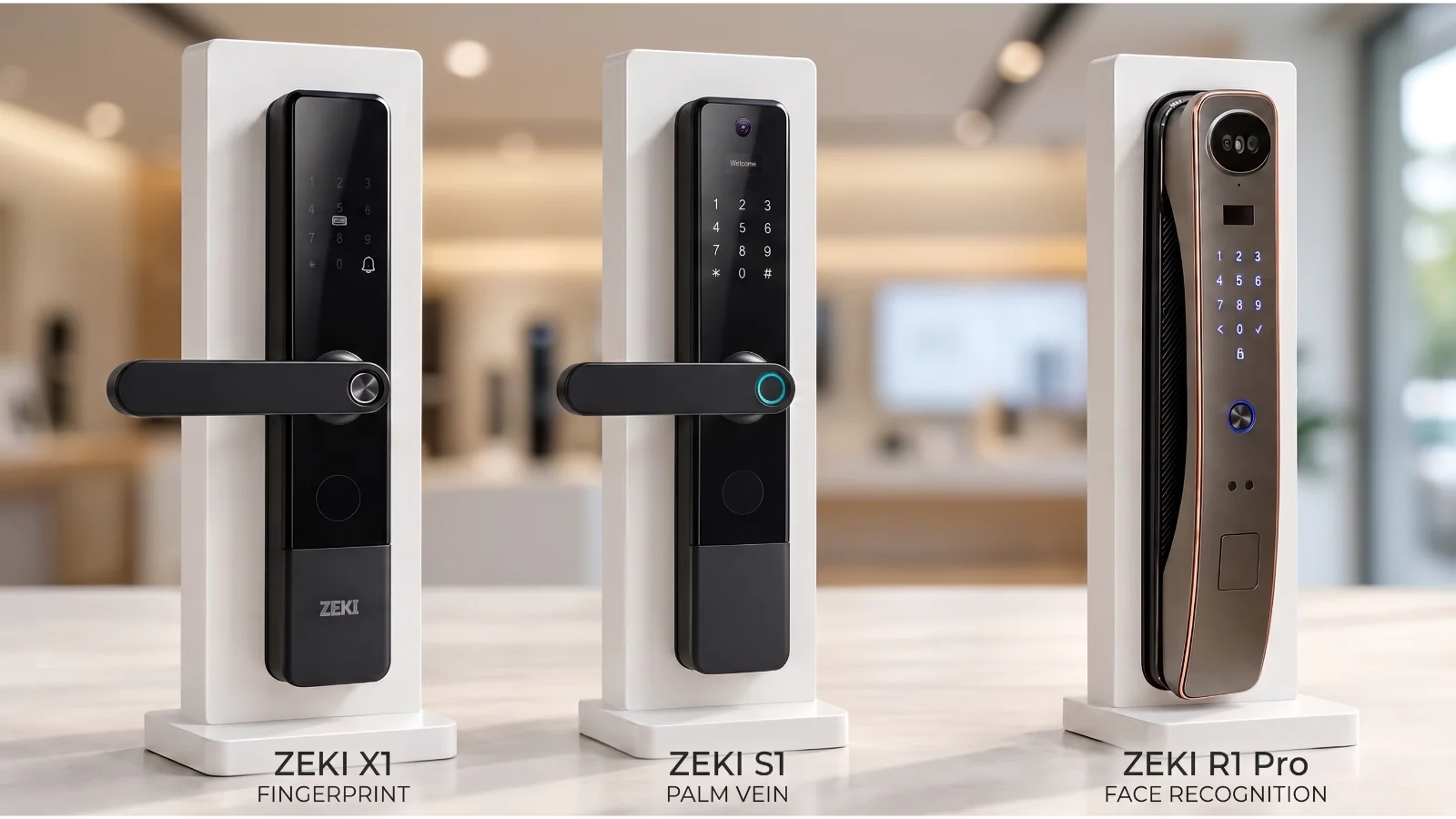
What Changes for Smart-Lock Buyers in Pakistan?
A biometric comparison is useful, but Pakistani entrances also present practical issues unrelated to the biometric sensor.
A premium wooden Main Gate or apartment entrance in DHA Lahore may have a different mortise, thickness and frame clearance from a door in Clifton Karachi, Bahria Town or E-11 Islamabad.
Door Compatibility Comes Before Biometric Preference
A buyer may prefer face recognition or palm vein technology, but the physical lock still needs to fit the door.
Door thickness, existing mortise, backset, left/right handing, inward or outward opening and frame clearance should be checked before the model is selected.
Dust Can Affect Optical and Touch Surfaces
Pakistani entrances can accumulate dust, particularly where the main door opens directly outdoors.
Fingerprint readers, cameras and optical biometric areas should be maintained according to the product manufacturer's cleaning guidance.
Load Shedding Is Mostly a Power-Architecture Question
Fingerprint, face and palm vein are authentication methods. They do not by themselves tell you whether a lock requires continuous WAPDA or K-Electric mains electricity.
Battery-powered locks can perform supported local functions from their own battery system. Routers, gateways and other network equipment are separate and may stop during load shedding unless they have UPS, inverter or generator backup.
PTCL or Fiber Dropouts Affect Connected Features, Not Your Biometric Identity
A corporate fiber outage, router restart or PTCL routing issue can interrupt internet-dependent app functions.
Buyers should distinguish this from local biometric matching at the lock.
The correct question is: which functions on this exact lock require internet, and which continue locally?
Voltage Fluctuations Still Need Sensible Power Management
Rechargeable locks, routers and supporting smart-home equipment should use appropriate charging and power equipment, particularly in locations where supply quality is inconsistent.
Which ZEKI Model Matches Each Biometric Priority?
The simplest way to use this biometric smart lock comparison is to start with the access experience you want most.
ZEKI's current Pakistan range includes models where fingerprint, palm vein and face recognition each have a different primary role.
ZEKI X1
Best aligned with buyers who primarily want straightforward fingerprint access with several supporting entry methods.
- Fingerprint access
- PIN / password
- IC / RFID card
- Mechanical key
- TTLock app
- Virtual password
- 4 AA battery operation
- Type-C emergency power
ZEKI S1
Best aligned with buyers who specifically want palm-vein-based contactless biometric access while retaining several other unlocking methods.
- Palm vein recognition
- Face recognition
- Fingerprint
- PIN / password
- IC card
- Built-in camera and doorbell
- Indoor HD screen
- Tuya Smart connectivity
ZEKI R1 Pro
Best aligned with buyers who prioritize 3D face-recognition entry and a premium hands-free access experience.
- 3D face recognition
- Palm vein access
- Fingerprint
- PIN
- IC card
- Wide-angle video camera
- 4.0-inch HD display
- Two-way voice capability
So Which Biometric Access Method Should You Choose?
| Your Priority | Start With | Why |
|---|---|---|
| Simple and familiar biometric access | Fingerprint | Direct interaction that many users already understand |
| Hands-free everyday entry | Face recognition | The user can authenticate by presenting their face instead of touching the reader |
| Contactless palm-based authentication | Palm vein | The user presents a registered palm without pressing a fingertip onto the sensor |
| Different preferences within one family | Multi-biometric model | Different household members can use different supported methods |
| Maximum recovery flexibility | Check backup methods first | PIN, card, mechanical key and emergency power can matter when the preferred biometric method is unavailable |
Do Not Choose from Biometric Type Alone
Before ordering, compare the complete product.
There Is No Universal Biometric Winner
Choose fingerprint for familiar direct access, face recognition when hands-free entry is the priority, or palm vein when you prefer contactless palm-based authentication. Then judge the actual lock on its complete hardware, backup methods, power design and fit for your door.
Not Sure Which Biometric Lock Fits Your Door and Family?
Not sure if your existing wooden door mortise, handle direction or frame clearance fits a digital lock?
Take a quick picture of your door lock body, door edge and full entrance and send it directly to our technical support team via WhatsApp at +92 304 7691488 for an instant, free compatibility assessment.
Also tell us whether your priority is fingerprint, hands-free face recognition or contactless palm vein access so we can help you compare the relevant ZEKI options.
Fingerprint vs Face Recognition vs Palm Vein FAQs
Which is better: fingerprint or face recognition for a smart lock?
Neither is universally better. Fingerprint access provides a familiar touch-based workflow, while face recognition can offer hands-free access. The better choice depends on the users, the quality of the specific lock and the available backup methods.
What is the difference between palm vein and fingerprint recognition?
Fingerprint recognition analyzes fingerprint characteristics at the fingertip. Palm-vein recognition uses characteristics of the vascular pattern beneath the palm and is commonly designed for contactless or near-contact presentation.
Is palm vein better than fingerprint?
It is different rather than universally better. Palm vein can provide a contactless user experience, while fingerprint access is highly familiar and direct. Sensor quality and the complete lock implementation matter more than the label alone.
Is face recognition more secure than fingerprint?
You should not make that conclusion from biometric type alone. Security depends on the recognition hardware, algorithm, anti-spoofing design, administrator controls, backup credentials and physical lock construction.
Which biometric lock is fastest?
Recognition speed varies by product and implementation. Sensor quality, processor, enrollment, user positioning and capture conditions can all influence how quickly a specific lock recognizes an authorized user.
Which biometric method is best for families?
It depends on family preferences. Fingerprint is familiar, face recognition can be hands-free, and palm vein can provide contactless palm-based access. A multi-biometric lock may be useful when household members prefer different methods.
Do biometric smart locks need Wi-Fi?
Biometric authentication itself does not inherently require Wi-Fi. Internet requirements depend on the exact lock and its connected app features. Local biometric unlocking and cloud-based functions should be considered separately.
Will biometric access work during load shedding?
It depends on the lock's power architecture. Battery-powered models can perform supported local lock functions from their own battery system. Internet-dependent features may be interrupted if routers or other network equipment lose power during load shedding.
Which ZEKI model should I choose for fingerprint access?
ZEKI X1 is the fingerprint-first option in the current Pakistan range. It combines fingerprint access with PIN, IC/RFID card, mechanical key and TTLock app support.
Which ZEKI model should I choose for palm vein recognition?
ZEKI S1 is the palm-vein-first option. It also supports face recognition, fingerprint, PIN/password and IC-card access on the current documented Pakistan configuration.
Which ZEKI model should I choose for face recognition?
ZEKI R1 Pro is positioned as the face-recognition-first option, with 3D face recognition supported alongside palm vein, fingerprint, PIN and IC-card access.
What should I check before buying any biometric lock?
Check the primary access method, alternative credentials, battery and emergency-power design, verified app functions, physical lock construction and compatibility with your door thickness, mortise, opening direction and frame clearance.